Create a Form with SmartForm
Introduction
Creating forms with SmartForm is quick and intuitive. This section guides you step by step to design a form tailored to your needs, using dynamic fields, conditional logic, and advanced customizations.
Steps to Create a Form
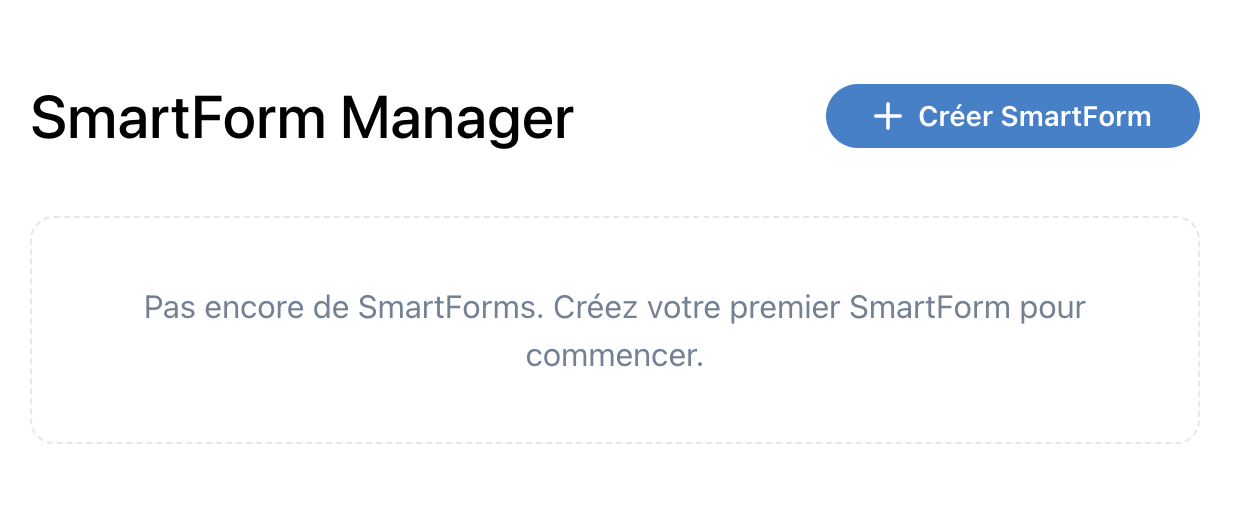
1. Access the SmartForm Interface
- Log in to your dashboard.
- Navigate to the "SmartForm" tab.
- Click on "Create a new form".
2. Add Fields
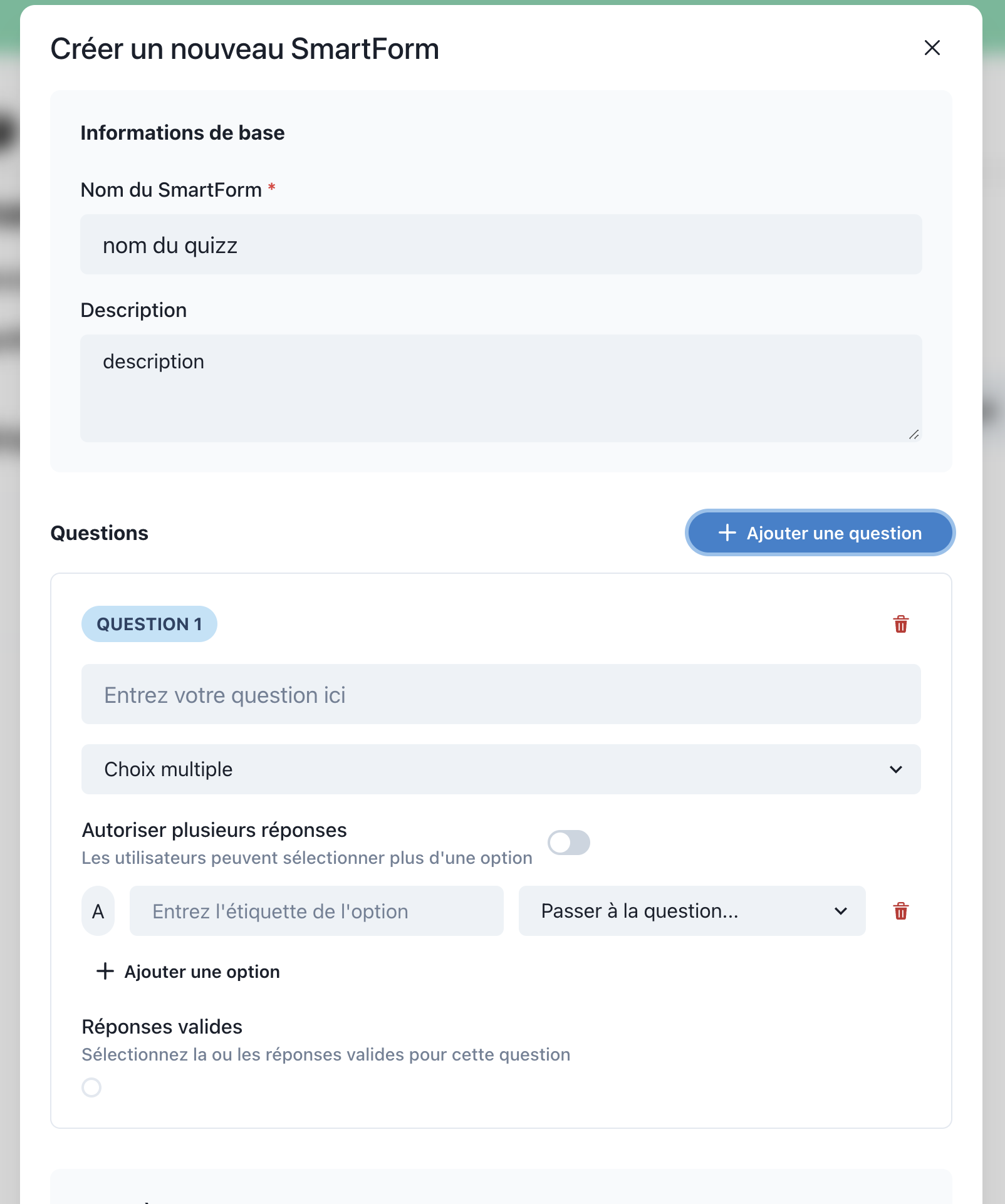
- Select the necessary field types from the side menu:
- Text: Open-ended questions to collect text responses.
- Multiple Choice (MCQ): Offer several options for users to choose from.
- Dropdown List: Provide a compact list for selections.
- Number: Fields to collect numerical data.
- Drag the fields into your form and customize them:
- Label: Name of the question.
- Required: Indicate if a response is necessary.
- Default Values: Pre-fill options to facilitate responses.
3. Configure Conditional Logic
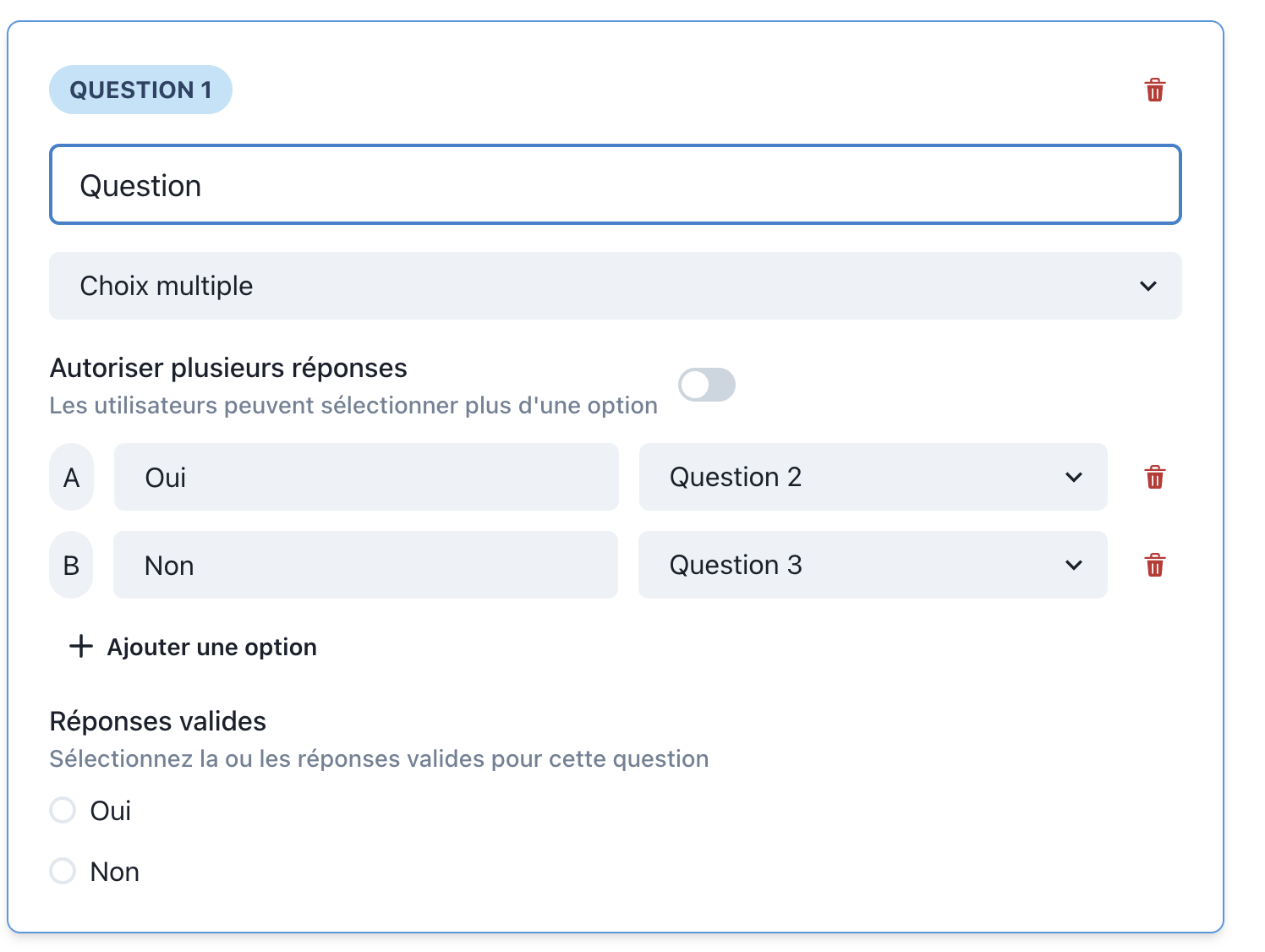
- Define rules based on user responses:
- If "Yes", display a follow-up question.
- If "No", skip to the next question or finish the form.
- Use the "Conditional Logic" menu to create custom paths.
5. Associate the Form with a SmartFlow
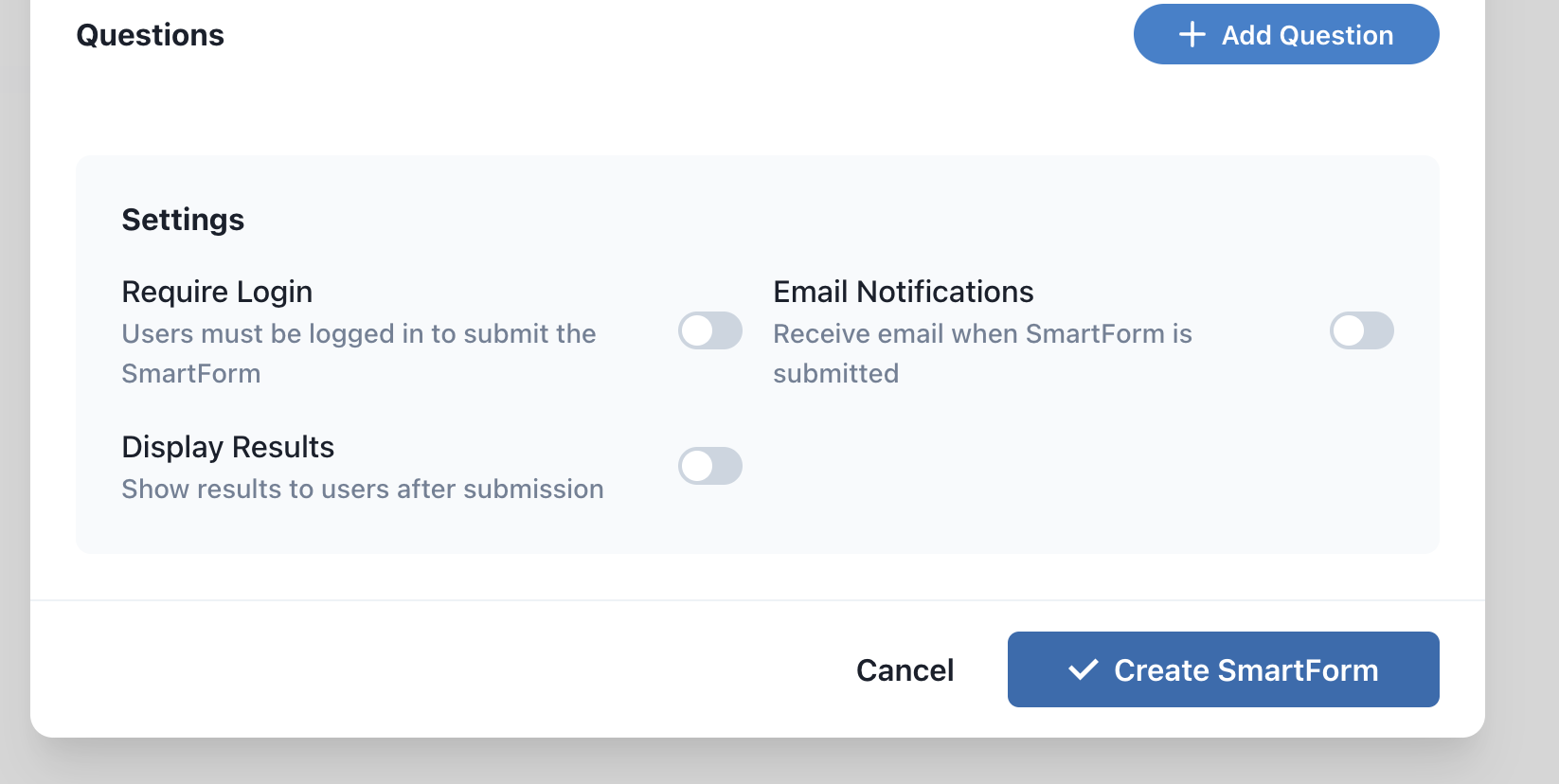
- Once the form is configured, select a SmartFlow in the "Settings" section.
- Define the actions to be executed after submission:
- Send an email.
- Call an external API.
- Save responses as observations.
To learn more and take action, check out our section on SmartFlow Integration.
6. Save and Publish
- Click "Save" to record your changes.
- Publish the form to make it accessible to users.
- Share the link or embed the form on your website.
Best Practices
- Test Before Publishing: Fill out the form to check the logic and fields.
- Simplify Your Questions: Avoid overly long forms to maximize response rates.
- Optimize for Mobile: Ensure your form is responsive for use on smartphones and tablets.
Useful Links
With these steps, you can create interactive forms and easily integrate them into your workflows. Explore the next section to discover the advanced features of SmartForm!