SmartFlow: Visual Workflow Builder
Create powerful automations by connecting nodes on a visual canvas. Give your AI assistant new capabilities, automate business processes, and integrate with your tools — all without writing code.
Key Features
SmartFlow combines powerful automation with an intuitive visual interface that anyone can use.
Visual Node Builder
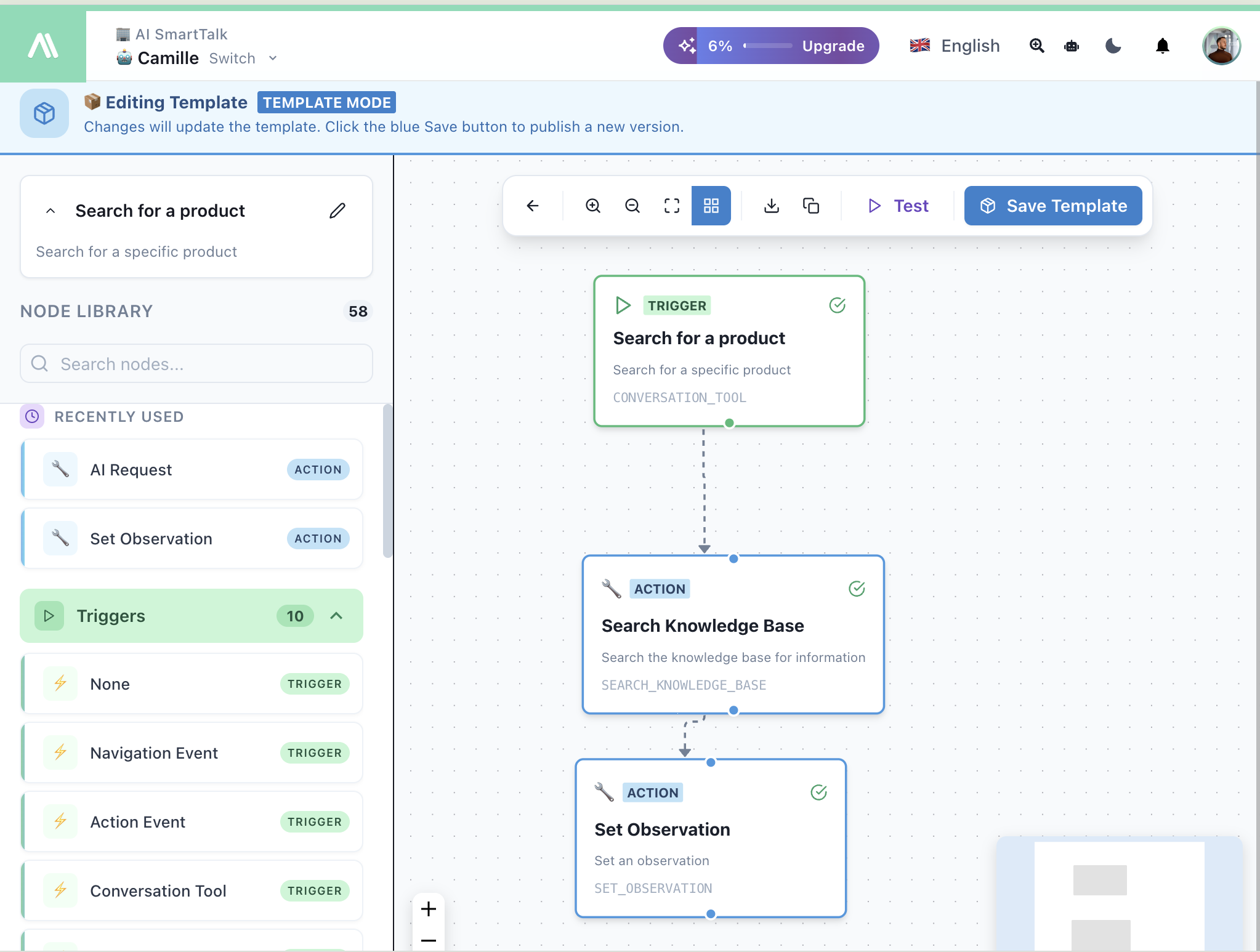
Drag and drop nodes onto a canvas to build powerful workflows. Connect triggers to actions with a visual interface anyone can use.
AI Conversation Tools
Give your AI assistant new capabilities. Create custom tools that search products, book appointments, create tickets, and more.
58 Node Types
10 triggers and 48 actions covering chat, email, API calls, knowledge base, AI requests, and third-party integrations.
Real-time Testing
Test your flows before going live. Watch nodes execute, see variable values, and debug errors in real-time.
Pre-built Connectors
Connect to JIRA, ClickUp, Gmail, Google Drive, and more. Or build custom integrations with the API Call action.
Template Store
Install pre-built workflows from the community. Or publish your own templates to share with others.
Benefits for Your Business
See how SmartFlow transforms your operations and creates better customer experiences.
Reduce Operational Costs
Automate repetitive tasks and let your AI handle routine inquiries.
Extend AI Capabilities
Give your chatbot superpowers: search products, create tickets, book appointments.
No Code Required
Visual builder means anyone can create workflows, not just developers.
Instant Response
AI tools execute in real-time during conversations for seamless experiences.
Pre-built Templates
Start fast with templates for JIRA, Gmail, WordPress, and more.
Test Before Deploy
Debug your flows in real-time before activating them.
How It Works
Building powerful workflows is simple with SmartFlow's visual node editor.
Choose Trigger
Select what starts your flow: AI tool, form submission, schedule, or webhook.
Add Actions
Drag action nodes from the library: search, API calls, AI requests, emails.
Connect & Configure
Link nodes together and configure each one with the visual form or JSON.
Test & Deploy
Click Test to debug, then toggle Live to activate your workflow.
Master SmartFlow
From basics to advanced automation — everything you need to build powerful workflows.
Introduction
Get started with the visual node builder
Configuration
Create and configure workflows
Triggers
10 ways to start your workflows
Actions
48 actions to automate anything
Template Store
Install pre-built workflows
Observations
Send results back to your AI
AI Tools
Give your chatbot new capabilities
SmartForm
Connect forms to workflows
What You Can Build
Discover how SmartFlow powers intelligent automations across your business.
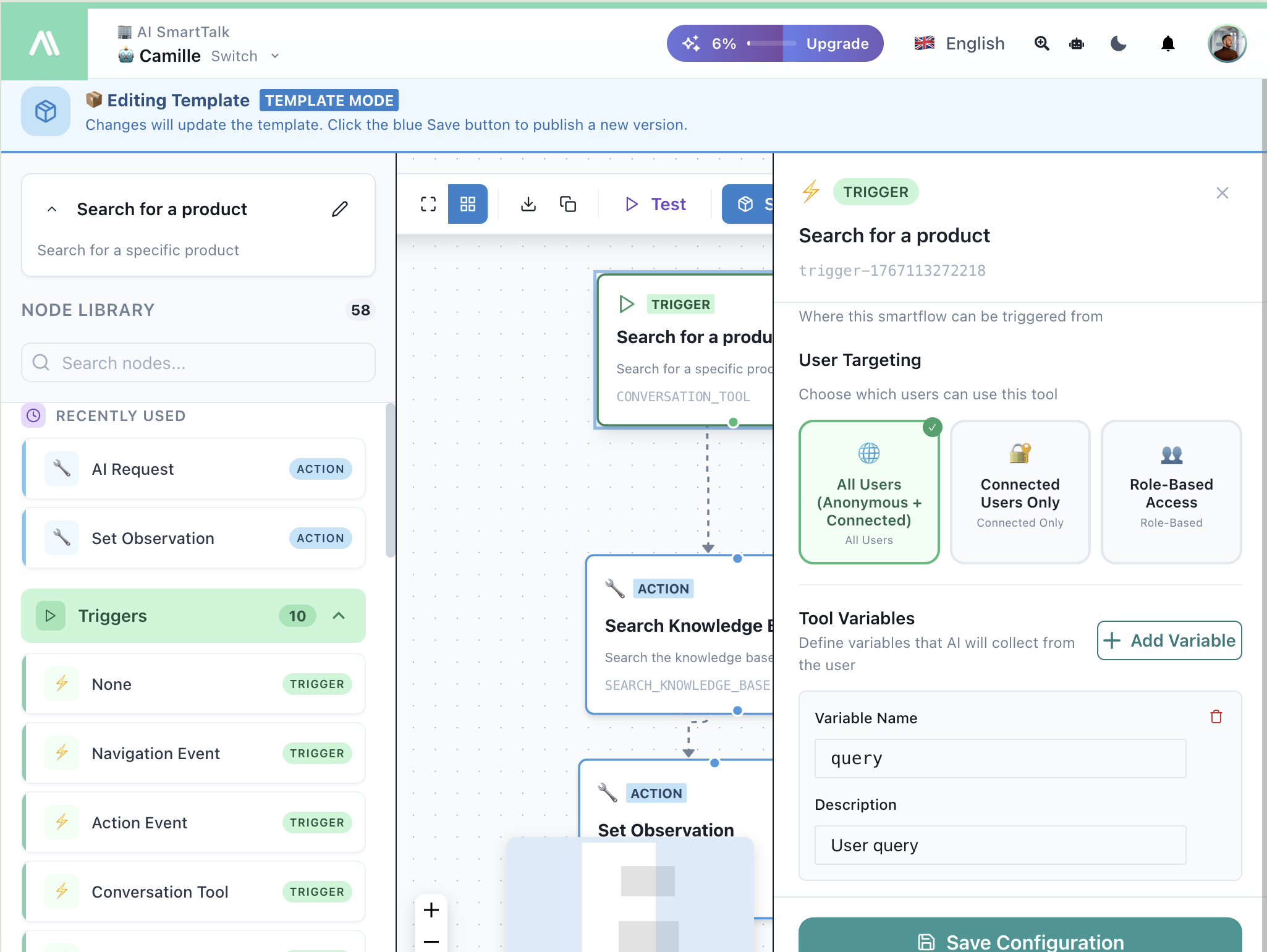
Create AI Tools for Your Chatbot
Use the Conversation Tool trigger to give your AI new capabilities. Define what parameters the AI should collect, then connect actions to search your knowledge base, call APIs, or create records. Your AI will use the tool automatically when relevant.
- User targeting (all users, connected only, role-based)
- Define variables the AI collects conversationally
- Connect to any action: search, API calls, JIRA, etc.
- AI decides when to use the tool automatically
Visual Node Editor
Build workflows by dragging nodes from the library onto the canvas. Connect them together to define the execution order. Click any node to open its configuration panel with form or JSON options.
- Drag and drop from 58 node types
- Visual connections between nodes
- Form or JSON configuration modes
- Test button to debug before going live
Template Store & Sharing
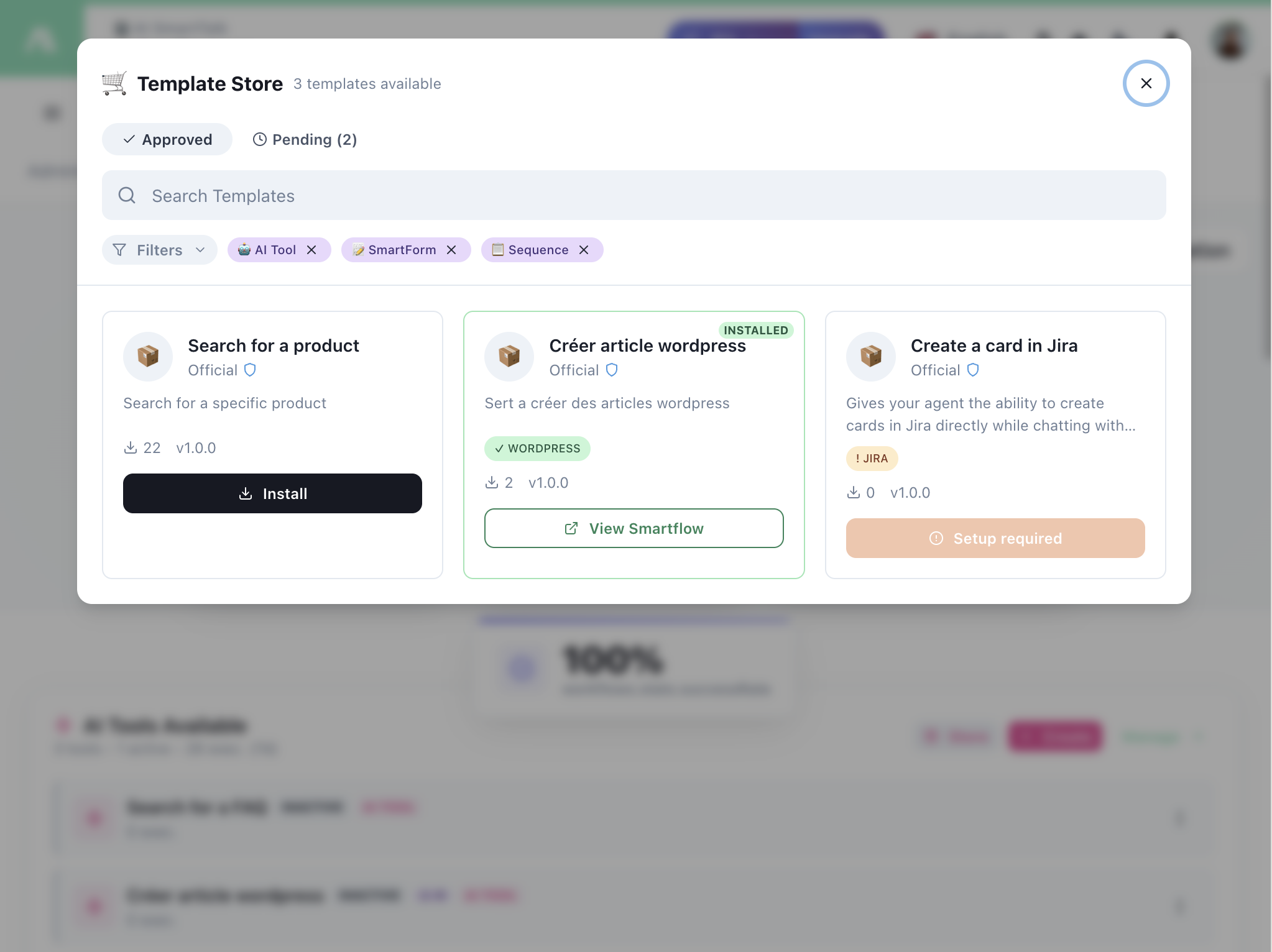
Browse and install pre-built workflows from the community. Filter by category (AI Tool, SmartForm, JIRA, WordPress). Or create your own templates and publish them to the store for others to use.
- One-click template installation
- Filter by integration type
- Preview flows before installing
- Publish your own templates
Start Building Today
Create your first workflow in minutes. No credit card required.
Contact Us
Have questions or ready to learn more? Our team is here to help you find the right solution for your business.
Book a Demo
Schedule a time using our calendar to see our platform in action.
Ready to elevate your
user experience?
Deploy AI assistants that delight customers and scale with your business.