AI-Powered Form Generation - Transform Documents into Interactive Forms Instantly
Creating forms manually can be time-consuming and tedious. Whether you're building training quizzes, customer surveys, compliance assessments, or feedback forms, the process typically involves hours of work: drafting questions, creating answer options, setting up validation rules, and testing everything works correctly.
What if you could do all of this in seconds?
With SmartForm's AI-powered generation feature, you can transform any document from your knowledge base into a complete, interactive form automatically. Let AI do the heavy lifting while you focus on what matters most - getting insights from your audience.
🎯 Why AI Form Generation Changes Everything
Traditional form creation is a bottleneck. You know what information you need to collect, you have the content in your documents, but translating that into an effective form takes significant time and effort.
The Traditional Approach
- ⏰ Read through your documentation
- ✍️ Manually write each question
- 🔄 Create answer options for multiple choice
- ✅ Set up validation rules
- 🧪 Test the form thoroughly
- 🔧 Make adjustments and refinements
Time investment: 2-4 hours for a comprehensive form
The SmartForm AI Approach
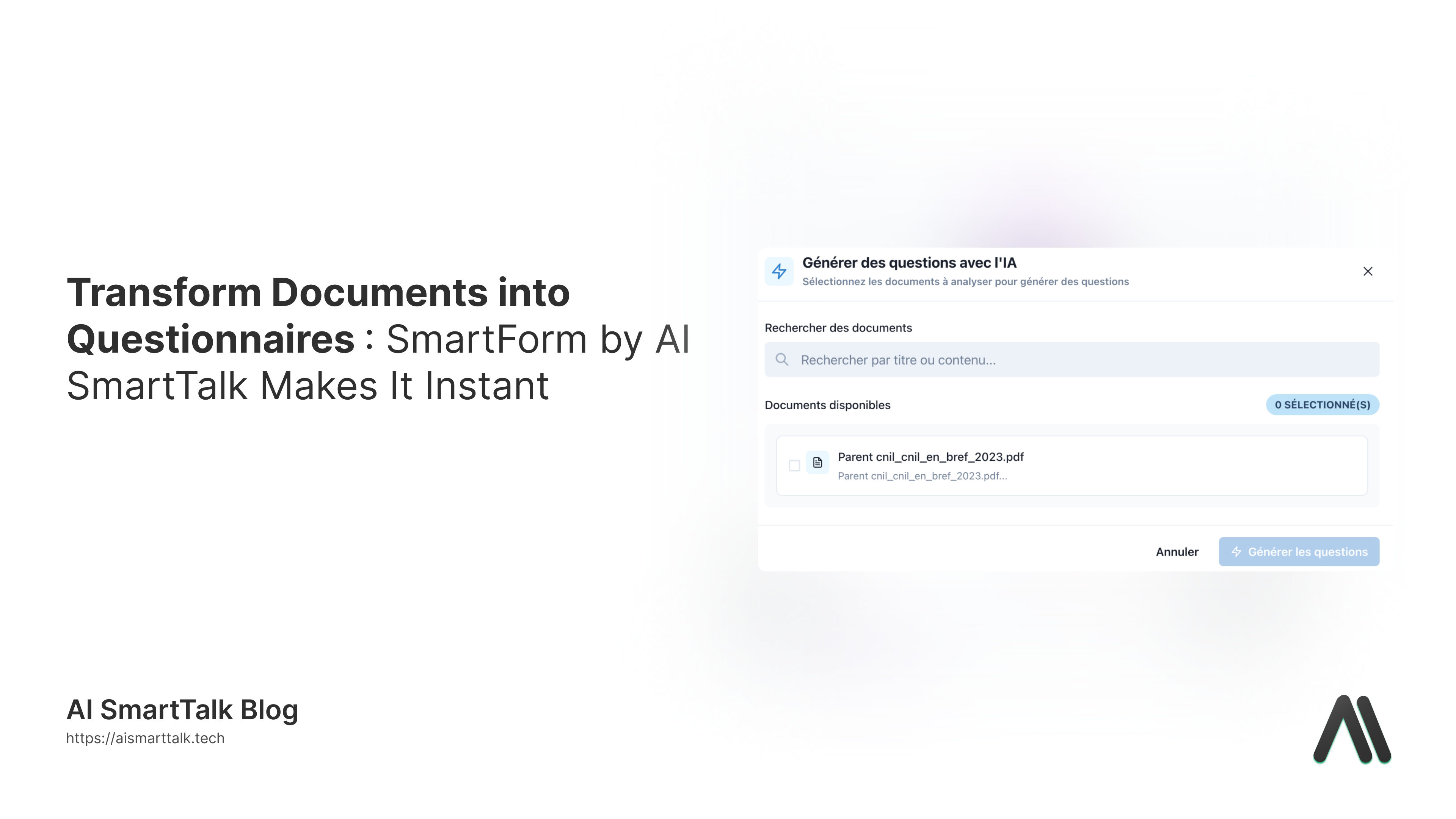
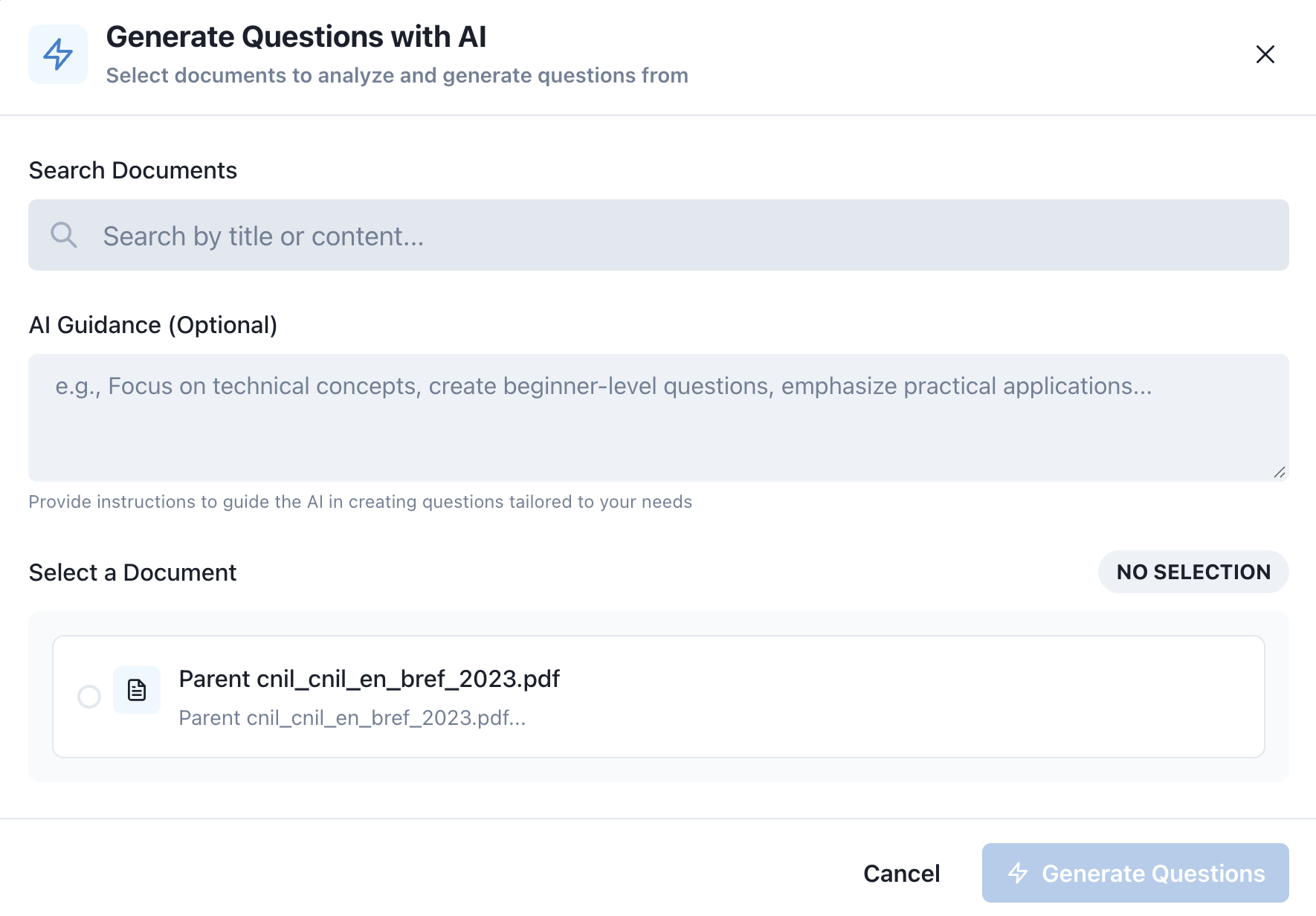
- 📄 Select a document from your knowledge base
- 💭 Optionally provide guidance (e.g., "focus on beginner concepts")
- ⚡ Let AI generate the complete form
- 👀 Review and customize if needed
- ✅ Publish
Time investment: 2-5 minutes
🚀 How It Works
SmartForm's AI generation is designed to be incredibly simple while delivering powerful results.
Step 1: Select Your Document
Start by choosing any document from your knowledge base. This could be:
- Training materials and courses
- Product documentation
- Policy documents
- Standard operating procedures
- Technical guides
- Employee handbooks
- Any other text-based content
Step 2: Provide Optional Guidance
Want to tailor the questions to specific needs? Add AI guidance to customize the output:
Examples of effective guidance:
- "Create beginner-level questions focusing on key concepts"
- "Generate technical assessment questions for experienced users"
- "Focus on practical applications and real-world scenarios"
- "Emphasize compliance and regulatory requirements"
- "Create questions suitable for customer feedback"
The guidance is optional - AI can generate great questions from the document alone. But adding guidance gives you more control over the style and difficulty level.
Step 3: AI Does the Magic
Within seconds, SmartForm's AI:
- Analyzes your document content
- Identifies key concepts and important information
- Generates relevant, well-structured questions
- Creates multiple-choice options with correct answers marked
- Adds text input fields where appropriate
- Structures the form logically
Step 4: Review and Refine
The generated form appears in the editor where you can:
- Review all questions and answers
- Make any adjustments needed
- Add or remove questions
- Modify wording to match your tone
- Set up conditional logic if desired
- Configure SmartFlow integration
💡 Real-World Use Cases
1. Employee Training & Assessment
Scenario: You have comprehensive training documentation for new employees.
Traditional approach: Spend hours creating a quiz to test comprehension.
With SmartForm AI:
- Select the training document
- Add guidance: "Create intermediate-level assessment questions"
- Get a complete quiz in seconds
- Deploy immediately to test employee knowledge
Result: Training assessments created 95% faster, allowing you to focus on actual training delivery.
2. Customer Feedback Collection
Scenario: You've launched a new product feature and need user feedback.
Traditional approach: Brainstorm questions, create survey, iterate on design.
With SmartForm AI:
- Select the feature documentation
- Add guidance: "Generate customer feedback questions focusing on usability"
- Review and add any custom questions
- Integrate with SmartFlow to automate response handling
Result: Professional feedback forms deployed the same day as feature launch.
3. Compliance & Certification
Scenario: Quarterly compliance training requires assessment forms.
Traditional approach: Legal team drafts questions, reviews for accuracy, updates annually.
With SmartForm AI:
- Select the latest compliance policy document
- Add guidance: "Create compliance verification questions"
- Legal team reviews generated questions
- Deploy across organization
Result: Up-to-date compliance forms that automatically reflect policy changes.
4. Product Knowledge Testing
Scenario: Sales team needs to demonstrate product expertise.
Traditional approach: Product managers manually create certification tests.
With SmartForm AI:
- Select product specification documents
- Add guidance: "Generate technical product knowledge questions"
- Customize difficulty levels for different roles
- Track results to identify knowledge gaps
Result: Continuous product training with minimal overhead.
🎓 Tips for Best Results
1. Choose Quality Source Documents
The better your source document, the better the generated questions:
- ✅ Well-structured content with clear sections
- ✅ Comprehensive coverage of the topic
- ✅ Current and accurate information
- ❌ Avoid fragmentary or incomplete documents
2. Craft Effective Guidance
When providing AI guidance, be specific:
- Good: "Create 10 beginner-level questions focusing on safety procedures"
- Better: "Generate practical scenario-based questions for new warehouse staff about safety protocols"
3. Review Generated Content
Always review AI-generated questions:
- Ensure technical accuracy
- Verify questions match your needs
- Adjust wording to match your brand voice
- Check that answer options are appropriate
4. Iterate and Refine
Don't expect perfection on the first try:
- Generate a form, review it
- Note what could be improved
- Try different guidance phrases
- Learn what works best for your use case
5. Combine AI with Manual Additions
Use AI as a foundation:
- Let AI generate the bulk of questions
- Add custom questions for specific needs
- Create hybrid forms that leverage both approaches
🔄 Integration with SmartFlow
AI-generated forms aren't just about saving time - they're perfect entry points for automation workflows.
Automatic Response Processing
Connect your AI-generated form to SmartFlow to:
- Send personalized emails based on responses
- Trigger follow-up actions automatically
- Update CRM records in real-time
- Generate reports and analytics
- Route submissions to appropriate team members
Example Workflow
- Form submitted → AI-generated customer feedback form
- SmartFlow triggers → Based on satisfaction score
- High score: Thank you email + request for testimonial
- Low score: Alert support team + schedule follow-up call
- All responses: Update customer profile in CRM
📊 Measuring Success
Organizations using SmartForm's AI generation report impressive results:
Time Savings
- 95% reduction in form creation time
- Hours saved per form (average 2-3 hours → 5 minutes)
- Faster deployment of training and assessment programs
Quality Improvements
- More consistent question quality
- Better coverage of topic areas
- Professional formatting from the start
Business Impact
- Increased agility in launching new initiatives
- Better employee training outcomes
- Higher response rates with well-crafted questions
- Faster time-to-market for product launches
🌟 Getting Started with AI Form Generation
Ready to transform your form creation process?
For New Users
- Upload documents to your knowledge base
- Navigate to SmartForm in your admin dashboard
- Click "Create Form" and select "Generate with AI"
- Choose a document and optionally add guidance
- Review the generated form and customize
- Publish and start collecting responses
For Existing SmartForm Users
If you're already using SmartForm manually, try AI generation for:
- Forms you need to create regularly (save templates)
- Complex forms with many questions
- Forms based on documentation that changes frequently
- Quick prototypes to test ideas
Best Starting Points
- Simple quiz: Training document → Assessment quiz
- Feedback form: Feature documentation → User feedback
- Knowledge check: Policy document → Compliance verification
🔮 The Future of Form Creation
AI-powered form generation is just the beginning. We're continuously improving SmartForm's AI capabilities:
Coming Soon
- Multi-document synthesis: Generate forms from multiple documents
- Style learning: AI adapts to your preferred question formats
- Advanced validation: AI-suggested validation rules
- Smart translations: Automatic form translation to multiple languages
- Response prediction: AI estimates expected response patterns
Vision
Our goal is to make form creation so effortless that you can focus entirely on what you'll do with the data, not on collecting it.
💪 Start Saving Time Today
Stop spending hours on form creation. Let AI do the heavy lifting while you focus on what matters: engaging your audience and acting on their responses.
Try SmartForm's AI generation now: Get Started →
📚 Learn More
Have questions about AI form generation? Contact our team or explore our comprehensive documentation.