Mitme konto haldamine
Kas haldate AI assistente erinevatele ettevõtetele, brändidele või osakondadele? Halda neid kõiki ühest rakendusest. Vaheta nende vahel ühe puudutusega.

Teise assistendi lisamine
- Puudutage oma avatar paremas ülanurgas
- Puudutage "Lisa konto"
- Logige sisse teise AI SmartTalk kontoga
- Valmis — teie uus assistent on valmis
Lisage nii palju kui vajate. Piiranguid ei ole.
Assistentide vahel vahetamine
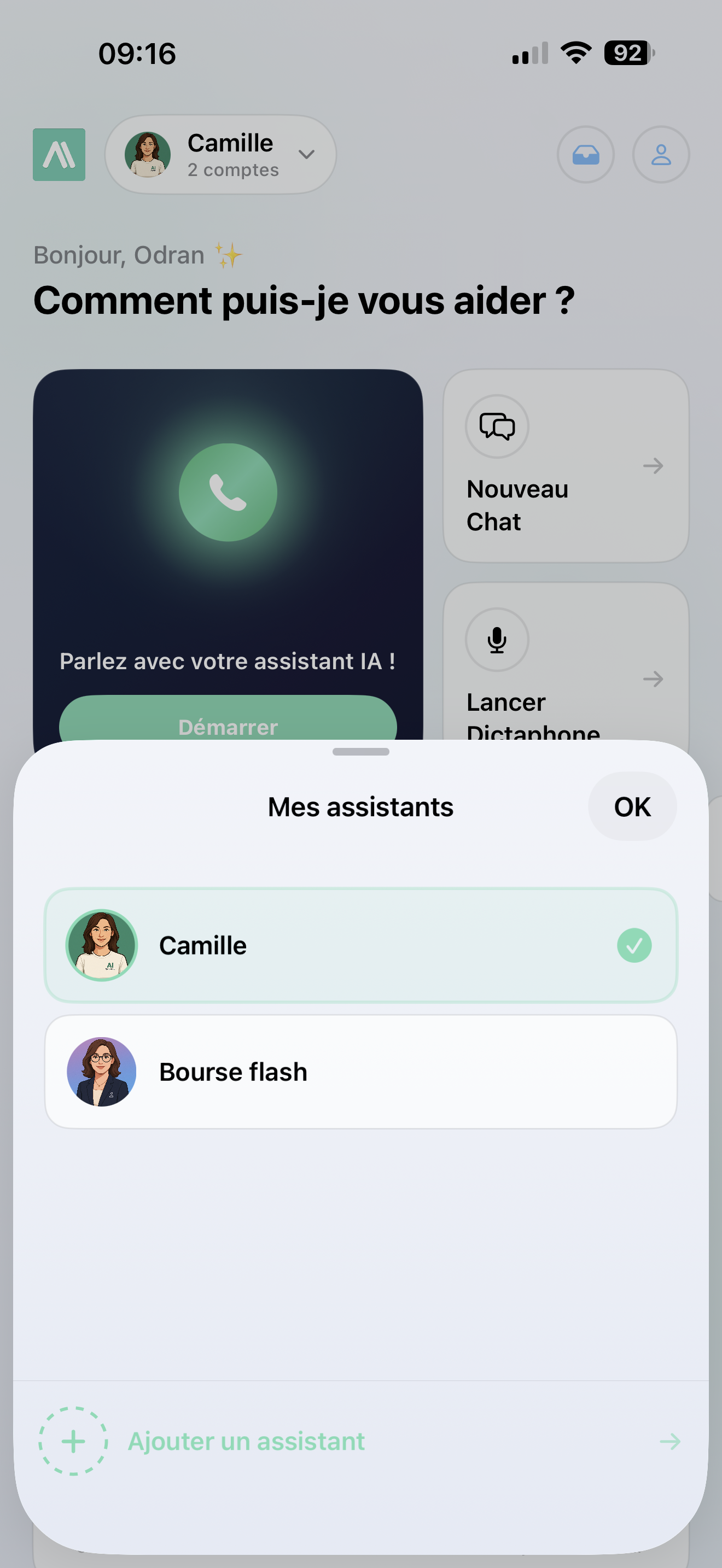
- Puudutage oma avatar vasakus ülanurgas
- Valige soovitud assistent
- Rakendus laadib kohe selle assistendi armatuurlaua, postkasti ja ajaloo
Igal assistendil on oma värvid, avatar ja nimi, nii et teate alati, millist te kasutate.
Kõik jääb eraldi
Igal assistendil on oma:
- Armatuurlaud — statistika selle konkreetse ettevõtte jaoks
- Postkast — klienditeated ainult selle assistendi jaoks
- Ajalugu — varasemad vestlused ja salvestised
- Seaded — teema, teavitused, eelistused
Konto vahel ei segune midagi.
Teavitused kontode vahel
Parim osa — saate teavitusi kõigi oma assistentide kohta, isegi nende kohta, mida te praegu ei vaata:
- Teavitustes kuvatakse assistendi nimi, et te teaksite, kellele see on
- Teavitusele puudutamine vahetab automaatselt õigele kontole
- Rakenduse ikoonil kuvatakse lugemata sõnumid teie teistelt kontodelt
See töötab nagu mitme Instagrami konto omamine — olete alati kursis.
Assistendi eemaldamine
Puudutage oma avatari, pühkige konto üle, mille soovite eemaldada, ja kinnitage. Saate selle alati hiljem tagasi lisada.
Konto eemaldamine kustutab selle kohalikud andmed (ajalugu, vahemälus olevad sõnumid). Teie andmed aismarttalk.tech ei mõjuta.