AI SmartTalk vs Tidio — Which AI Chatbot Is Right for Your Business?
Detailed comparison of AI SmartTalk and Tidio for e-commerce and business chatbots. Features, pricing, integrations, and omnichannel capabilities compared.
Read moreInstall the leading AI chatbot for WordPress in one click. Our WordPress AI chatbot plugin integrates with WooCommerce, syncs your product catalog automatically, and provides 24/7 intelligent customer support. The most complete chatbot plugin for WordPress sites and online stores.
Our WordPress chatbot plugin integrates with your site and WooCommerce store to provide intelligent, automated customer service. A complete AI chatbot for WordPress.
Install our AI chatbot plugin directly from the WordPress admin panel. No coding required - just search, install, and activate to get started instantly.
Seamlessly integrate with WooCommerce to provide product information, order tracking, and customer support. Automatically syncs with your product catalog and order data.
Works with any WordPress theme. Our chatbot automatically adapts to your site's design and branding for a seamless user experience.
Integrate with WordPress user accounts for personalized experiences. Chatbot can access user profiles, order history, and account information.
Track chatbot performance alongside your WordPress analytics. Monitor engagement, conversions, and user behavior in your familiar WordPress dashboard.
Built following WordPress security best practices. Regular updates, secure coding standards, and compatibility with WordPress security plugins.
Let visitors call your AI chatbot directly! With Voice Call, users can speak naturally and receive voice responses in real-time. Available with French sovereign models and international options.
Join thousands of WordPress sites using our AI chatbot plugin for WordPress to enhance customer engagement and drive business growth.
Convert more WordPress visitors into customers with instant support and personalized assistance.
Built specifically for WordPress with seamless integration into your existing site and workflow.
Install and configure in minutes with our one-click WordPress plugin installation.
Perfect for WooCommerce stores with automatic product and order synchronization.
Provide helpful, engaging interactions that keep visitors on your WordPress site longer.
Manage your chatbot directly from your WordPress admin panel with familiar controls.
Install our WordPress AI chatbot plugin in just 3 simple steps. The easiest way to add a chatbot to your WordPress site.
Go to your WordPress admin panel, navigate to Plugins > Add New, search for "AISmartTalk", and click Install Now. Activate the plugin once installed.
View detailed guideEnter your AI SmartTalk API key in the plugin settings. Customize the chatbot appearance, welcome messages, and behavior from your WordPress dashboard.
Save your settings and your AI chatbot is instantly live. It will appear on your WordPress site ready to engage visitors 24/7.
Perfect integration with WooCommerce for enhanced e-commerce customer support and sales.
Experience how our WordPress chatbot handles real customer interactions and drives engagement.
Watch how our AI handles customer support for a WordPress WooCommerce store
AI Assistant
Online
Let your WordPress visitors call your AI chatbot! They can speak naturally and receive instant voice responses. Perfect for WooCommerce and business support.
Visitors describe what they need naturally. The AI understands context and responds intelligently.
Choose between French sovereign models (Mistral AI) or international options (OpenAI) based on your compliance needs.
See the conversation transcribed in real-time while the AI speaks. Perfect accessibility for all users.
AI SmartTalk is the omnichannel AI agent for your website, social networks, messaging apps, and e-commerce platforms. Deploy everywhere from a single dashboard.
Discover how WordPress sites are using our chatbot for WordPress to transform visitor engagement and drive business growth.
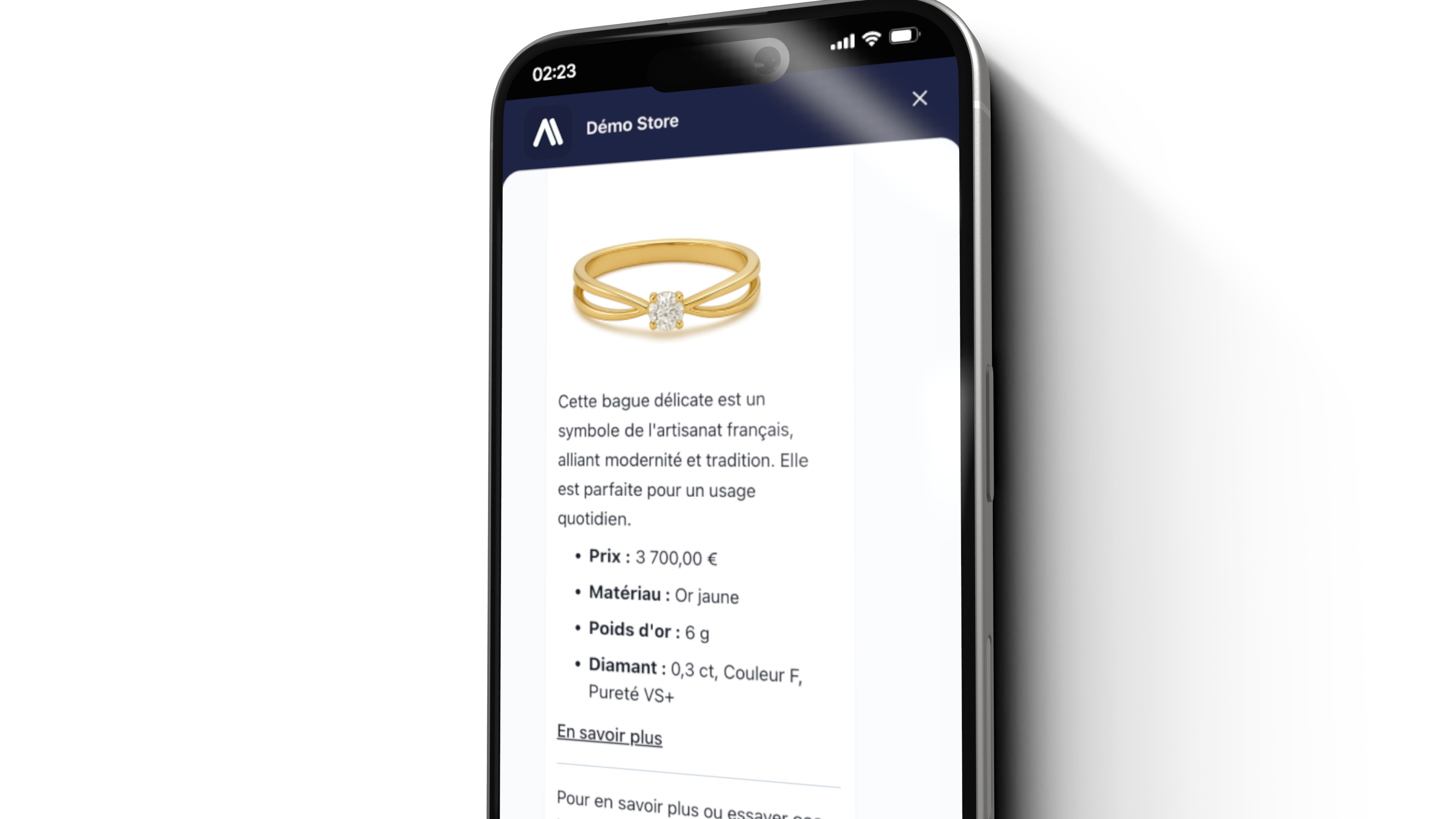
Transform your WooCommerce store with an AI shopping assistant. Help customers find products, check inventory, process orders, and provide post-purchase support directly through chat.
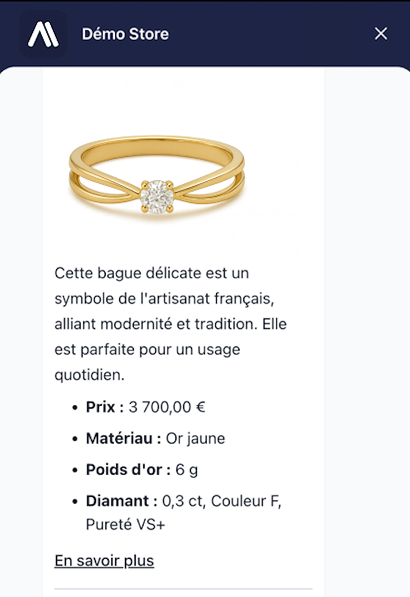
Enhance your WordPress business website with intelligent customer support. Handle inquiries, capture leads, schedule appointments, and provide instant assistance to visitors.
Get answers to common questions about our WordPress AI chatbot plugin.
Installing our WordPress chatbot is simple: Go to your WordPress admin panel, navigate to Plugins > Add New, search for "AISmartTalk", click "Install Now" and then "Activate". The chatbot will be ready to configure in minutes.
Yes! Our AI chatbot integrates seamlessly with WooCommerce. It can access your product catalog, provide real-time inventory information, help customers track orders, and answer questions about shipping and payments.
Absolutely! You can customize colors, position, welcome messages, and behavior directly from your WordPress dashboard. The chatbot automatically adapts to your theme's design and supports both light and dark modes.
Yes! Besides WordPress and WooCommerce, we offer AI chatbot modules for PrestaShop and Joomla/HikaShop. All platforms share the same AI engine, so you can manage multiple stores from one dashboard.
Yes, our chatbot is fully GDPR compliant. Data is processed in EU data centers, and we provide tools for data export, deletion, and consent management. We are also EU AI Act ready.
The chatbot can automatically crawl your WordPress pages, learn from your WooCommerce products, and understand your FAQs. You can also manually add knowledge articles and documents to train the AI on specific topics.
Our AI chatbot supports 50+ languages and can automatically detect and respond in your visitor's preferred language. This makes it perfect for international WordPress sites and multilingual WooCommerce stores.
Voice Call is our new feature that lets visitors talk directly to your AI chatbot. Users click the call button, speak naturally, and receive voice responses in real-time. It works with French sovereign models (Mistral AI) and international models (OpenAI).
Ready to add a chatbot to your WordPress site? Get our WordPress AI chatbot plugin and start engaging visitors instantly.
Have questions or ready to learn more? Our team is here to help you find the right solution for your business.
Schedule a time using our calendar to see our platform in action.
Deploy AI assistants that delight customers and scale with your business.