BYOK is here — Bring Your Own API Key to AI SmartTalk

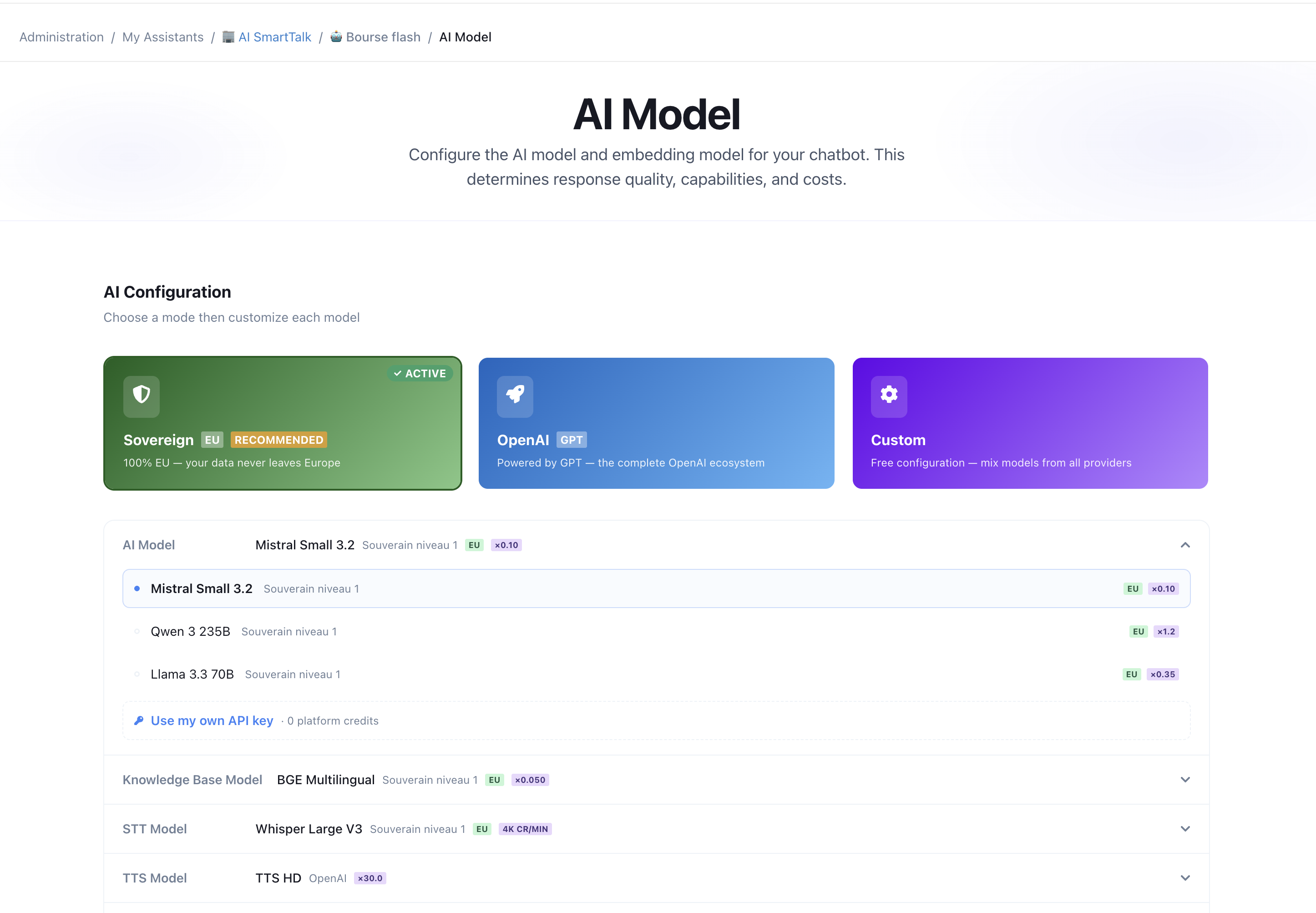
You asked, we delivered. One of the most requested features from our community is live: Bring Your Own Key (BYOK). You can now connect your own AI provider key to AI SmartTalk and route any capability through it — billed directly by your provider, with zero AI SmartTalk credits consumed on those calls.
In a hurry? The full setup walkthrough lives in the AI Model & BYOK guide — providers, per-capability routing, managing keys, and billing.
What BYOK does
Until now, every AI call ran on the models we host and was billed in AI SmartTalk credits. That's still the simplest path — sensible defaults, sovereign EU models, nothing to configure. But if you already have provider credits, negotiated volume pricing, or a self-hosted model, you wanted to use them. Now you can.
BYOK lets you connect your own key and decide, capability by capability, whether a call runs on our platform models or on your endpoint:
- Chat (LLM)
- Embeddings (knowledge base search)
- Speech-to-Text
- Text-to-Speech
- Vision (image understanding)
Each one is independent. Keep our sovereign EU models for what matters to you, and bring your own key for the rest.
Which providers are supported
Bring a key from any of these — or point at your own endpoint:
- OpenAI — GPT-4o, GPT-4o mini, and more
- Anthropic — Claude
- Mistral
- Scaleway Generative APIs
- Ollama — your own self-hosted models
- Any OpenAI-compatible endpoint — vLLM, OpenRouter, Together.ai, Groq, Fireworks, and others
Why it matters
- Full cost control — your key, your bill. Calls routed through your provider don't touch your AI SmartTalk credits.
- No lock-in — mix and match freely. Use a sovereign EU model for chat and your own key for vision, or any combination you like.
- Set once, use everywhere — keys are saved at the organization level and shared across every chatbot you run. Switching the active model for a capability takes one click.
- Still GDPR-friendly — keep your data on EU-hosted sovereign models wherever you need to; BYOK is opt-in, per capability.
How to set it up
- Open any assistant in the admin and go to the AI Model page.
- Select the Custom mode.
- On any capability (chat, embeddings, voice, vision), click "Use my own API key", pick your provider, paste your key, and choose the model.
- Manage all your saved keys anytime from "Manage keys" — they're shared across your whole organization.
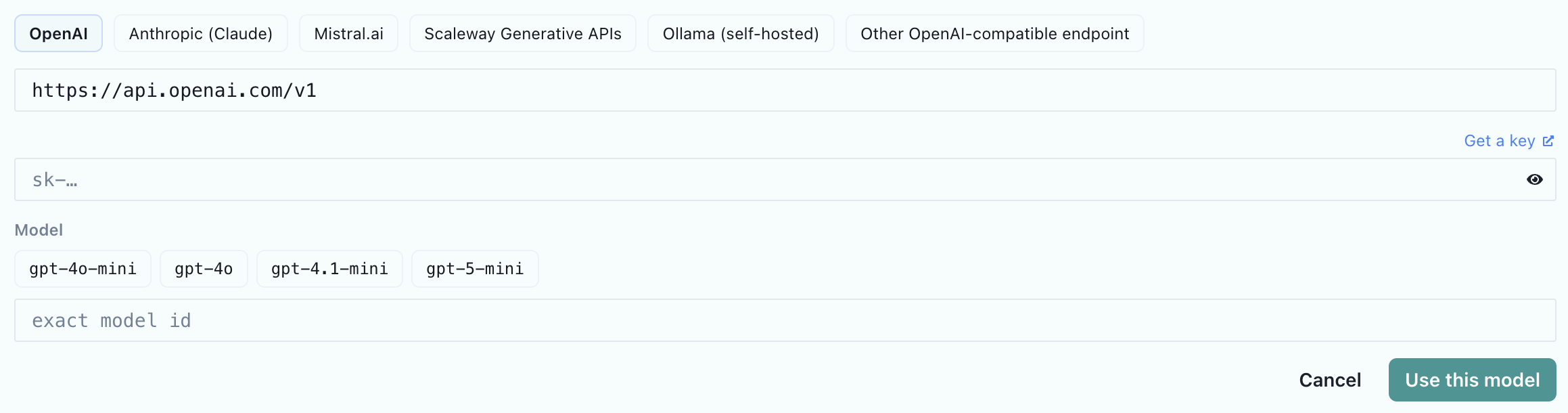
That's it. From that moment, the capabilities you routed through your key are billed by your provider, and you'll see them marked as BYOK with 0 credits in your usage analytics.
Full walkthrough: AI Model & BYOK guide →
Keep the requests coming
BYOK shipped because you asked for it. If there's something you need next, tell us — the roadmap is built with our community.
→ Set it up now with the AI Model & BYOK guide. For the bigger picture, see AI Capabilities.