Connect your AI assistant to everything with MCP

An assistant that only knows what's in its own knowledge base can only get you so far. The real magic happens when it can reach into the tools you already use — your CRM, your project tracker, your docs, your billing — look things up, and act, right in the middle of a conversation.
That's what MCP brings to AI SmartTalk. MCP (Model Context Protocol) is an open standard for connecting AI to outside services through one simple, secure connection. We've built it in both directions — and made it genuinely easy to use.
Two directions, one standard
MCP works two ways on AI SmartTalk, and they're completely independent:
- Bring tools to your assistant. Connect external services so your assistant can use them during chats — fetch a customer record, open a ticket, search your internal wiki.
- Bring your assistants to your favorite AI app. Use your AI SmartTalk assistants directly from Claude (Desktop, web, or Claude Code) and other MCP-compatible tools.
You can use either, or both.
Give your assistant superpowers
Adding a service takes three steps, and none of them need a developer.
1. Add it. Pick a popular service from the ready-made list in one click, or add your own by name and address.
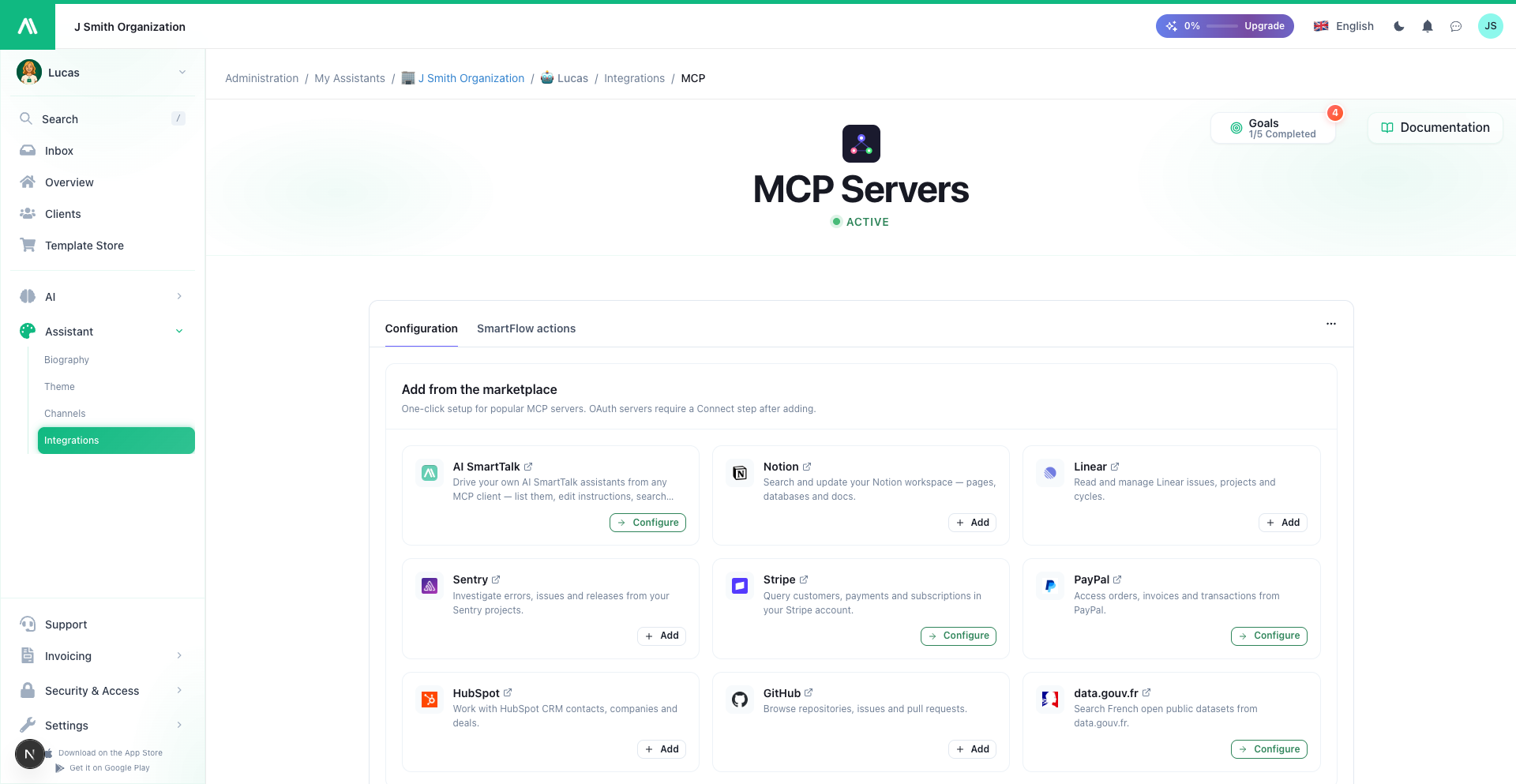 One-click setup for popular services — or add your own.
2. Connect it. Most services connect with a secure sign-in — a window opens, you log in to the service and approve. No keys to copy, no passwords shared with us. Some services use an access key you paste once; the page tells you which.
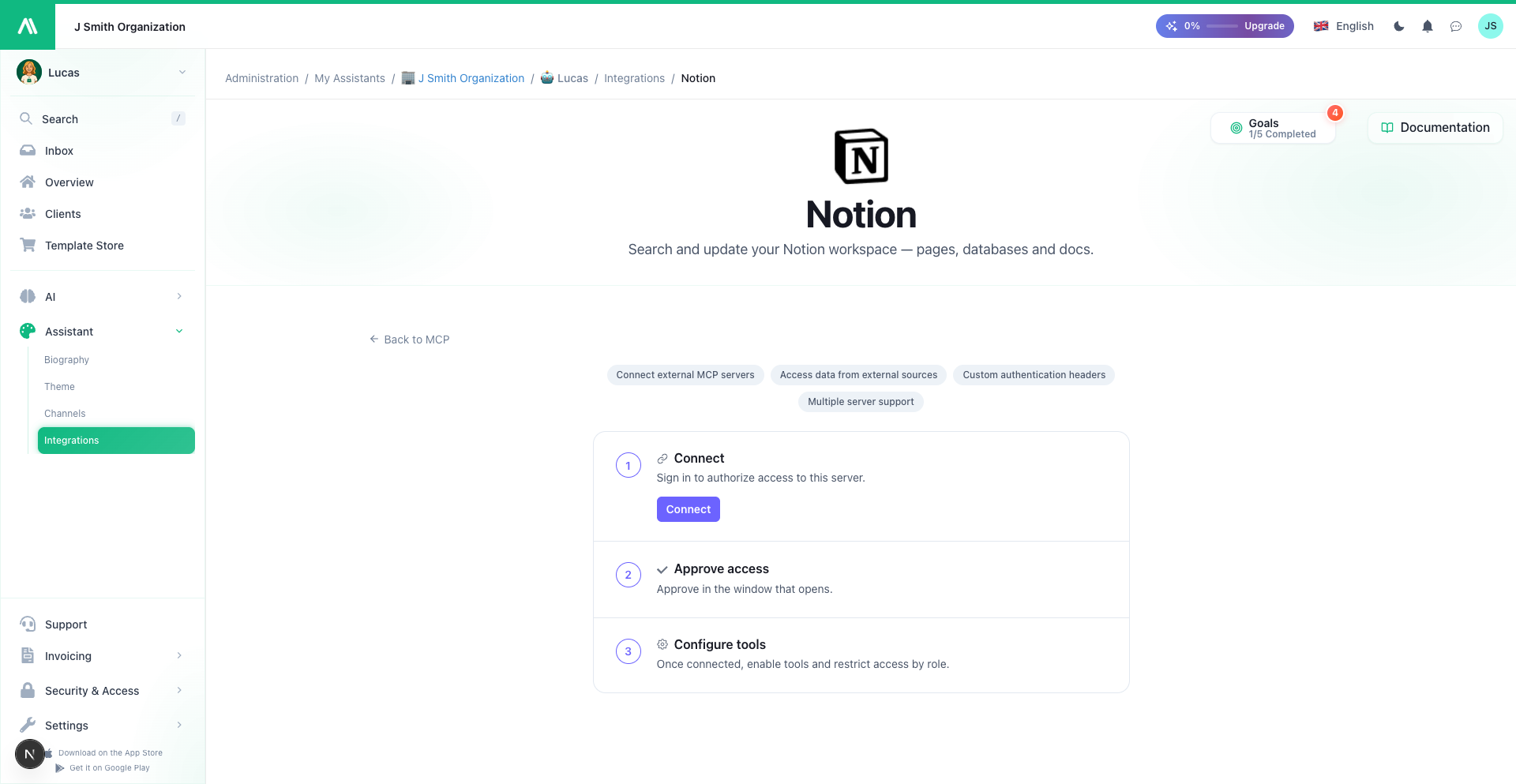 Each service gets its own page: connect with a secure sign-in, then configure its tools.
3. Choose what it can do. Every service offers a set of tools — individual actions like search customers or create ticket. You turn each one on or off, so your assistant gets exactly the abilities you want. Want it to look things up but never change anything? Leave the "read" tools on and the rest off.
Once connected, your assistant picks the right tool on its own, based on what the visitor asks, and answers in plain language. Connect several services at once and it draws on all of them together.
In practice: "Look up customer Jane Doe and tell me her last order." — "Create a ticket for this bug." — "Search our internal docs for the onboarding checklist."
Control who can do what
Some actions shouldn't be available to everyone. For any tool, you can restrict it to specific team roles. Let everyone check an order, but only your support team issue a refund. People without the right role simply won't see that tool — your assistant won't even offer it.
It's the same role system you already manage for your assistants, applied tool by tool.
Use your assistants from Claude
The other direction is just as powerful. Connect AI SmartTalk to Claude and manage your assistants in plain language, without leaving your AI app:
- List and find your assistants — by name, by a user's email, or by organization
- Read and update an assistant's instructions
- Search a knowledge base, or add new documents and FAQ on the fly
- Check how an assistant is set up when you're troubleshooting a client issue
It connects with your usual AI SmartTalk sign-in — no API key, no setup — and you only ever reach the assistants you already manage. Support teams especially love this one: paste in whatever a client gave you, and find and fix the right assistant in seconds.
Built on an open standard, on purpose
We didn't invent a proprietary connector. MCP is an open standard, which means AI SmartTalk works with the growing ecosystem of MCP-compatible services and AI tools out of the box — and the assistants you build aren't locked into us.
Get started
It's available now on every assistant, under Connectors → MCP Servers.
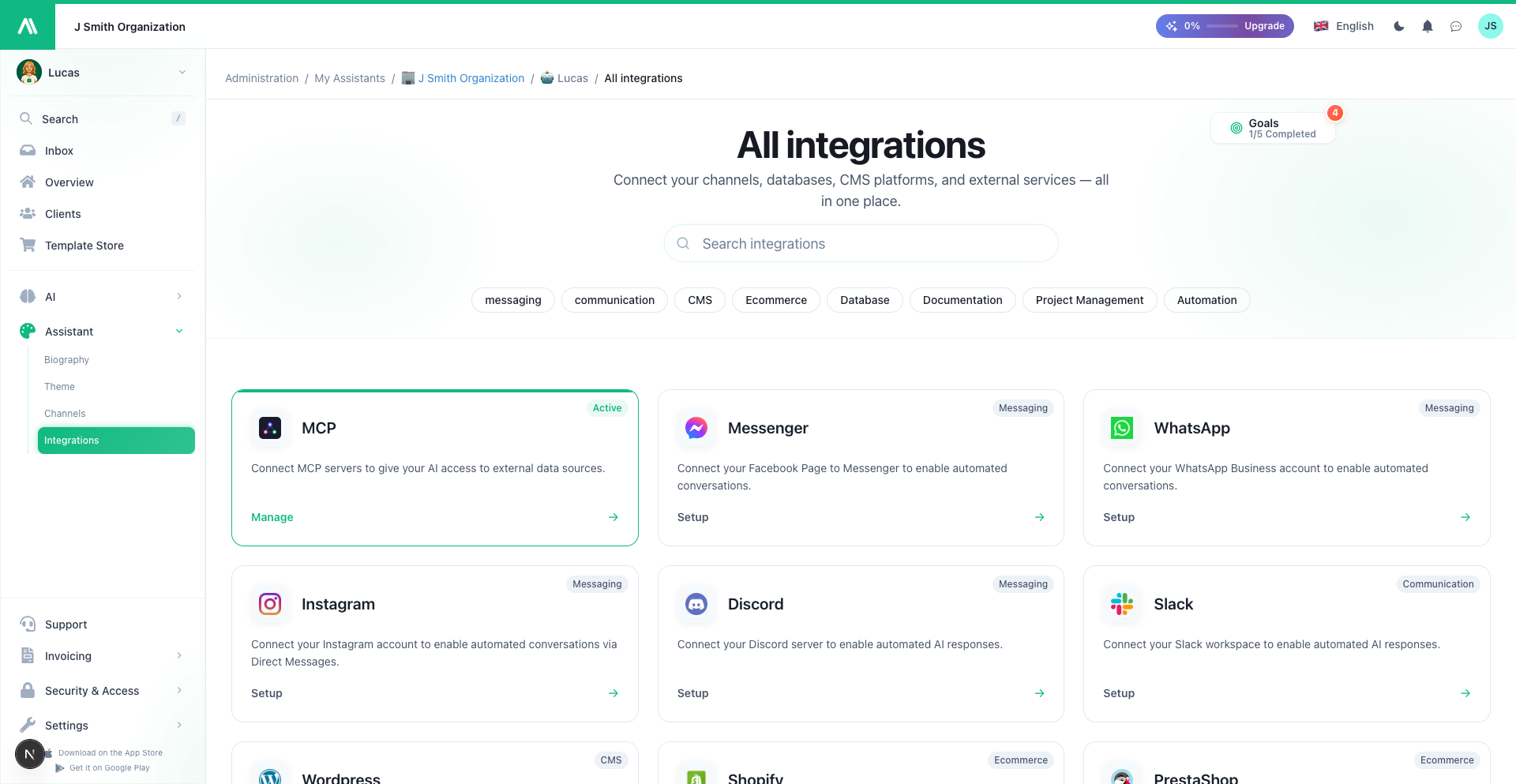 Find it in your assistant's connectors, alongside every other channel.
- Connect your assistant to other tools
- Add a tool or service
- Connect and sign in
- Choose tools and control access
- Use your assistants from Claude
Plug your assistant into the tools you already live in — and let it do the busywork.