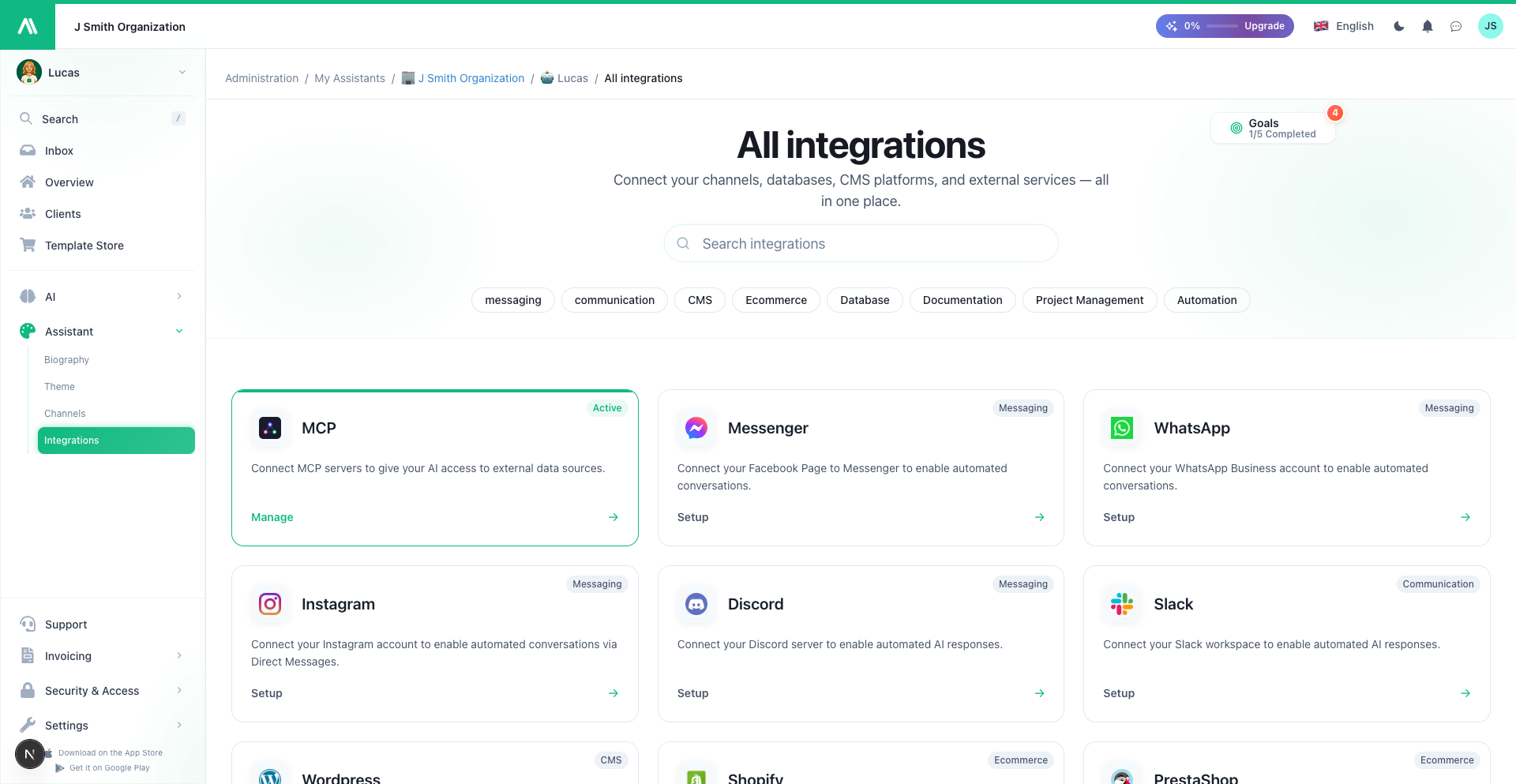
MCP Servers
Connect external tools and services to AI SmartTalk using the Model Context Protocol (MCP). MCP is an open standard that lets AI assistants interact with external systems through a unified interface.
Overviewβ
The MCP Server integration enables you to:
- Connect any MCP-compatible server
- Expose tools for your AI to call during conversations
- Access external data through standardized protocols
- Extend capabilities without custom development
What is MCP? Model Context Protocol is an open standard (developed by Anthropic) that allows AI systems to securely connect to external data sources and tools.
Prerequisitesβ
Before you begin, ensure you have:
- An active AI SmartTalk account
- Access to an MCP server (self-hosted or third-party)
- MCP server URL and authentication credentials
- Understanding of which tools the MCP server exposes
How MCP Worksβ
βββββββββββββββββββ βββββββββββββββββββ βββββββββββββββββββ
β User Query ββββββΆβ AI SmartTalk ββββββΆβ MCP Server β
β β β (AI Agent) β β β
β "Check my CRM" β β β β - CRM tools β
β βββββββ Processes query βββββββ - DB queries β
β Response β β Calls MCP tools β β - File access β
βββββββββββββββββββ βββββββββββββββββββ βββββββββββββββββββ
- User asks a question that requires external data
- AI SmartTalk recognizes it needs an MCP tool
- MCP server is called with the appropriate tool
- Response is returned and AI formulates answer
Step-by-Step Setupβ
Step 1: Access MCP Integrationβ
- Log into your AI SmartTalk account
- Navigate to Settings β Integrations
- Find MCP Servers and click Add Server
Step 2: Configure the MCP Serverβ
Enter your MCP server details:
| Field | Description |
|---|---|
| Server Name | Friendly name for this connection |
| Server URL | MCP server endpoint (e.g., https://mcp.example.com) |
| Transport | SSE (Server-Sent Events) or WebSocket |
| Authentication | API key, OAuth, or none |
Step 3: Test the Connectionβ
- Click Test Connection
- AI SmartTalk will ping the MCP server
- Verify status shows Connected
Step 4: Discover Available Toolsβ
Once connected, AI SmartTalk fetches the list of available tools:
| Tool | Description | Parameters |
|---|---|---|
search_crm | Search customer records | query, limit |
create_ticket | Create support ticket | title, description |
get_weather | Fetch weather data | location |
Step 5: Enable Tools for Your AIβ
- Review the discovered tools
- Enable tools you want your AI to use
- Configure any tool-specific settings
- Save your configuration
SmartFlow Integrationβ
MCP tools can also be used in SmartFlow workflows:
Using MCP Tools in Flowsβ
- In SmartFlow, find MCP in the action library
- Drag the MCP action into your flow
- Select the MCP Server and Tool
- Map input parameters from your flow context
- Use the tool response in subsequent actions
Example: Customer Lookup Flowβ
Trigger: Chat Service (when user asks about account)
Actions:
1. MCP Tool Call:
Server: Company CRM
Tool: search_crm
Parameters:
query: {{user_email}}
2. AI Response:
Context: CRM lookup result
Prompt: Answer user's account question
Use Casesβ
Customer Relationship Managementβ
Connect your CRM via MCP:
- "Look up customer John Smith"
- "What's the status of account #12345?"
- "How many open support tickets do we have?"
Internal Toolsβ
Access company systems:
- "Check inventory for product SKU-123"
- "What's on the schedule for tomorrow?"
- "Search our internal wiki for onboarding docs"
External Data Sourcesβ
Fetch live data:
- "What's the current weather in Paris?"
- "Get the latest stock price for AAPL"
- "Check flight status for UA123"
Development Toolsβ
For technical teams:
- "What's the status of the latest build?"
- "Search our GitHub issues for authentication bugs"
- "Check the health of production servers"
MCP Server Examplesβ
Popular MCP Serversβ
| Server | Purpose | Link |
|---|---|---|
| Filesystem | Read/write local files | Built-in reference server |
| PostgreSQL | Query databases | Community server |
| GitHub | Repo management | Community server |
| Slack | Messaging integration | Community server |
Find more: Visit the MCP Server Registry for community servers.
Self-Hosting MCP Serversβ
You can create custom MCP servers for:
- Proprietary internal systems
- Custom business logic
- Secure/private data access
Security Considerationsβ
Authenticationβ
| Method | Use Case |
|---|---|
| API Key | Simple server-to-server auth |
| OAuth 2.0 | User-delegated access |
| mTLS | High-security environments |
Data Privacyβ
- MCP requests may contain user data
- Ensure your MCP server handles data appropriately
- Consider data residency requirements
- Log and audit MCP tool calls
Network Securityβ
- Use HTTPS for all MCP connections
- Restrict MCP server access to AI SmartTalk IPs
- Implement rate limiting on your MCP server
Troubleshootingβ
Connection Issuesβ
| Issue | Solution |
|---|---|
| "Connection refused" | Check server URL and port |
| "Authentication failed" | Verify credentials/API key |
| "Timeout" | Check network connectivity, firewall rules |
| "SSL error" | Ensure valid SSL certificate |
Tool Discovery Issuesβ
| Issue | Solution |
|---|---|
| "No tools found" | Verify MCP server exposes tools correctly |
| "Tool not available" | Check tool is enabled on server side |
| "Schema mismatch" | Update AI SmartTalk to refresh tool schemas |
Runtime Issuesβ
| Issue | Solution |
|---|---|
| "Tool call failed" | Check server logs for errors |
| "Unexpected response" | Verify tool returns expected format |
| "Rate limited" | Implement backoff or increase limits |
Managing MCP Serversβ
| Action | How |
|---|---|
| Add server | Settings β Integrations β MCP β Add Server |
| Edit server | Click on server name to modify |
| Disable server | Toggle off without deleting |
| Remove server | Delete button (tools become unavailable) |
| Refresh tools | Click Refresh to re-discover tools |
Best Practicesβ
- Start simple: Connect one server, test thoroughly, then expand
- Document tools: Keep internal docs on what each tool does
- Monitor usage: Track which tools are called and performance
- Handle errors gracefully: AI should handle tool failures elegantly
- Secure credentials: Use environment variables, not hardcoded keys
- Version your servers: MCP servers should be versioned for stability