Dictaphone
Ta opp stemmen din og la AI-en din gjøre resten. Få en ren transkripsjon, et møtereferat, en oversettelse — hva enn du trenger. Bare snakk.
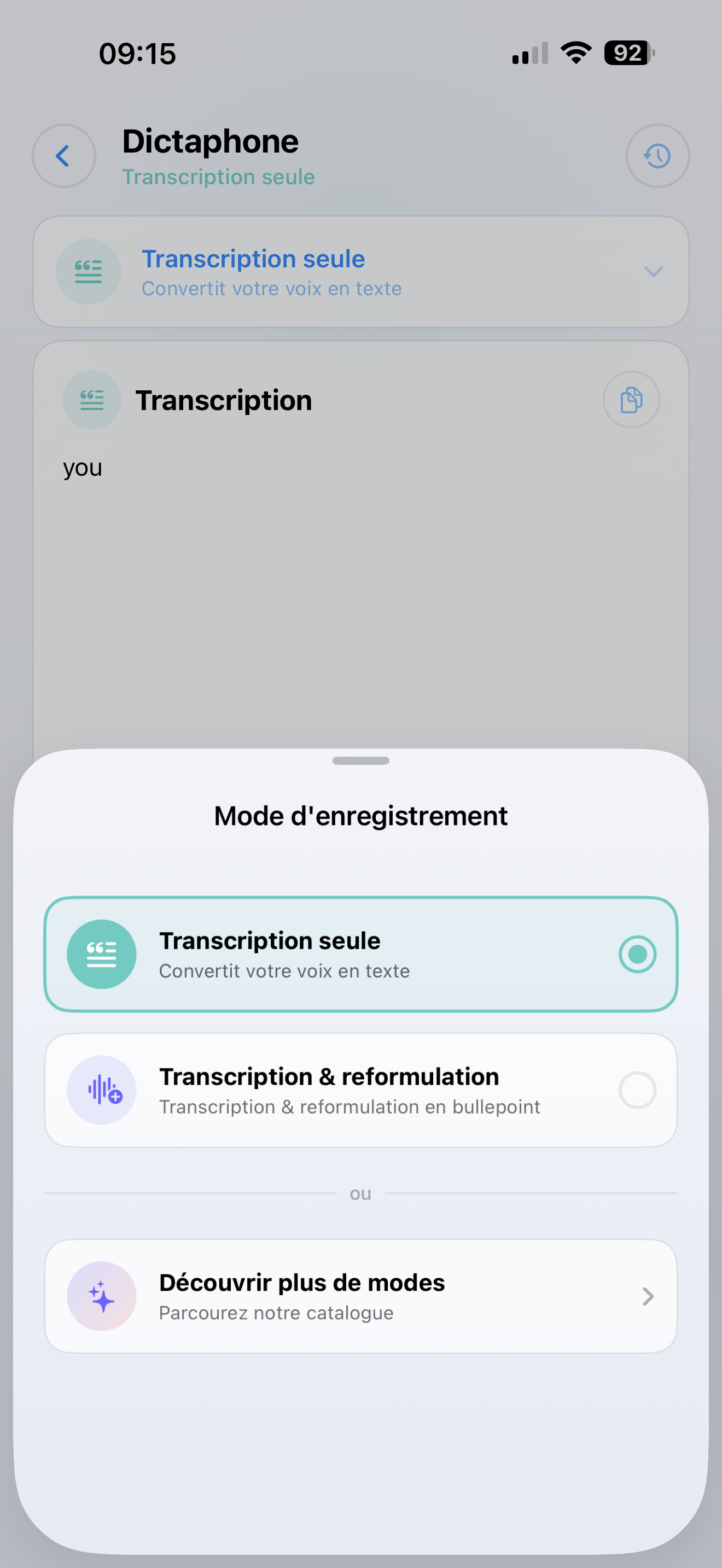
To måter å bruke det på
Enkel transkripsjon
Bare gjør stemmen din om til tekst. Flott for:
- Hurtige notater på farten
- Diktere e-poster eller meldinger
- Fange ideer før du glemmer dem
AI-drevet behandling
Ta opp stemmen din, og la en SmartFlow behandle den. For eksempel:
- Oppsummere et møte i 3 punkter
- Oversette det du sa til et annet språk
- Ekstrahere handlingspunkter fra en idémyldring
- Omskrive rotete talte notater til et rent dokument
Hvordan bruke det
Opptak
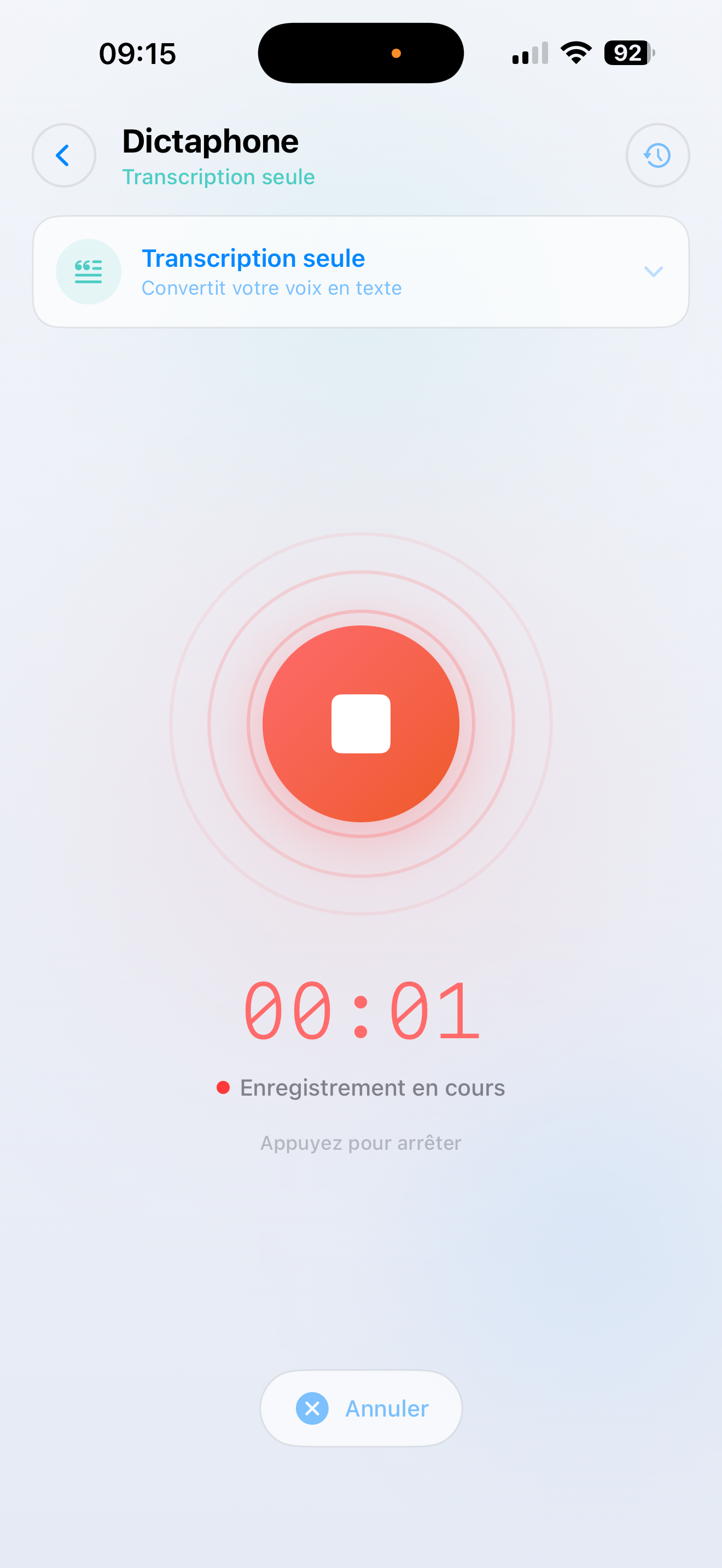
- Trykk på Dictaphone på Hjem-skjermen
- Velg en SmartFlow — eller velg "Kun transkripsjon" for enkel tekst
- Opptaket starter med en gang — bare snakk
- Trykk stopp når du er ferdig
Få resultatet ditt
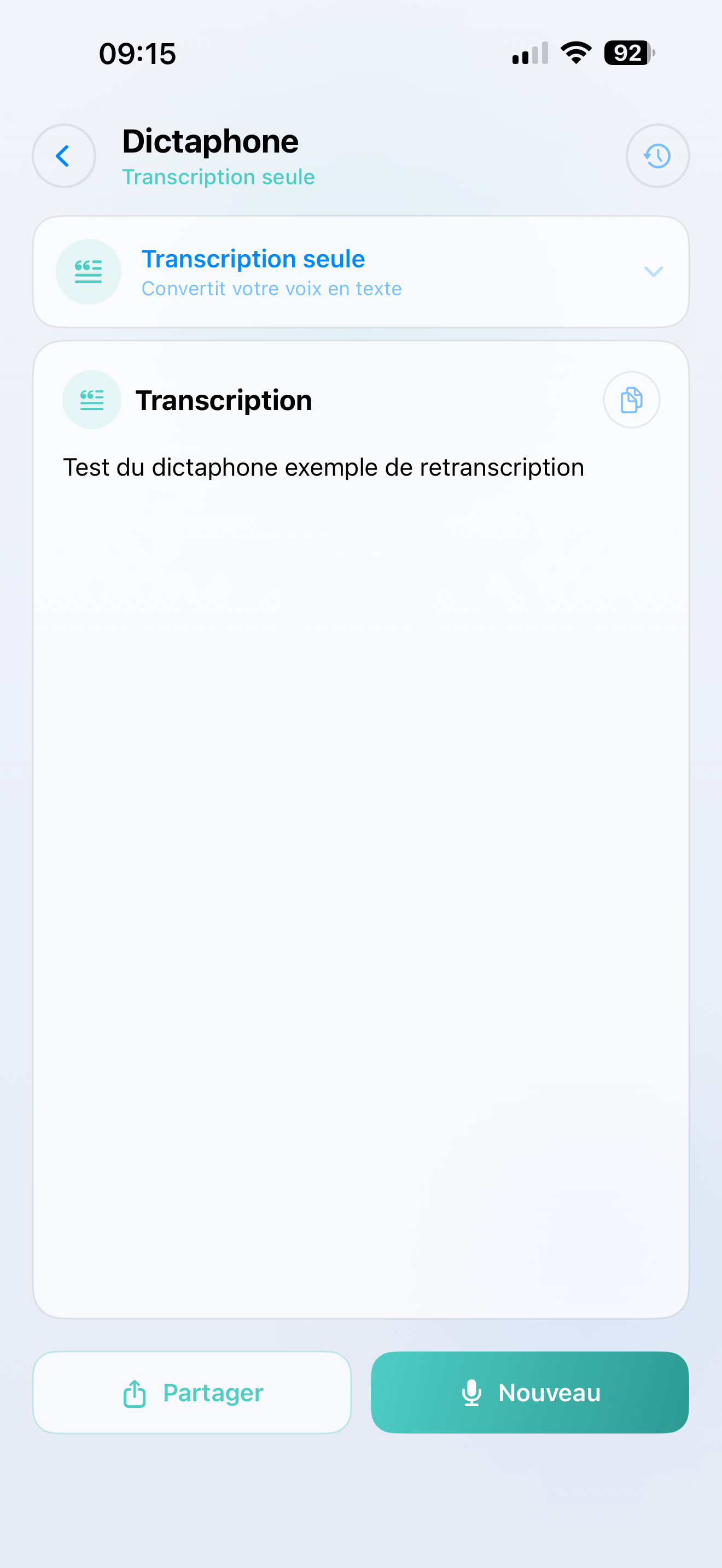
Lyden din blir transkribert og behandlet på sekunder. Resultatet vises på skjermen, klart til å:
- Kopiere til utklippstavlen
- Dele via Meldinger, E-post, Notater eller en annen app
- Gjennomgå senere i din Historikk
Om SmartFlows
SmartFlows er tilpassede AI-arbeidsflyter som du setter opp i ditt AI SmartTalk back-office. Hvis du ikke har opprettet noen stemme SmartFlows ennå, vil diktafonen som standard bruke enkel transkripsjon.
tip
Ønsker du å låse opp den fulle kraften til diktafonen? Opprett en stemme SmartFlow i back-office — som "Møtereferat" eller "E-postutkast" — så vil den vises som et alternativ i appen.