Dictaphone
سجل صوتك ودع الذكاء الاصطناعي يقوم بالباقي. احصل على نص نظيف، ملخص اجتماع، ترجمة — أي شيء تحتاجه. فقط تحدث.
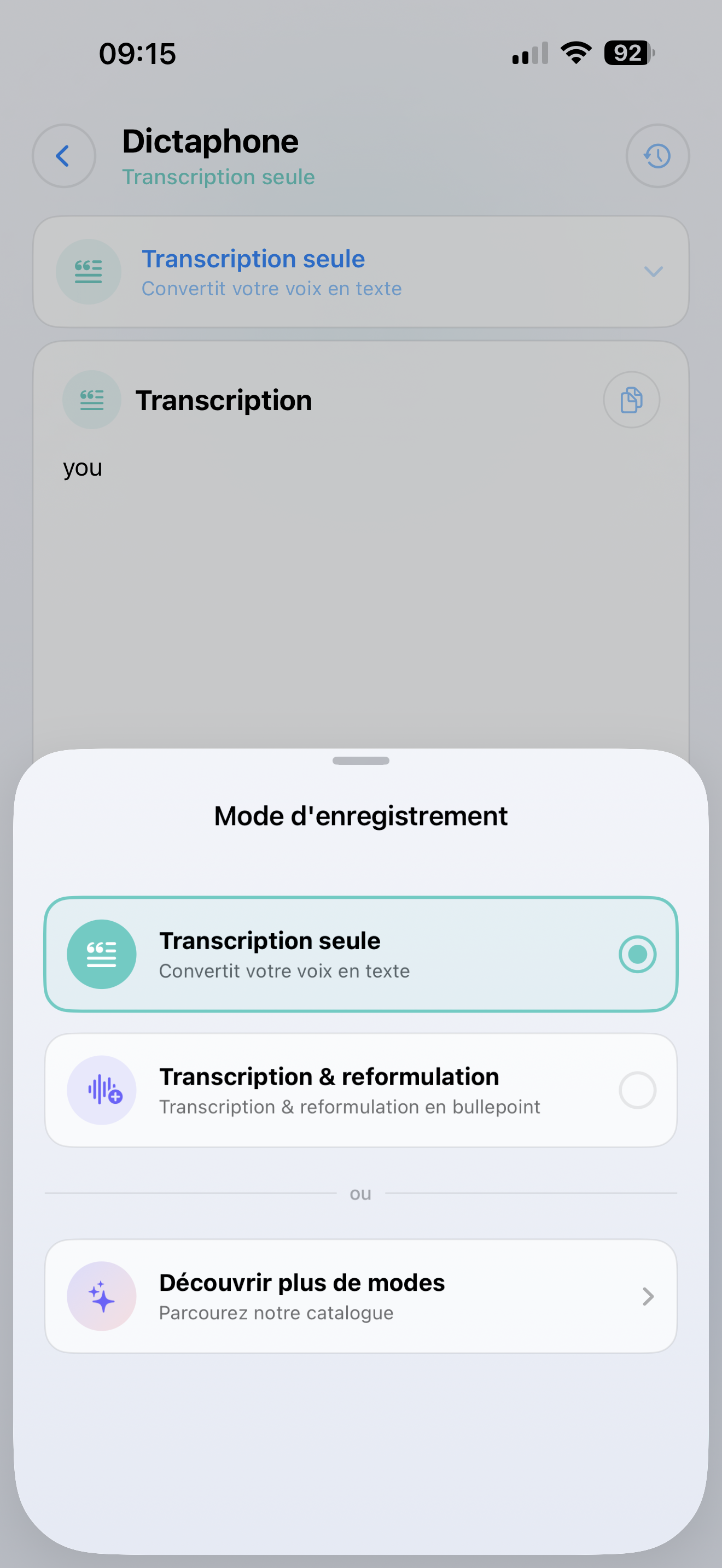
طريقتان لاستخدامه
النسخ البسيط
حول صوتك إلى نص. رائع من أجل:
- ملاحظات سريعة أثناء التنقل
- إملاء رسائل البريد الإلكتروني أو الرسائل
- التقاط الأفكار قبل أن تنساها
المعالجة المدعومة بالذكاء الاصطناعي
سجل صوتك، ثم دع SmartFlow يقوم بمعالجته. على سبيل المثال:
- تلخيص اجتماع في 3 نقاط رئيسية
- ترجمة ما قلته إلى لغة أخرى
- استخراج عناصر العمل من جلسة العصف الذهني
- إعادة كتابة الملاحظات المنطوقة الفوضوية إلى وثيقة نظيفة
كيفية استخدامه
التسجيل
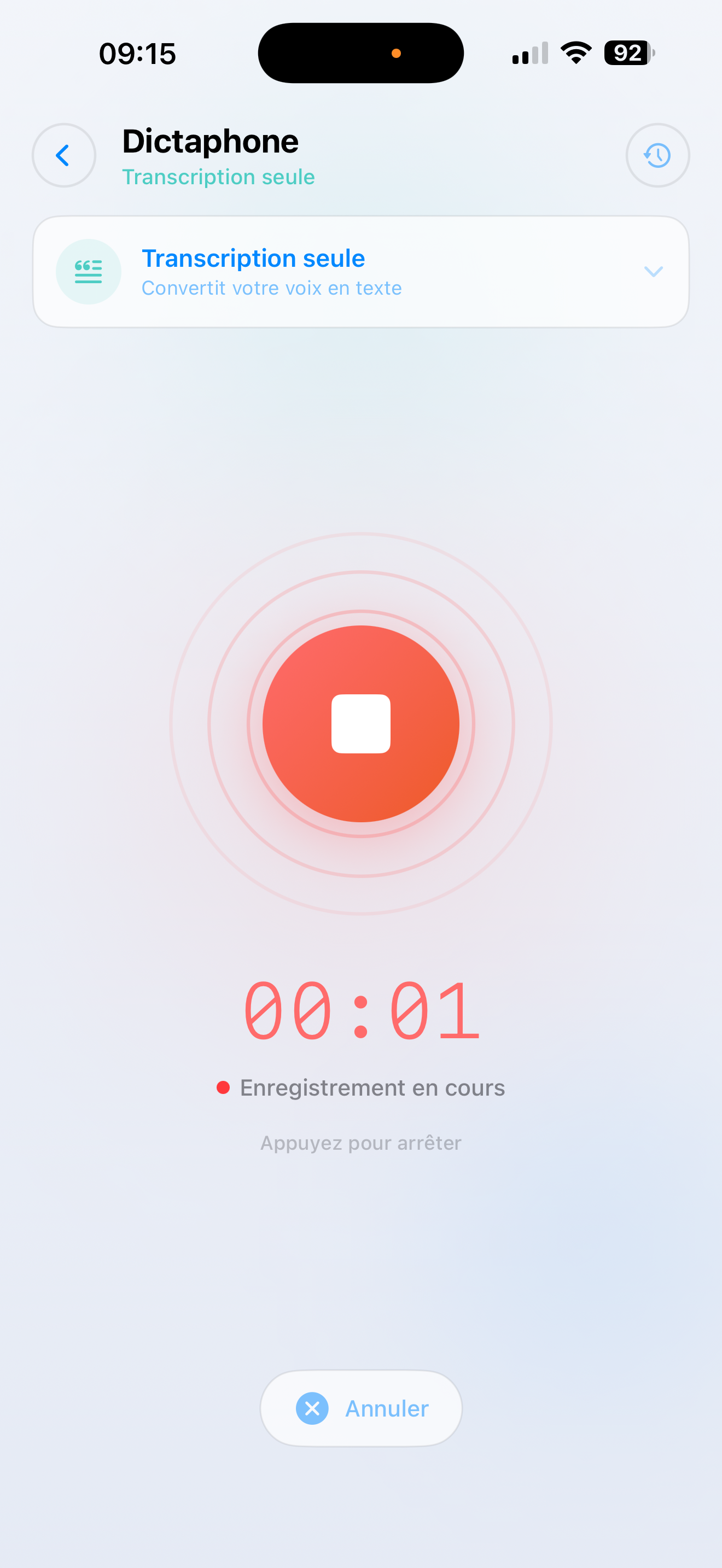
- اضغط على Dictaphone في الشاشة الرئيسية
- اختر SmartFlow — أو اختر "النسخ فقط" للنص البسيط
- يبدأ التسجيل على الفور — فقط تحدث
- اضغط على إيقاف عندما تنتهي
الحصول على النتيجة
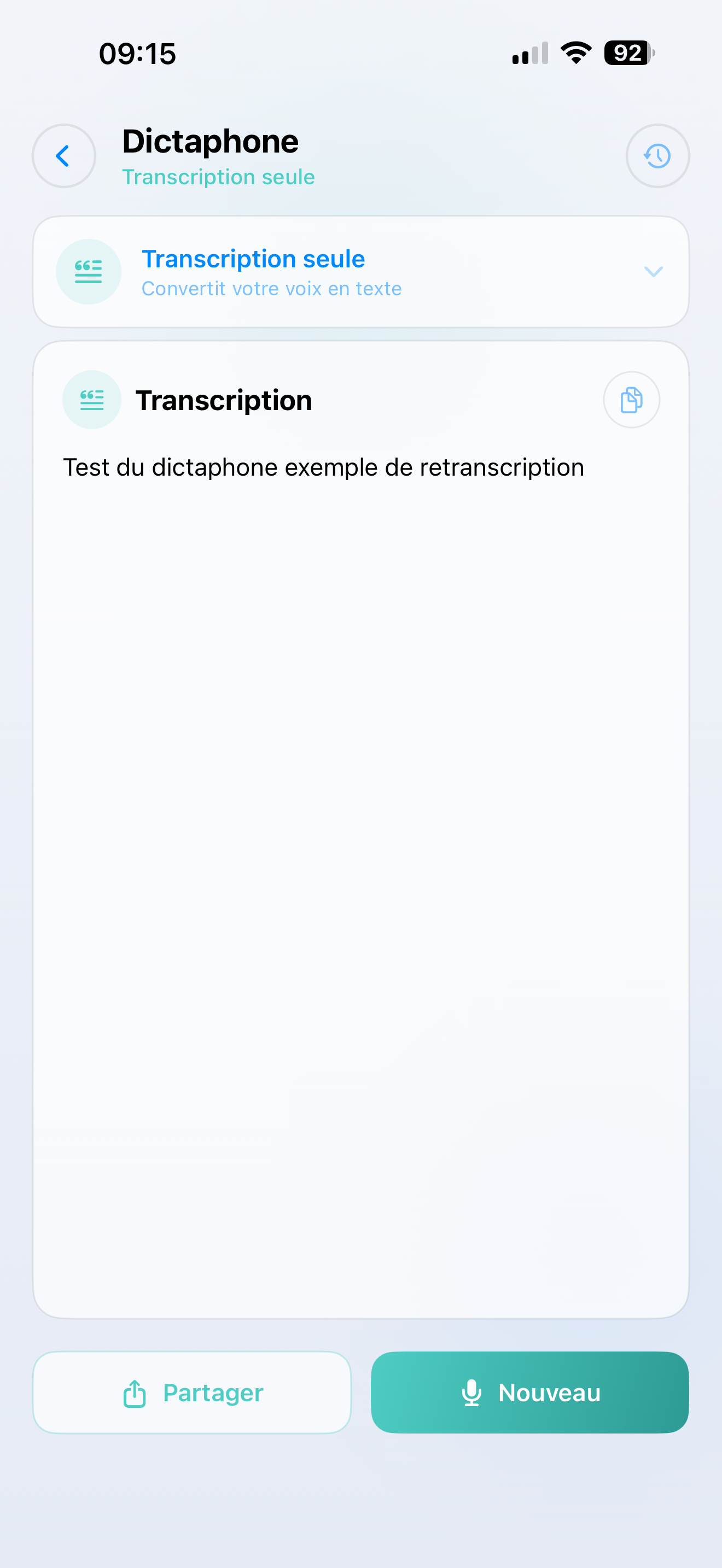
يتم نسخ صوتك ومعالجته في ثوانٍ. تظهر النتيجة على الشاشة، جاهزة لـ:
- نسخ إلى الحافظة
- مشاركة عبر الرسائل، البريد الإلكتروني، الملاحظات، أو أي تطبيق آخر
- مراجعة لاحقًا في التاريخ
حول SmartFlows
SmartFlows هي سير عمل مخصص بالذكاء الاصطناعي تقوم بإعداده في مكتب الذكاء الاصطناعي SmartTalk. إذا لم تقم بإنشاء أي SmartFlows صوتية بعد، فسيكون المسجل الافتراضي هو النسخ البسيط.
تلميح
هل ترغب في فتح القوة الكاملة للمسجل؟ أنشئ SmartFlow صوتي في المكتب الخلفي — مثل "ملخص الاجتماع" أو "مسودة البريد الإلكتروني" — وسيظهر كخيار في التطبيق.