Your AI Chatbot That Already Knows Everything About Your WordPress, PrestaShop, or Joomla Site — No Configuration Required

Installing an intelligent chatbot on your e-commerce site or blog has never been easier. Discover how to connect your CMS in 3 clicks and let artificial intelligence automatically learn all your content.
Why Install an AI Chatbot on Your Website in 2026?
Your visitors want instant answers. Whether it's a PrestaShop online store, a WordPress site, or a Joomla portal, internet users no longer have the patience to search for information. They ask a question, they want an answer. Now.
A well-configured AI chatbot transforms your visitors' experience. It answers frequently asked questions about your products, guides hesitant buyers, and frees your team from repetitive requests. The problem until now? Configuring a truly intelligent chatbot required time, technical skills, and a lot of patience.
You typically had to copy API keys, install complex plugins, then spend hours "training" the chatbot by manually teaching it every piece of information about your business, your products, your services.
Result: many gave up along the way, or ended up with a basic chatbot incapable of correctly answering their customers' real questions.
That's exactly the problem we wanted to solve.
Discover our specific solutions:
- WordPress & WooCommerce - 5-minute installation
- PrestaShop - Complete e-commerce support
- Joomla & HikaShop - Automatic synchronization
The New AI SmartTalk Integration for WordPress, PrestaShop, and Joomla
We've completely rethought how a chatbot connects to your site. Our goal was simple: anyone, even without any technical skills, should be able to install a high-performance AI chatbot in less than 5 minutes.
Here's how it works now.
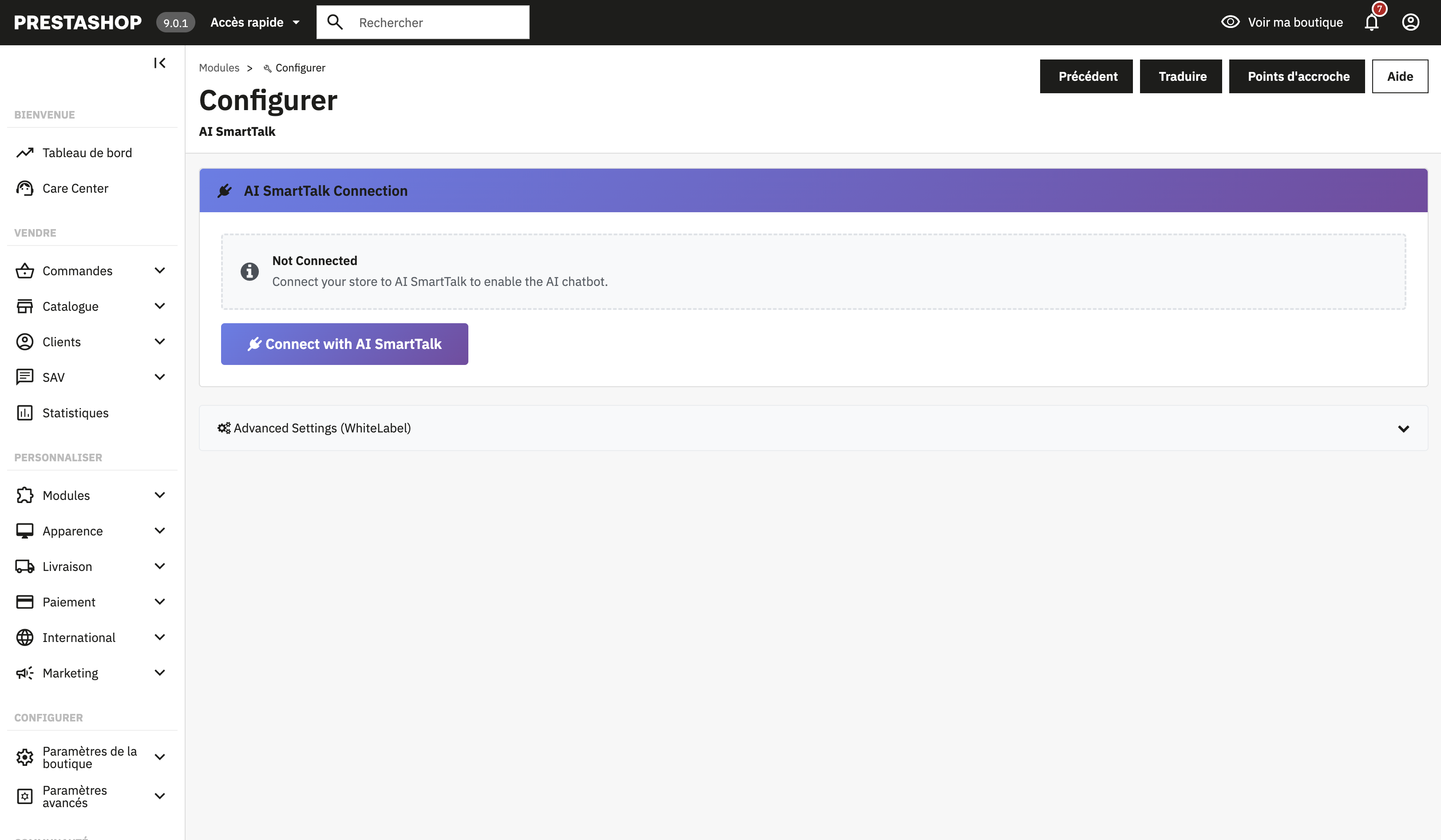 Connect your CMS to AI SmartTalk in 3 clicks with our secure OAuth system.
Secure Connection in 3 Clicks
Forget copying and pasting API keys, modifying configuration files, or 45-minute YouTube tutorials.
With our new authentication system, you connect your CMS site to AI SmartTalk in exactly 3 clicks:
- You install our plugin on your CMS
- You click "Connect to AI SmartTalk"
- The secure connection is established automatically
The connection uses our internally developed OAuth authentication system. This means your credentials never pass through an external service. The connection is direct between your site and AI SmartTalk, encrypted, and you can revoke it at any time.
Artificial Intelligence Automatically Learns Your Content
This is where the magic happens. Once the connection is established, your chatbot doesn't remain an empty shell waiting for you to teach it everything.
It will automatically explore and learn:
On WordPress:
- All your published pages
- All your blog posts
- Your WooCommerce products (if you have a store)
- Your categories and tags
- Your existing FAQs
💡 For e-commerce stores: Discover all e-commerce features in our dedicated e-commerce guide or the WordPress & WooCommerce page.
On PrestaShop:
- Your complete product catalog
- Detailed descriptions of each item
- Your categories and subcategories
- Shipping and return information
- Your CMS pages (legal notices, about, etc.)
🛒 Discover PrestaShop: Check out the complete PrestaShop page with all multi-language e-commerce features.
On Joomla:
- All your published articles
- Your content pages
- Your category structure
- Your custom content modules
- Your HikaShop products (if you use HikaShop)
🌐 Discover Joomla: Explore all features on the Joomla & HikaShop page.
The chatbot indexes all this content and becomes able to reference it naturally in conversations with your visitors.
What Does This Actually Change for You?
Before: Hours of Manual Configuration
Imagine you have a PrestaShop store with 300 products. With traditional solutions, you had to:
- Export your products to a CSV file
- Format that file according to the chatbot's requirements
- Import it into the platform
- Verify that everything went well
- Start over every time you add or modify a product
Not to mention the frequently asked questions the chatbot couldn't answer because the information was on a page you forgot to import.
Now: 3 Clicks and It's Online
You connect your site, the chatbot learns on its own, and it updates automatically when you modify your content.
You add a new product on PrestaShop? The chatbot knows it. You publish a blog post on WordPress? It can talk about it. You update your shipping terms on Joomla? It gives the correct information.
No more gap between what's on your site and what your chatbot knows.
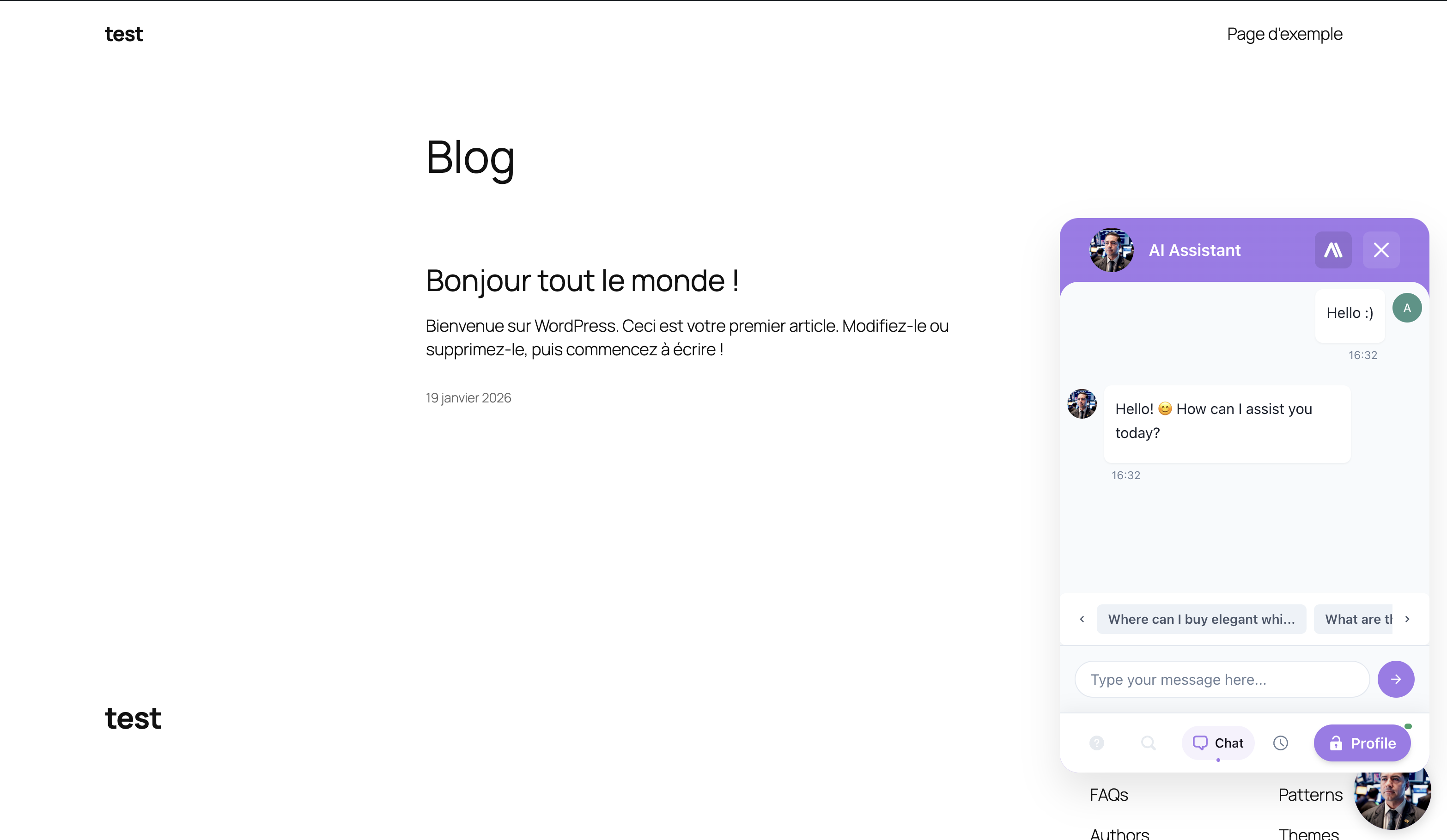 Your chatbot is now online and answering your visitors' questions.
Discover the complete features:
- WordPress & WooCommerce - All Features
- PrestaShop - Multi-language Support
- Joomla & HikaShop - Automatic Synchronization
Security at the Heart of Integration
We know that connecting an external service to your site can be scary. It's your business, your customer data, your reputation.
That's why we developed our own authentication system rather than going through a third-party service.
How Does Our In-House OAuth Work?
OAuth is a standard protocol that allows two services to communicate securely without sharing passwords. When you use "Sign in with Google" on a site, that's OAuth.
Our implementation works on the same principle, but directly between your CMS and AI SmartTalk:
- No intermediary: your data never passes through any third-party service
- Encrypted connection: all communications use HTTPS
- Limited permissions: the chatbot accesses only the public content of your site, never sensitive data
- Revocable at any time: you can cut the connection with one click from your dashboard
What Can the Chatbot See on Your Site?
Only public content. That is, the information that any visitor to your site can already see:
- Published pages
- Blog posts
- Product pages
- Categories
The chatbot does not have access to:
- Your customer data
- Orders
- Payment information
- Your admin panel
- Draft or private content
Kā instalēt čatbotu savā CMS 5 minūtēs
Šeit ir pilnīgs process, soli pa solim.
1. solis: Izveidojiet savu AI SmartTalk kontu
Ja vēl neesat reģistrējies, reģistrējieties bez maksas AI SmartTalk. Reģistrācija aizņem 30 sekundes un neprasa kredītkarti.
2. solis: Atrodiet integrāciju savai CMS
Savā vadības panelī izmantojiet meklēšanas joslu un vienkārši ierakstiet "WordPress", "PrestaShop" vai "Joomla". Jūs tieši nokļūsiet attiecīgajā integrācijas lapā. Jūs varat arī iepazīties ar mūsu detalizētajiem ceļvežiem:
3. solis: Lejupielādējiet un instalējiet spraudni
No šīs lapas lejupielādējiet spraudni savai CMS. Instalējiet to kā jebkuru paplašinājumu:
WordPress: Spraudņi > Pievienot jaunu > Augšupielādēt spraudni, pēc tam aktivizējiet
PrestaShop: Moduļi > Moduļu pārvaldnieks > Instalēt
Joomla: Paplašinājumi > Instalēt
Mūsu spraudņi tiek publicēti arī katras platformas oficiālajos veikalos. Pāris dienu laikā jūs varēsiet tos instalēt tieši no WordPress, PrestaShop un Joomla paplašinājumu katalogiem, pat neapmeklējot AI SmartTalk.
Lai atklātu visas specifiskās funkcijas katrai CMS:
- WordPress & WooCommerce čatbots - Pilnās funkcijas
- PrestaShop čatbots - Daudzvalodu e-komercija
- Joomla & HikaShop čatbots - Automātiskā sinhronizācija
4. solis: Autorizējiet savienojumu
Kad spraudnis ir aktivizēts, noklikšķiniet uz "Savienot ar AI SmartTalk". Drošais savienojums tiek izveidots automātiski, un jūsu satura sinhronizācija sākas.
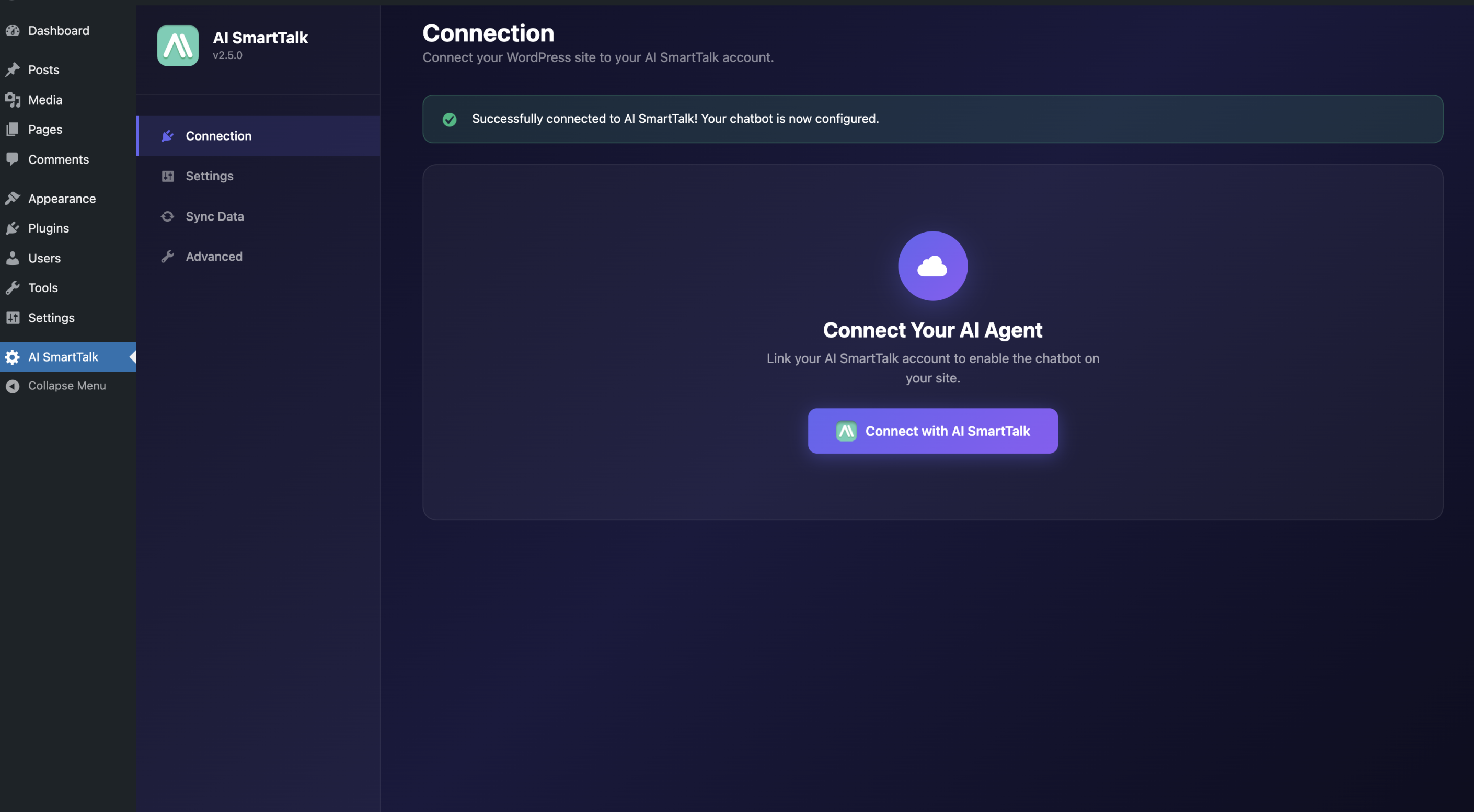 Savienojuma poga WordPress - OAuth savienojums tiek izveidots ar vienu klikšķi.
Lai iegūtu vairāk informācijas par savienojumu:
5. solis: Pielāgojiet savu čatbotu
Kamēr AI apgūst jūsu saturu fona režīmā, jūs varat pielāgot sava čatbota izskatu:
- Krāsas, kas atbilst jūsu zīmolam
- Pielāgota sveiciena ziņa
- Avatar vai jūsu uzņēmuma logo
- Pozīcija lapā (apakšējā labajā stūrī, kreisajā pusē utt.)
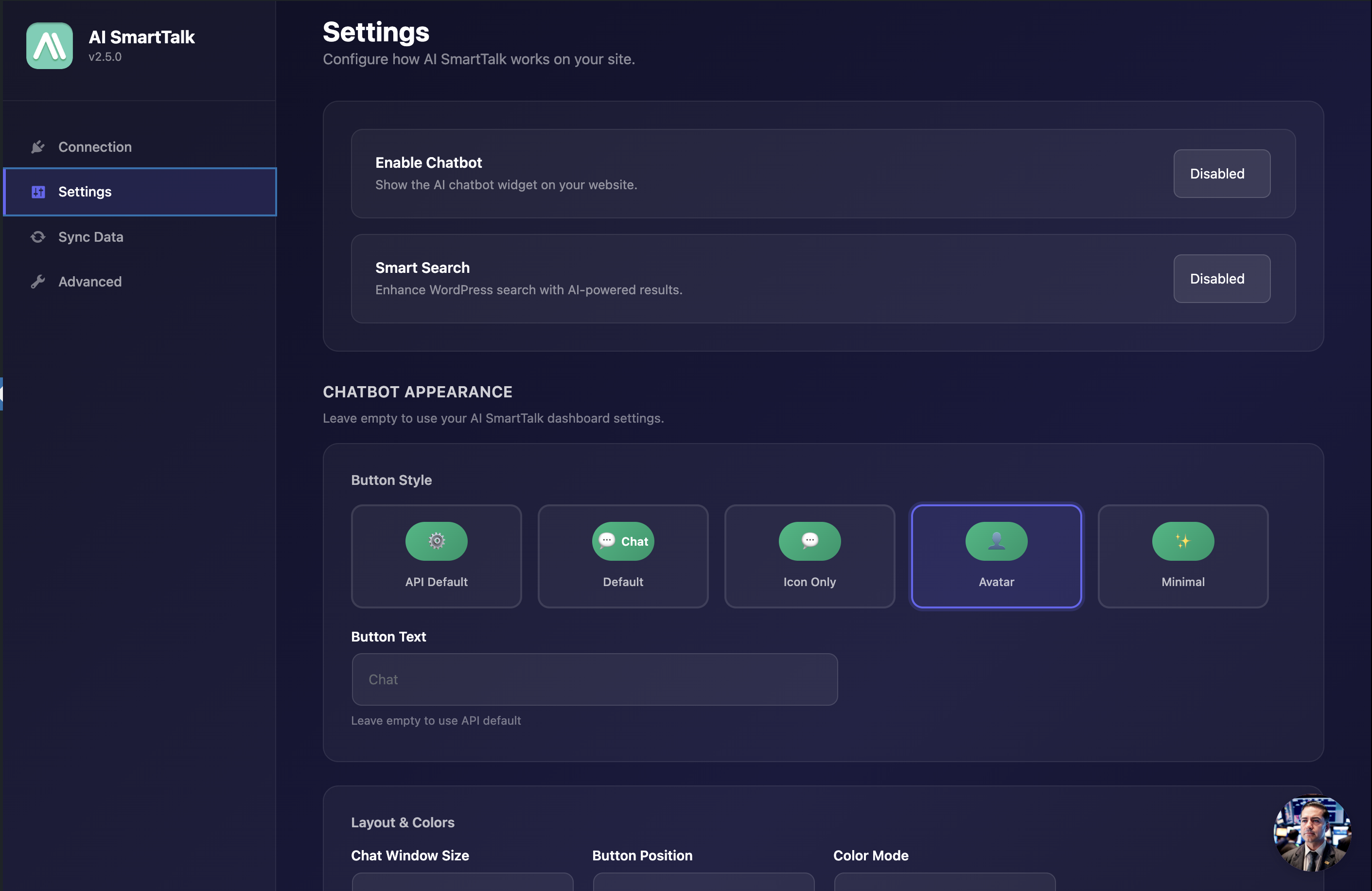 Pielāgojiet sava čatbota izskatu tieši no WordPress.
Iepazīstieties ar mūsu pielāgošanas ceļvežiem:
Un tas ir viss. Jūsu čatbots ir tiešsaistē, tas zina jūsu vietni un ir gatavs atbildēt uz jūsu apmeklētāju jautājumiem.
Jūs joprojām varat manuāli pievienot zināšanas
Automātiskā mācīšanās aptver 90% vajadzību. Bet dažreiz jums ir informācija, kas nav jūsu vietnē:
- Jūsu fiziskā veikala darba laiki
- Aktuālās akcijas, kas vēl nav publicētas
- Specifiskas atbildes jūsu nozarei
- Iekšējā informācija, ko vēlaties dalīties
Mūsu manuālā FAQ sistēma joprojām ir pieejama. Jūs varat pievienot tik daudz pielāgotu jautājumu-atbilžu pāru, cik vēlaties, papildus automātiski apgūtajam saturam.
Čatbots apvieno abus avotus, lai sniegtu visatbilstošāko atbildi uz katru jautājumu.
Iepazīstieties ar mūsu zināšanu bāzes pārvaldības ceļvedi, lai uzzinātu, kā pievienot manuālas zināšanas.
Kāpēc izvēlēties AI SmartTalk savai CMS čatbotam?
AI, kas patiešām runā ar jūsu klientiem
Mūsu čatbots ne tikai meklē atslēgvārdus datu bāzē. Tas saprot jautājumu nozīmi un formulē dabiskas atbildes, kā to darītu īsts konsultants.
Apmeklētājs jautā "Cik ilgi jāgaida, lai saņemtu manu pasūtījumu?" kad jūsu lapā teikts "piegāde 48 stundu laikā"? Tas veic savienojumu un atbild pareizi.
Atklājiet, kā tas darbojas:
Atbalstītās 37 valodas
Vai jūsu vietne piesaista starptautiskus apmeklētājus? Čatbots automātiski atbild jūsu klienta valodā. Franču, angļu, vācu, spāņu, poļu un 32 citās valodās.
Vadības panelis, lai sekotu visam
Skatiet visas savas čatbota sarunas, analizējiet biežāk uzdotos jautājumus, identificējiet tēmas, kurās trūkst informācijas. Jūs saglabājat pilnīgu redzamību par to, kas notiek.
Iepazīstieties ar vadības paneļa ceļvedi, lai uzzinātu, kā izmantot visas analīzes funkcijas.
Atbildīga atbalsta komanda
Jautājums? Problēma? Mūsu komanda ātri reaģē, lai jūs atbloķētu. Tāpat iepazīstieties ar mūsu pilnu dokumentāciju, lai atrastu atbildes uz saviem jautājumiem.
Izmēģiniet to bez maksas tūlīt
WordPress, PrestaShop un Joomla integrācija ir pieejama jau šodien.
Izveidojiet savu bezmaksas kontu, savienojiet savu vietni 3 klikšķos un atklājiet, ko patiešām inteliģents čatbots var darīt jūsu biznesam.
Savienot manu vietni bez maksas →
Papildu resursi
Detalizēti integrācijas ceļveži
Soli pa solim instrukcijas, kas specifiskas katrai CMS:
Funkciju lapas
Atklājiet visas pieejamās funkcijas katrai platformai:
Čatbota konfigurācija
Kad jūsu CMS ir savienots, iepazīstieties ar mūsu čatbota konfigurācijas ceļvedi, lai personalizētu izskatu un uzvedību.
Izmantojat citu CMS? Sazinieties ar mums, lai apspriestu pielāgotu integrāciju.