New Gmail Integration: Turn Your Inbox Into an Intelligent Assistant

How many hours does your team spend answering the same emails every week?
Support teams spend an average of 5 to 8 hours per week on repetitive emails. Order status questions, pricing inquiries, delivery tracking... Responses that could be automated.
Today, we're launching Gmail integration in AI SmartTalk. Connect your inbox in 2 minutes and let AI handle your emails automatically.
💰 The Hidden Cost of Manual Email Management
Every business knows this problem:
| The Problem | Business Impact |
|---|---|
| Slow response times | Frustrated customers, lost opportunities |
| Inconsistent replies | Damaged brand image |
| Overwhelmed team | Turnover, errors, burnout |
| After-hours emails | Customers left waiting overnight |
The Numbers That Matter
- 67% of customers leave a company due to slow customer service
- 5+ hours/week lost per employee on repetitive emails
- 30% of emails could be automated without quality loss
✅ The Solution: Gmail + AI SmartTalk
Connect Gmail to AI SmartTalk and install ready-to-use automation templates in one click:
📝 Draft Mode Template
AI analyzes every incoming email and creates a professional draft response. You review, edit if needed, and send. Perfect for:
- Sensitive communications
- New teams getting started with AI
- Complex B2B interactions
📤 Auto-Reply Template
AI responds directly to emails using your knowledge base. Ideal for:
- FAQ-type questions
- Order status inquiries
- High-volume support
🧠 Customize with AI Conditions
Go beyond templates. Build smart workflows that:
- Route emails based on content, sender, or urgency
- Apply different handling for VIP customers vs. general inquiries
- Combine auto-reply for simple cases + drafts for complex ones
⏰ Work 24/7, 365 Days a Year
Your customers get immediate responses, even at 3 AM or during your vacation.
📈 Real Results for Your Business
⏱️ Response Time Cut by 10x
| Before | After |
|---|---|
| 4-24 hours | Under 5 minutes |
Impact: Happier customers, more conversions, better reputation.
💼 Team Freed for High-Value Work
| Before | After |
|---|---|
| 5+ hours/week on repetitive emails | 30 min of oversight |
Impact: Your talent focuses on complex cases and premium customer relationships.
🌙 Support Available Around the Clock
| Before | After |
|---|---|
| 9-5, Monday-Friday | 24/7, 365 days |
Impact: International customers served, urgent issues handled immediately.
📊 Consistent Quality Guaranteed
| Before | After |
|---|---|
| Varies by agent | Always meets your standards |
Impact: Professional image, compliance assured, training simplified.
🎯 Use Cases by Industry
E-commerce: Automate Order Support
- "Where is my order?" → Auto-response with tracking info
- "I want to return an item" → Return procedure sent instantly
- "Is this product in stock?" → Real-time check and response
Typical result: -70% support tickets, +35% customer satisfaction
B2B Services: Qualify Leads Automatically
- Quote requests → Personalized draft created
- Product questions → Answered from your documentation
- Meeting requests → Calendar link sent automatically
Typical result: +40% qualified leads, shorter sales cycle
Agencies: Manage Multiple Clients Efficiently
- Client emails → Routed to the right project manager
- Recurring questions → Standardized auto-responses
- Urgent issues → Instant alerts to the team
Typical result: 5+ hours/week saved per project manager
🔒 Security and Privacy
We know your emails contain sensitive information:
- OAuth 2.0: Secure connection, we never see your Google password
- No storage: Your emails aren't stored on our servers
- GDPR compliant: Meets European data protection standards
- Full control: Disconnect the integration anytime
🚀 Get Started in 3 Steps
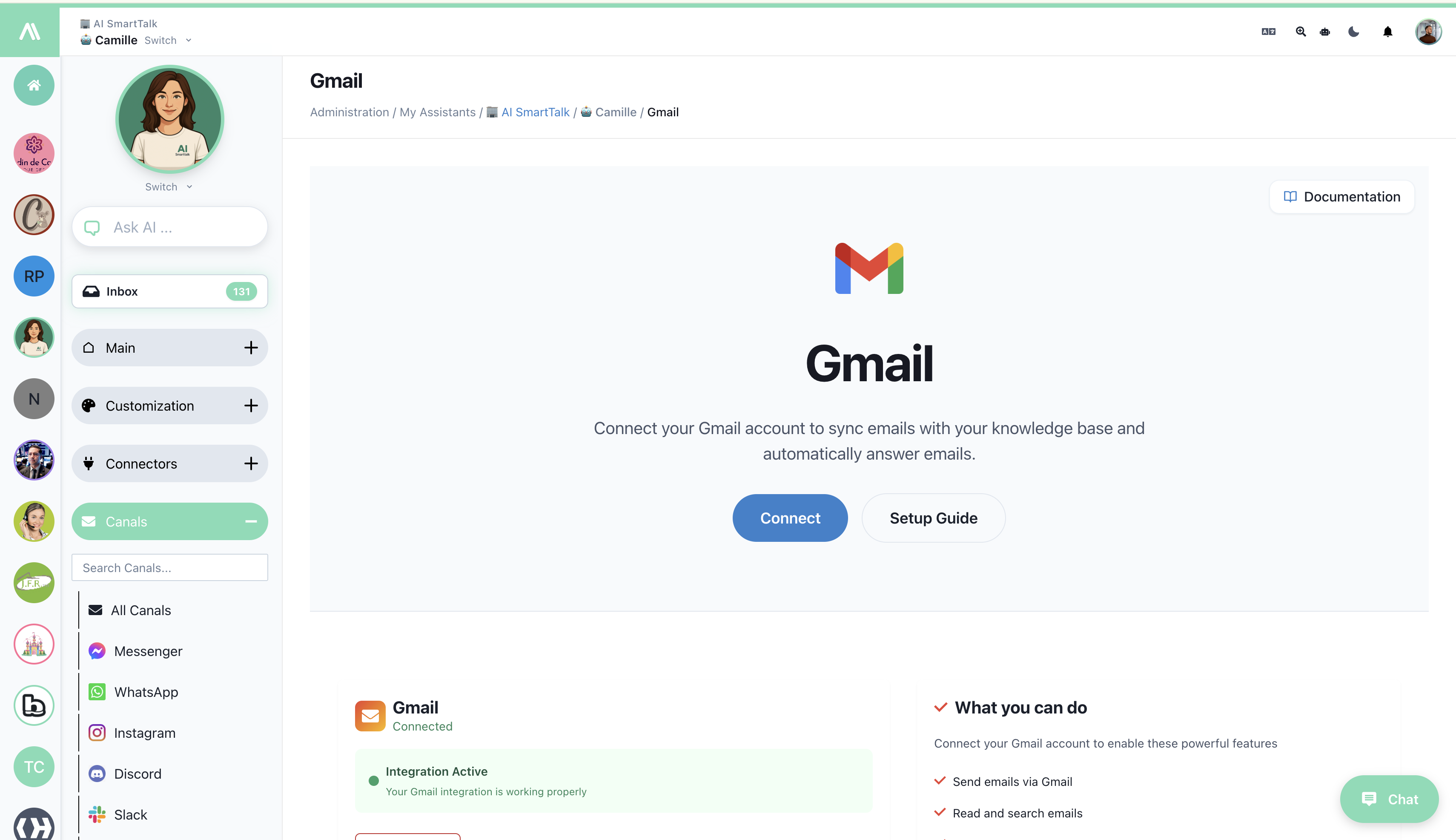
Step 1: Connect Gmail (2 minutes)
- Go to Channels → Gmail
- Click Connect
- Authorize access via Google
Step 2: Install a Ready-to-Use Template
From the Gmail integration page, install a SmartFlow template with one click:
| Template | What It Does |
|---|---|
| Draft Mode | AI analyzes incoming emails and creates draft responses for you to review before sending |
| Auto-Reply Mode | AI responds directly to emails — perfect for FAQ-type questions |

Step 3: Customize (Optional)
Templates work out of the box, but you can customize them:
- Adjust the AI prompt to match your brand voice
- Add conditions to handle different email types differently
- Connect other tools (create JIRA tickets, send Slack alerts, etc.)
🧠 Go Further with Smart Automation
Want more control? Use AI Conditions to build intelligent routing:
Example: Smart Email Triage
- Sales inquiry? → Create personalized draft for review
- Simple FAQ? → Auto-reply immediately
- Complaint? → Alert your team + create draft
- VIP customer? → Priority handling + notification
The same email workflow becomes much smarter when AI decides the best action based on content, sender, and context.
💡 Our Recommendation: Start with Draft Mode
For a smooth start:
Week 1-2: Install the Draft Mode template
- See every AI-generated response before it goes out
- Adjust your knowledge base based on what you observe
- Build confidence in the quality
Week 3-4: Customize your workflow
- Add auto-reply for simple FAQs
- Keep drafts for complex or sensitive emails
- Set up notifications for urgent cases
After 1 month: Optimize
- Identify patterns and add smart conditions
- Automate more cases based on real data
- Fine-tune responses from customer feedback
🎉 Available Now
Gmail integration is available for all AI SmartTalk users.
Ready to transform your email management?
Frequently Asked Questions
Can AI really understand my emails?
Yes. AI analyzes content, identifies intent (question, complaint, information request) and generates an appropriate response using your knowledge base.
What happens if AI doesn't know the answer?
It creates a draft with what it knows and alerts you. Complex cases stay in your hands.
Will my customers know they're talking to AI?
Your choice. You can add an "AI-assisted response" signature or not.
How quickly will I see results?
Immediately. As soon as connected, AI starts processing incoming emails.
Questions about Gmail integration? Contact our team or check the full documentation.