Organization Overview
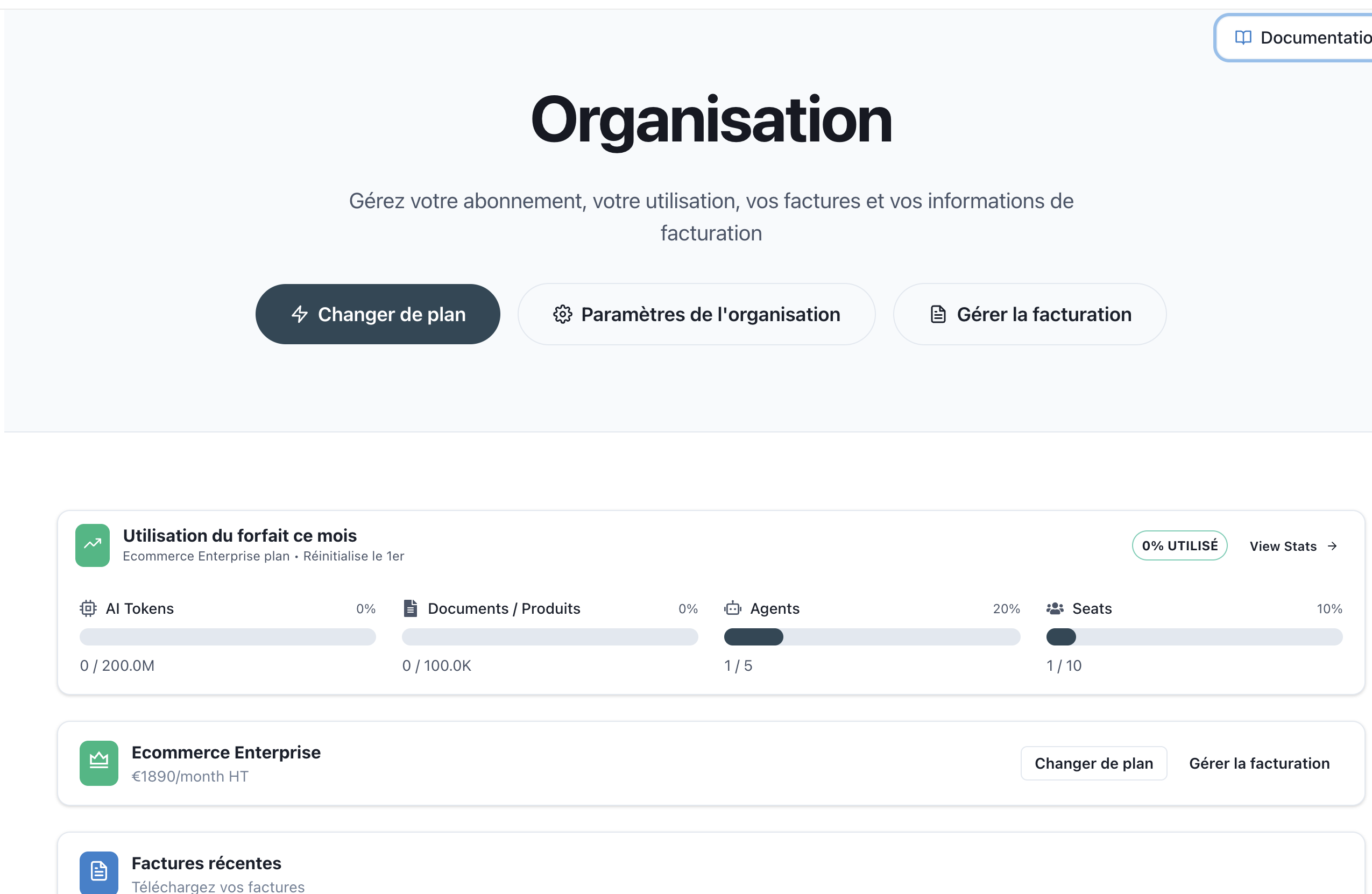
The Organization page is your central hub for managing your AI SmartTalk subscription, billing, and usage statistics. Here you can monitor your plan usage, download invoices, and upgrade or change your subscription.
Accessing the Organization Page
Navigate to: Administration → My Assistants → [Your Workspace] → Organization
Page Layout
The Organization page provides a comprehensive overview of your account:
Header Section
At the top of the page, you'll find:
- Page Title: "Organization"
- Description: Quick summary of available actions
- Documentation Link: Quick access to this documentation
Action Buttons
Three primary action buttons are available:
| Button | Description |
|---|---|
| ⚡ Change Plan | Opens the plan selection modal to upgrade or change your subscription |
| ⚙️ Organization Settings | Manage your organization's billing information (see Settings documentation) |
| 📄 Manage Billing | Update payment methods and billing information |
Usage Overview Card
The usage card displays your current subscription consumption at a glance:
Plan Information
- Plan Name: Your current subscription tier
- Reset Date: When your monthly usage limits reset
- Usage Percentage: Overall utilization badge
- View Stats: Link to access detailed usage statistics
Resource Meters
Four progress bars show your usage across key resources:
| Resource | Description |
|---|---|
| AI Tokens | Total AI processing tokens consumed this billing period |
| Documents / Products | Number of knowledge base items indexed |
| Agents | Active AI assistants deployed |
| Seats | Team members with access to the organization |
Each meter displays:
- Current usage vs. maximum limit
- Percentage utilized
- Visual progress bar
Current Plan Card
This card shows your active subscription details:
| Field | Description |
|---|---|
| Plan Name | Your current subscription tier |
| Monthly Price | Subscription cost excluding taxes |
| Change Plan | Button to switch to a different plan |
| Manage Billing | Link to update payment information |
Recent Invoices
The invoices section provides quick access to your billing history:
Invoice List
Each invoice entry displays:
| Field | Description |
|---|---|
| Invoice Number | Unique identifier (e.g., "467CD393-0357") |
| Date | Invoice generation date |
| Amount | Total amount with currency (e.g., "359.67 EUR") |
| Download | Download invoice as PDF |
| View | Open invoice in new tab |
Invoice Actions
- 📥 Download: Save the invoice as a PDF file
- 🔗 View: Open the invoice details page in a new tab
Quick Actions
Changing Your Plan
- Click ⚡ Change Plan button
- Review recommended plans based on your usage
- Select a new plan or click "View all plans" for more options
- Confirm your selection
See Subscription Management for detailed instructions.
Viewing Detailed Statistics
- Click View Stats → on the usage card
- Access comprehensive analytics including:
- Token consumption over time
- AI model usage breakdown
- Cost attribution by action type
See Usage Statistics for detailed information.
Downloading Invoices
- Scroll to the "Recent Invoices" section
- Find the desired invoice
- Click the 📥 Download icon to save as PDF
- Or click 🔗 View to open in browser
Understanding Your Limits
AI Tokens
AI tokens measure the computational resources used by your AI assistants. Token consumption varies based on:
- Length of conversations
- Complexity of AI responses
- AI model selected for each interaction
Documents / Products
This limit tracks the total number of indexed items in your knowledge base:
- Uploaded documents (PDF, DOCX, etc.)
- Synced product catalogs
- FAQ entries
- Web pages
Agents
Agents represent individual AI assistants you can deploy. Each assistant with its own configuration counts as one agent.
Seats
Seats define how many team members can access your organization. Each invited user consumes one seat.
Related Documentation
- Subscription Management - Change plans and manage billing
- Usage Statistics - Detailed analytics and cost tracking
- Access Control - Manage team member access