Theme & Appearance
Your assistant's look is set in two places, each with one job:
| Where | What you set | Applies to |
|---|---|---|
| Name, avatar and theme window | Name, avatar, main colour, accent | Every channel and every CMS plugin |
| Integrations → Web → Appearance | Style (Mirage, Riad, Coufique), fonts, shapes, chat button, colour mode | The web chat widget |
Nothing is set twice: the colours live in one place, and the web widget, the WordPress, PrestaShop and Joomla plugins and the other channels all read them from there.
Name, avatar and theme
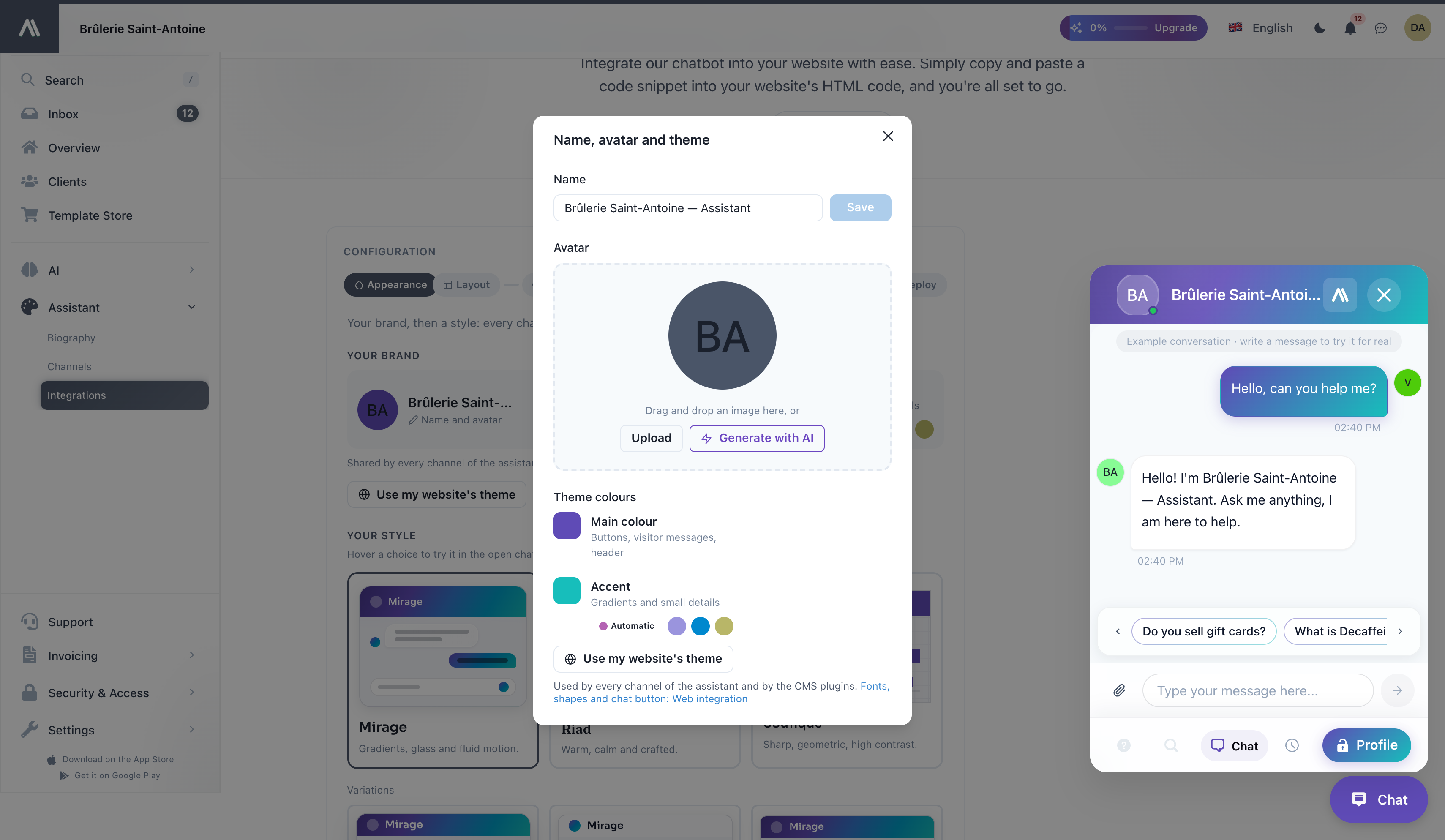
Open the window from any of these places:
- the assistant's name and avatar at the top of the side menu;
- the Overview page;
- Name and avatar in the Your brand card of the web integration.
It contains:
- Name: the public name of your assistant, shown in the chat header and wherever it talks to users.
- Avatar: upload a square image, or click Generate with AI to create one.
- Theme colours: the two colours of your brand (see below).
Fonts, shapes and the chat button are not in this window: they belong to the web widget only, so they live in the web integration.
Your brand colours
Two colours, each with a clear role:
| Colour | Where it shows |
|---|---|
| Main colour | Buttons, visitor messages, chat header |
| Accent | Gradients and small details |
Set the main colour first. The accent follows it automatically (Automatic) and stays in harmony when the main colour changes. Prefer to choose? Pick one of the matching accents suggested next to it, or enter any colour.
If the two colours clash (a saturated blue next to a saturated red, for example), a warning explains that the eye cannot tell which one is in front, and Use a matching accent fixes it in one click.
Use my website's theme
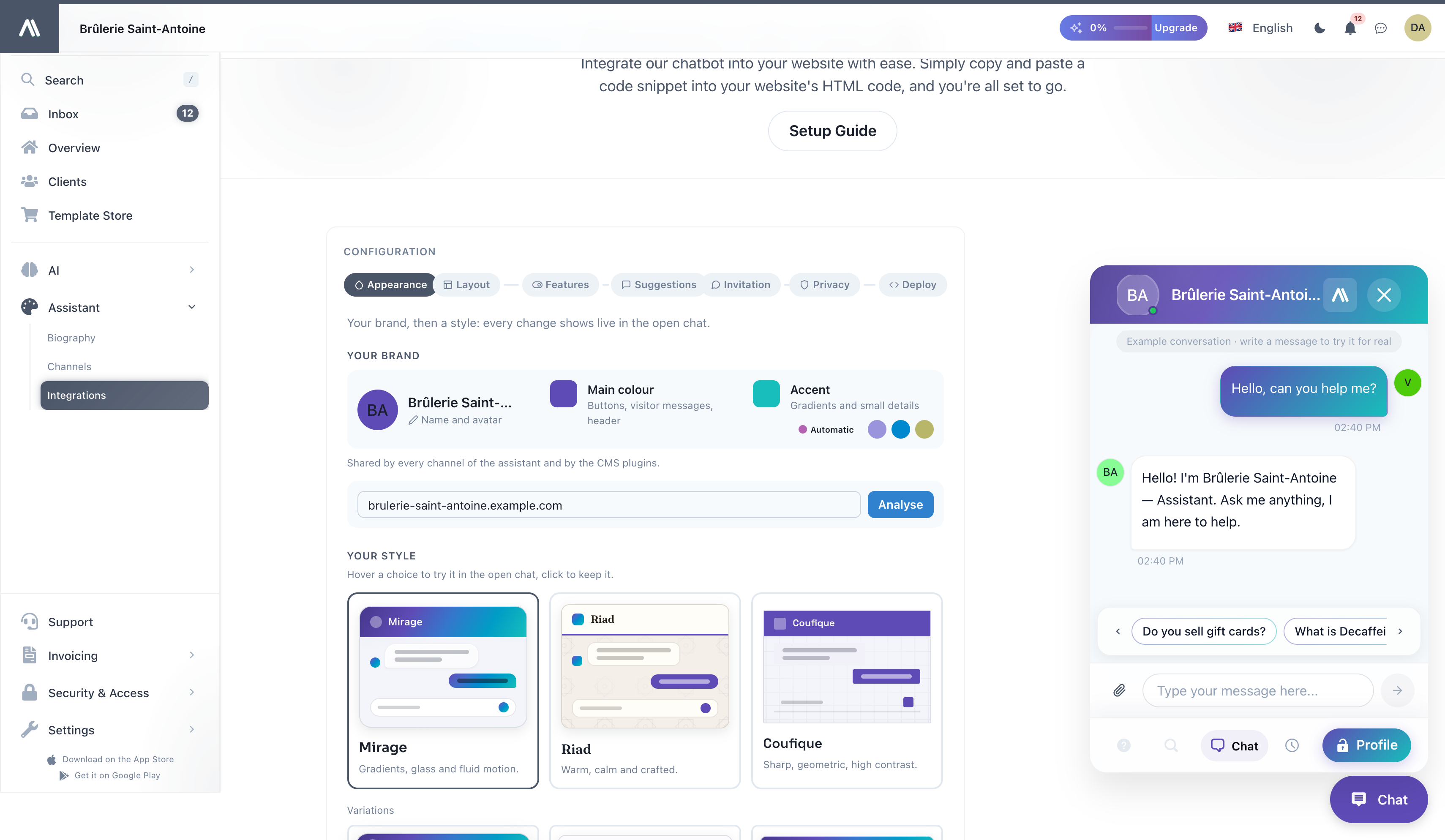
Click Use my website's theme, enter your website address and click Analyse. AI SmartTalk reads the colours your site declares, then its stylesheets and logo, and if needed a screenshot of the page. You see the colours found and where they come from before you click Apply, and nothing changes until you do. The analysis takes up to 30 seconds.
Your style
The Appearance step of the web integration lets you choose how the chat looks on your website. Open your assistant, then go to Assistant → Integrations → Web.
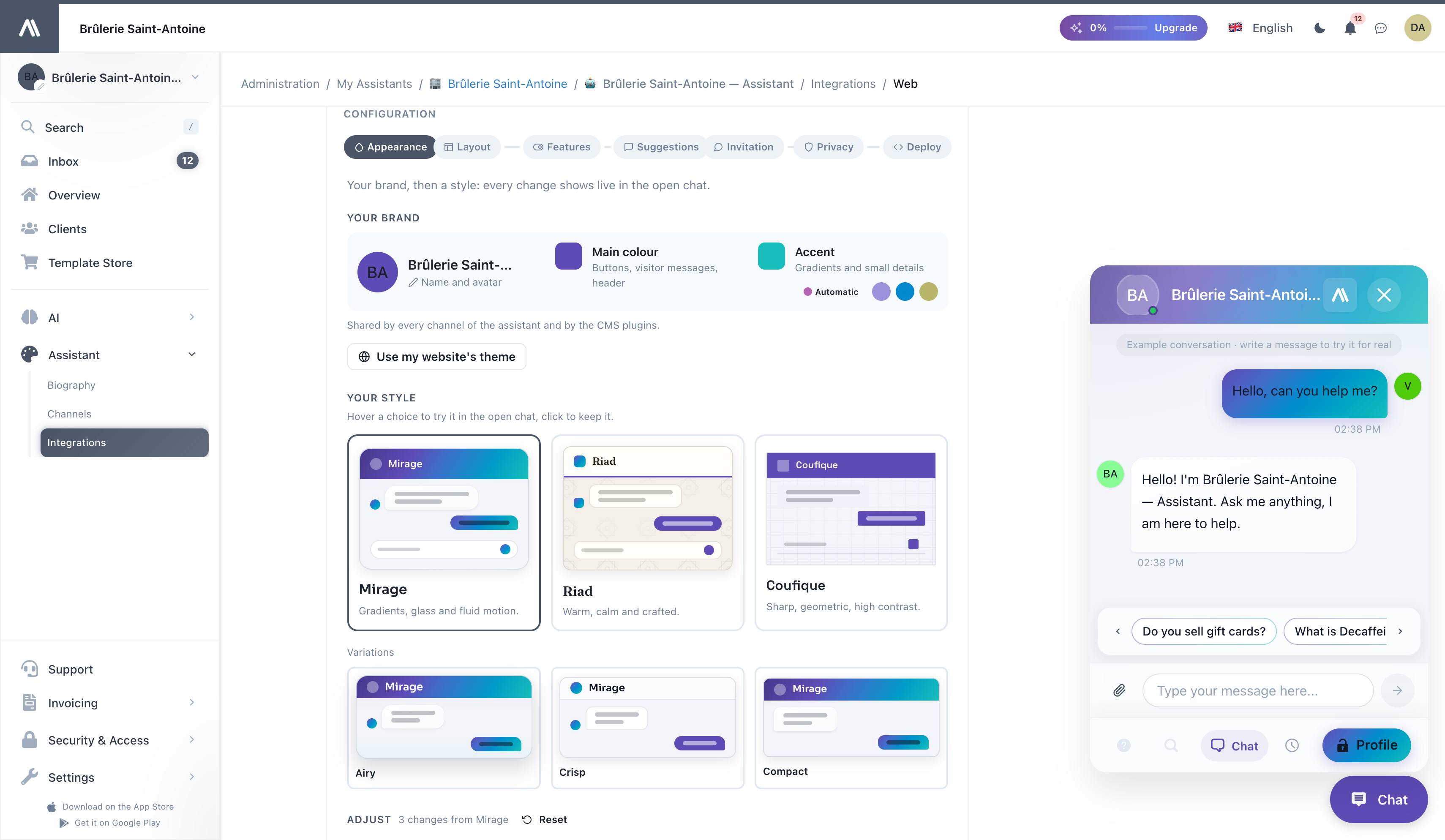
Three identities give the widget a complete style. None of them imposes a colour: each one uses yours.
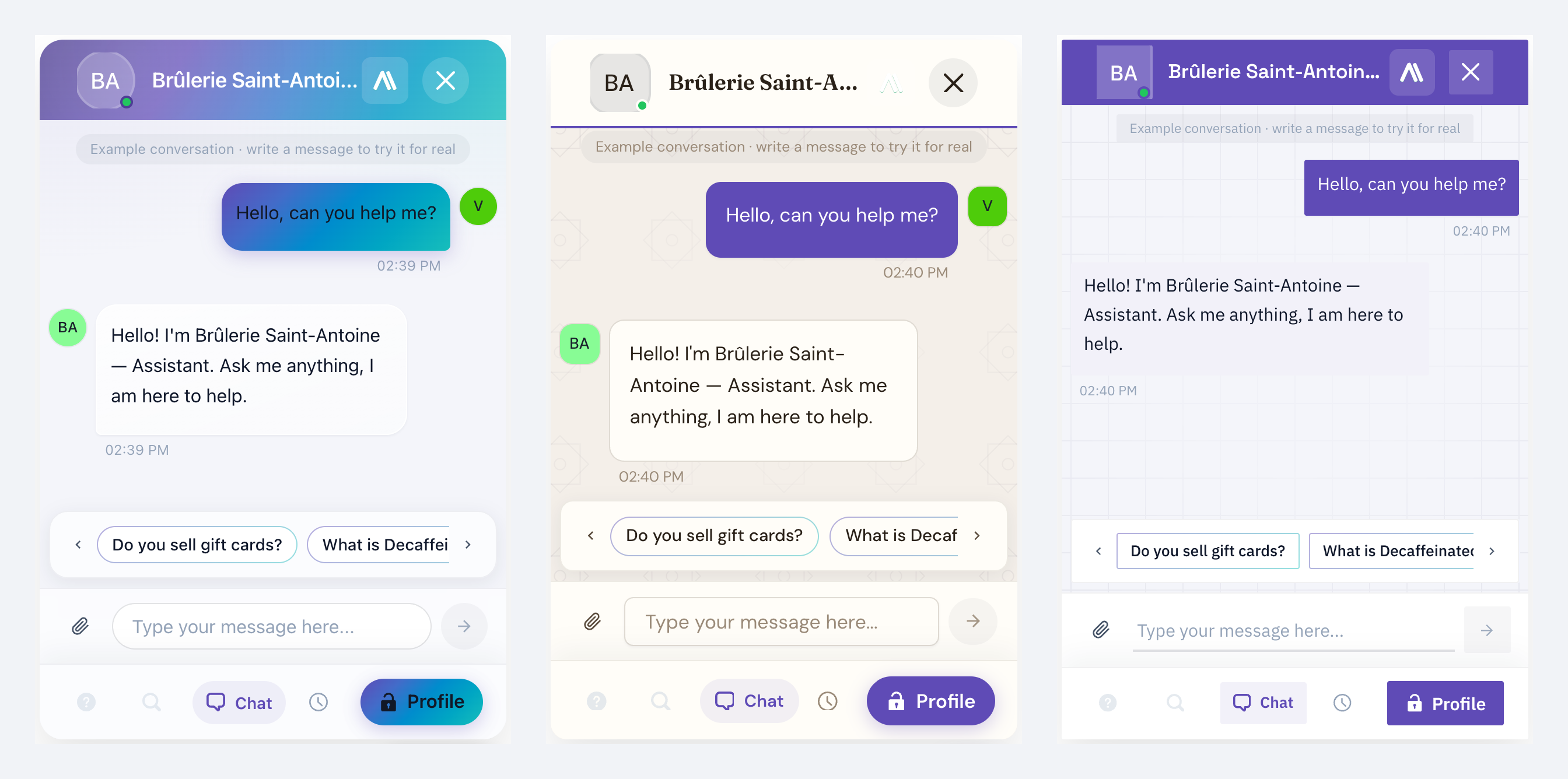
| Identity | Character | Made for |
|---|---|---|
| Mirage | Gradients, glass and fluid motion. Your colours flow across translucent surfaces with rounded shapes. | The AI SmartTalk signature, any website |
| Riad | Warm, calm and crafted. Matte paper surfaces, elegant serif headings, outlined messages, unhurried motion. | Retail, craftsmanship, hospitality, luxury |
| Coufique | Sharp, geometric, high contrast. Crisp corners, a solid header, straight lines. | Tech, B2B, finance |
Each identity comes with three variations (for example Airy, Crisp and Compact for Mirage) that change a few details while keeping its character.
Try before you keep
Open the chat preview, then hover a style or a setting: the open chat shows it immediately. Click to keep it. Move away without clicking and the chat goes back to what you had.
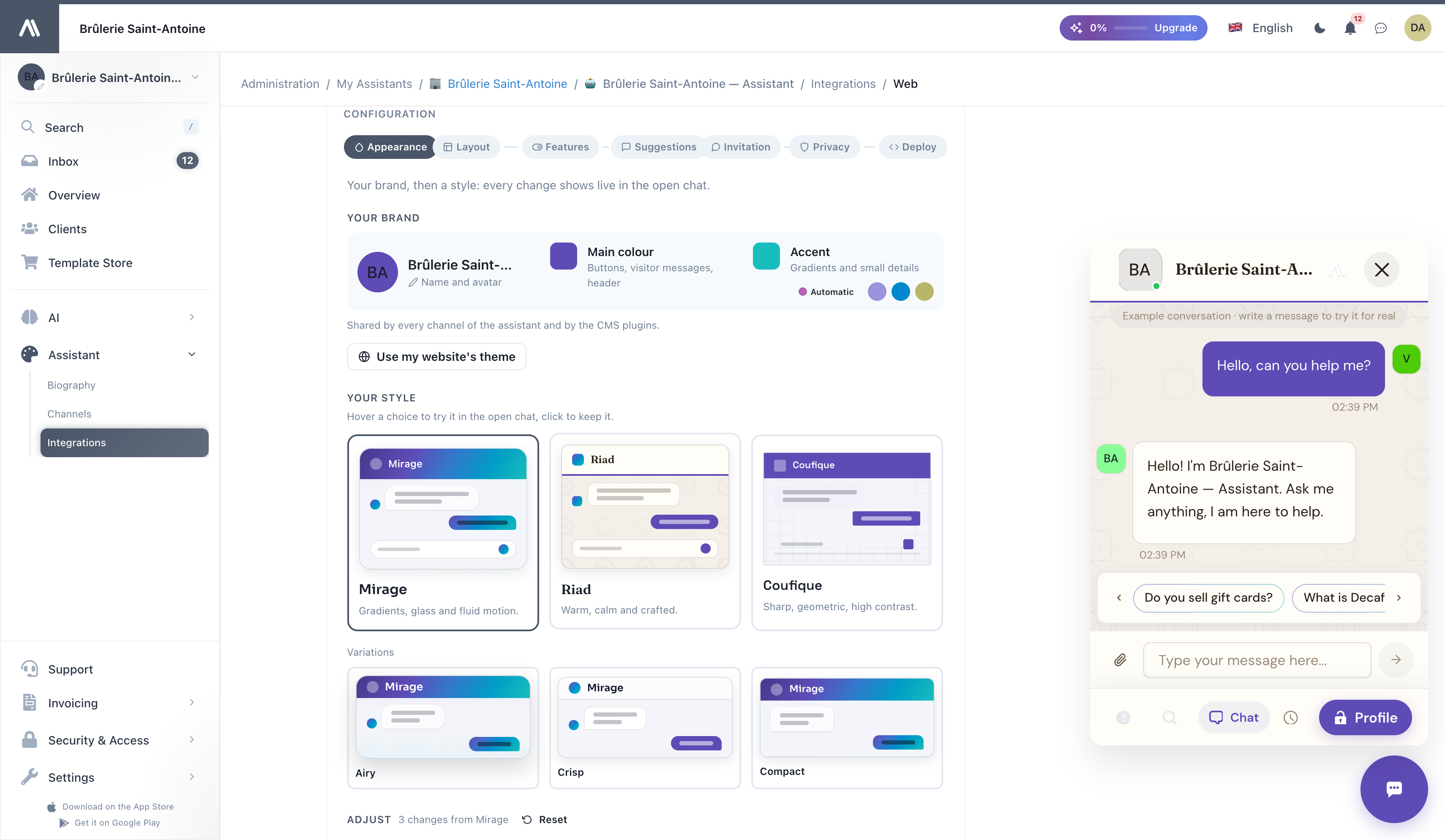
The preview chat shows a sample exchange so you can judge bubbles, colours and fonts on real content. It is marked Example conversation: write a message to try your assistant for real.
On wide screens the page makes room for the chat, so the settings on the right are never hidden behind it.
Adjust
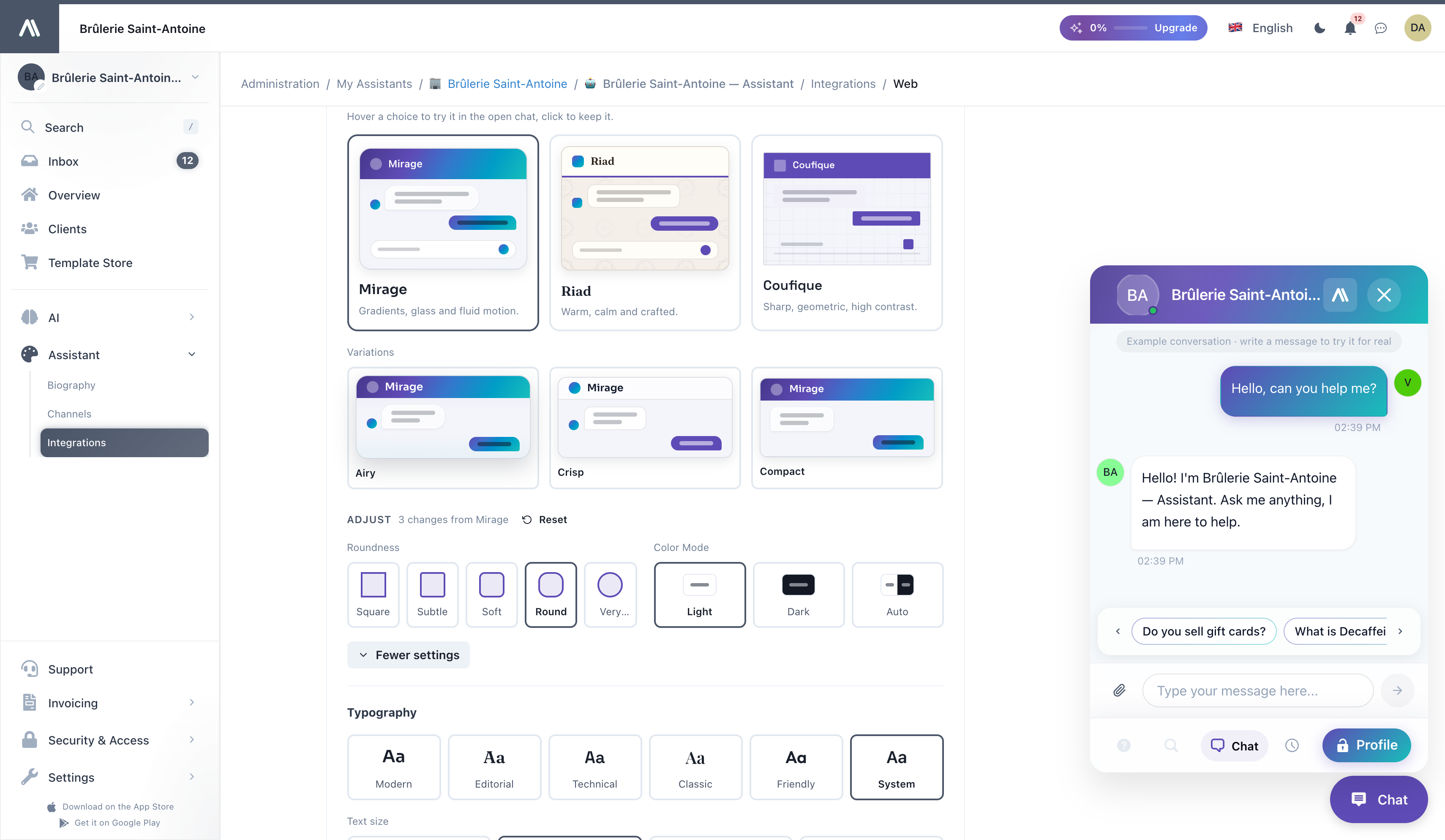
Under Adjust, the most common changes are one click away: Roundness and Color Mode (Light, Dark, or Auto to follow the visitor's system). Click More settings to change any detail of the style:
- Typography: font pairs (Modern, Editorial, Technical, Classic, Friendly, System), or Choose each font; text size.
- Shapes and spacing: roundness, spacing, shadows, surfaces, background.
- Messages: header style, visitor and assistant messages, pointed corner, avatars next to messages and their shape, message field style.
- Motion: animations.
- Chat button: content, shape, icon, and Button Text (30 characters at most, so it never covers the page).
The line next to Adjust counts your changes (for example 3 changes from Mirage). Reset brings the identity back as designed, and Undo cancels your last change.
What your visitors see
- Every change is saved for the assistant and applied wherever the widget is installed: there is nothing to change in the code on your site.
- Installed before the identities existed? Your widget keeps exactly its current look until you choose a style. Nothing changes for your visitors by surprise.
- Pasted the snippet a long time ago? The Deploy step suggests pasting it once more: future appearance changes then apply without touching your site again.
Permissions
| Action | Required permission |
|---|---|
| Change the brand colours, or use your website's theme | THEME_UPDATE |
| See the web integration | INTEGRATION_READ |
| Change the style and the other web widget settings | INTEGRATION_UPDATE |
See Access Control for how to assign these.
Tips
- Start from your website. Use my website's theme gets the colours right in seconds; adjust from there.
- Choose the identity that matches your sector, then adjust two or three details. A coherent style beats a pile of tweaks.
- Keep contrast. The widget keeps text readable on your colours automatically, but a very light main colour makes buttons hard to spot on a white site.
- Avatar matters more than you think. A real face or a stylised character makes visitors open the chat more often than a generic robot icon.
Make your AI agent LOOK on-brand · Theme + GDPR widget
Related
- Integrating the Chatbot: every step of the web integration, and how to deploy it
- Web Chat: what the widget does for your visitors
- Biography: your assistant's personality and decision rules
- Access Control: who can edit the appearance