Template Store
Browse and install pre-built SmartFlow templates created by AI SmartTalk and the community.
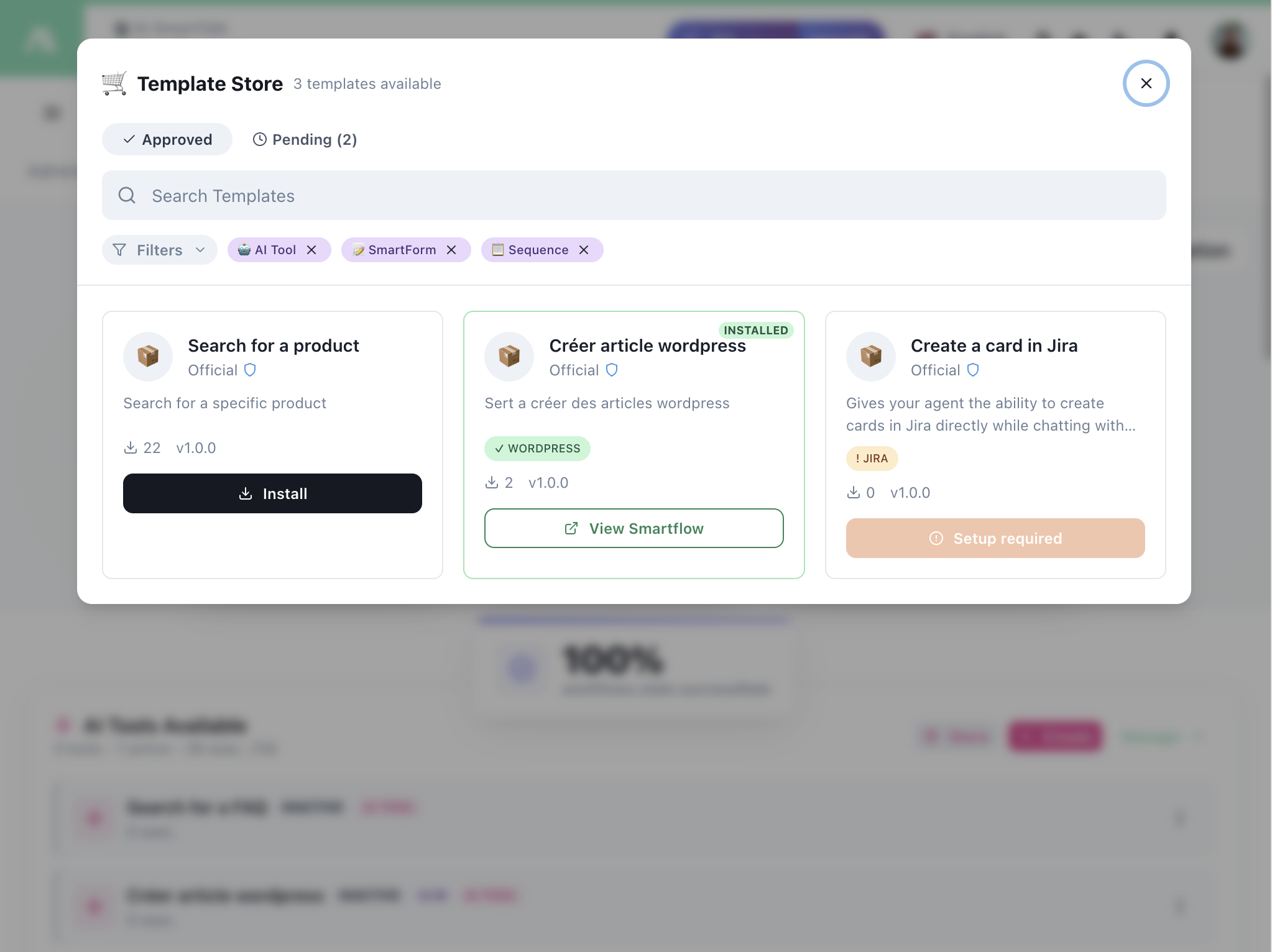
Browsing Templates
Tabs
- Approved — Reviewed and published templates
- Pending — Templates awaiting review
Search & Filters
- Search — Find templates by name or description
- Filters — Filter by category:
- AI Tool — Conversation tools for your AI
- SmartForm — Form processing workflows
- Sequence — Multi-step form sequences
- WordPress — CMS integration templates
- JIRA — Issue tracking templates
- And more...
Template Cards
Each template shows:
| Element | Description |
|---|---|
| Name | Template name |
| Author | Official or community creator |
| Description | What the template does |
| Tags | Categories (WordPress, JIRA, etc.) |
| Downloads | How many times installed |
| Version | Current version number |
Actions
| Button | Description |
|---|---|
| Install | Add the template to your SmartFlows |
| View Smartflow | Preview the flow before installing |
| Setup required | Template needs configuration (API keys, etc.) |
Installing a Template
- Find a template you want
- Click Install (or View Smartflow to preview first)
- If Setup required, configure the required connections:
- API keys
- Connected accounts (JIRA, Gmail, etc.)
- Custom variables
- The template appears in your SmartFlows list
- Customize as needed
- Toggle Live to activate
My Templates
Manage templates you've created and published.
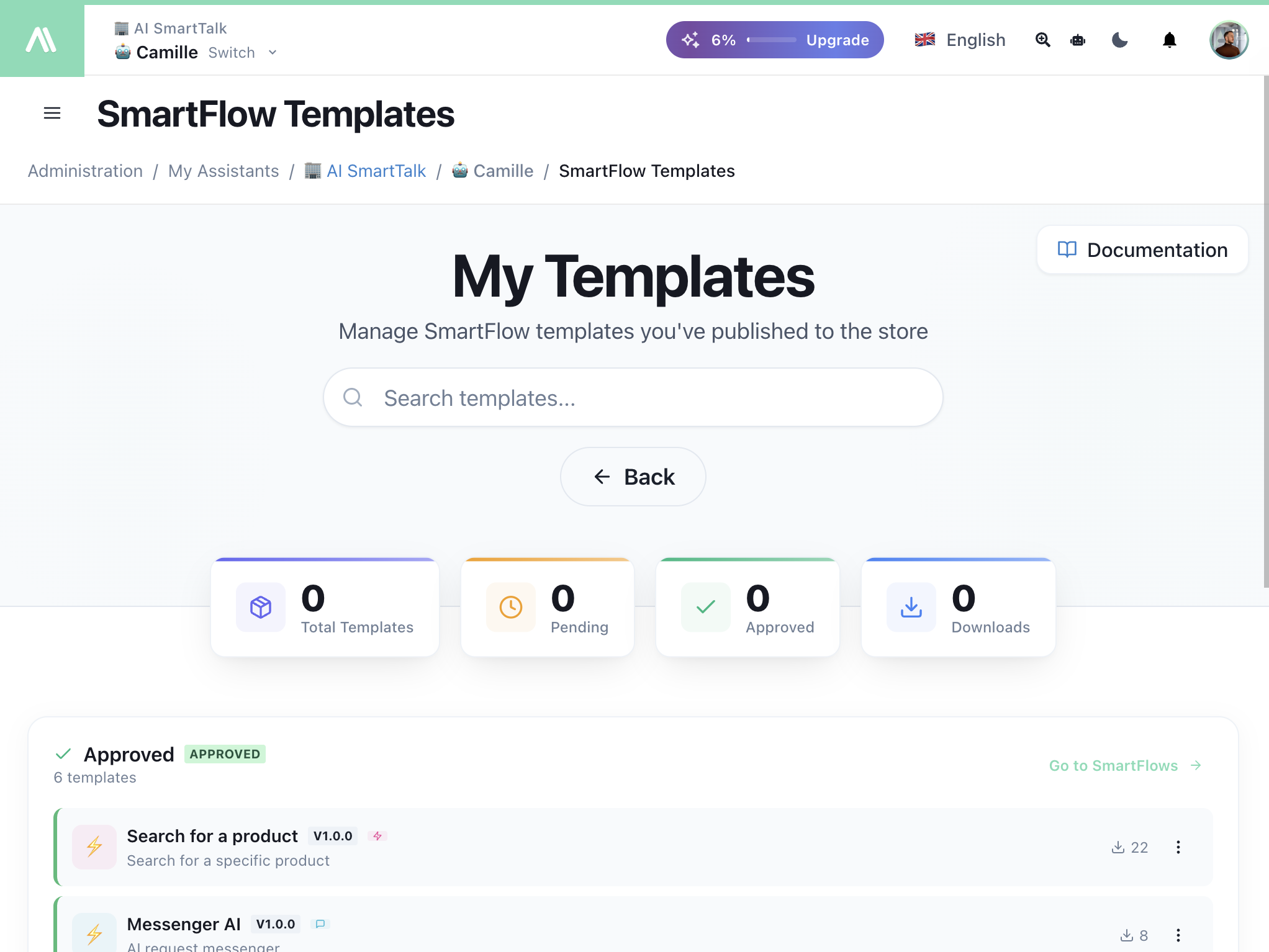
Dashboard Metrics
| Metric | Description |
|---|---|
| Total Templates | All templates you've created |
| Pending | Awaiting approval |
| Approved | Published to the store |
| Downloads | Total installs across all templates |
Publishing Your Templates
When you click Save Template, a wizard guides you through:
Step 1: Details
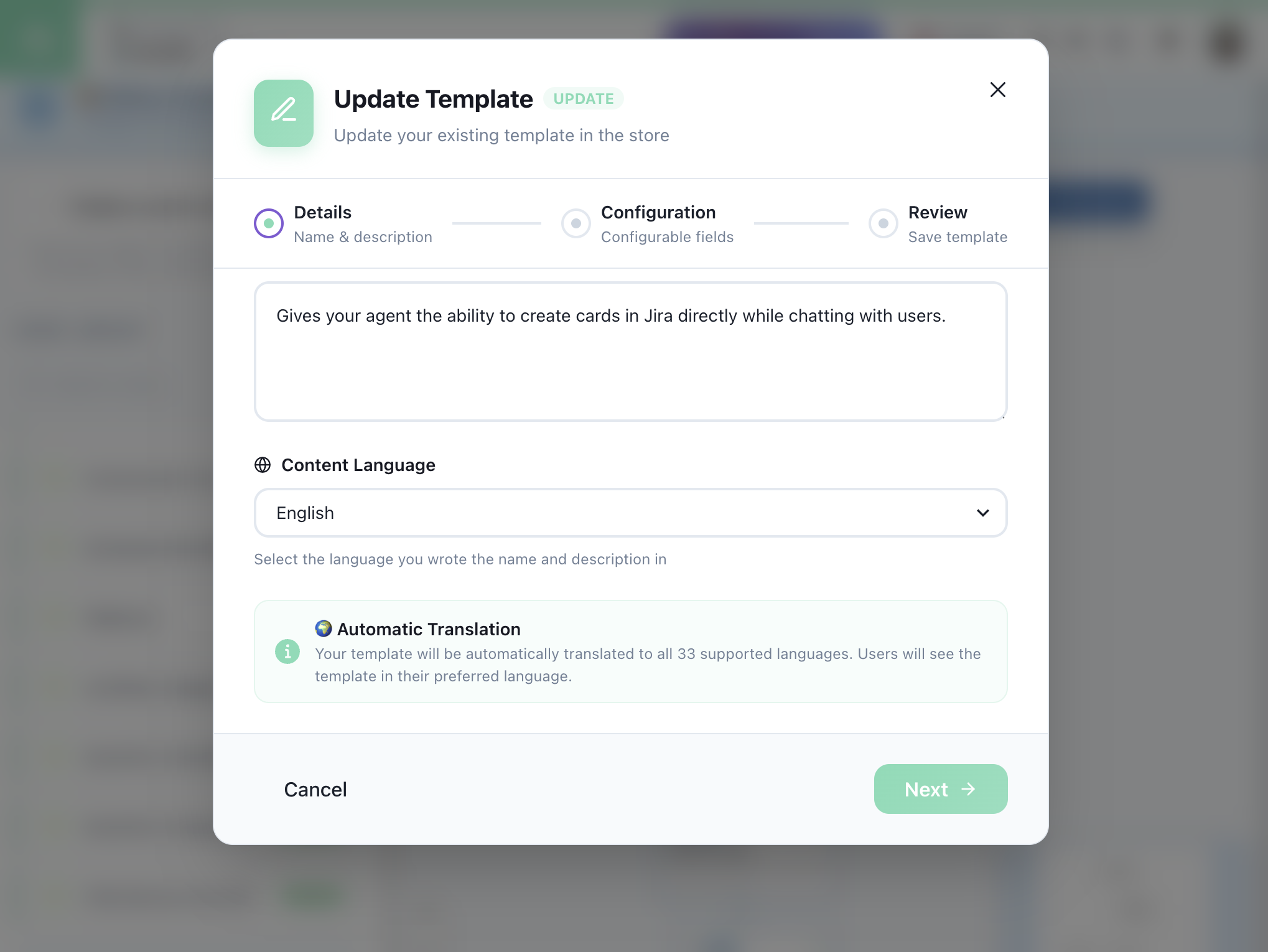
| Field | Description |
|---|---|
| Description | What the template does |
| Content Language | Language you wrote in |
| Automatic Translation | Template is auto-translated to 33 languages |
Step 2: Configuration
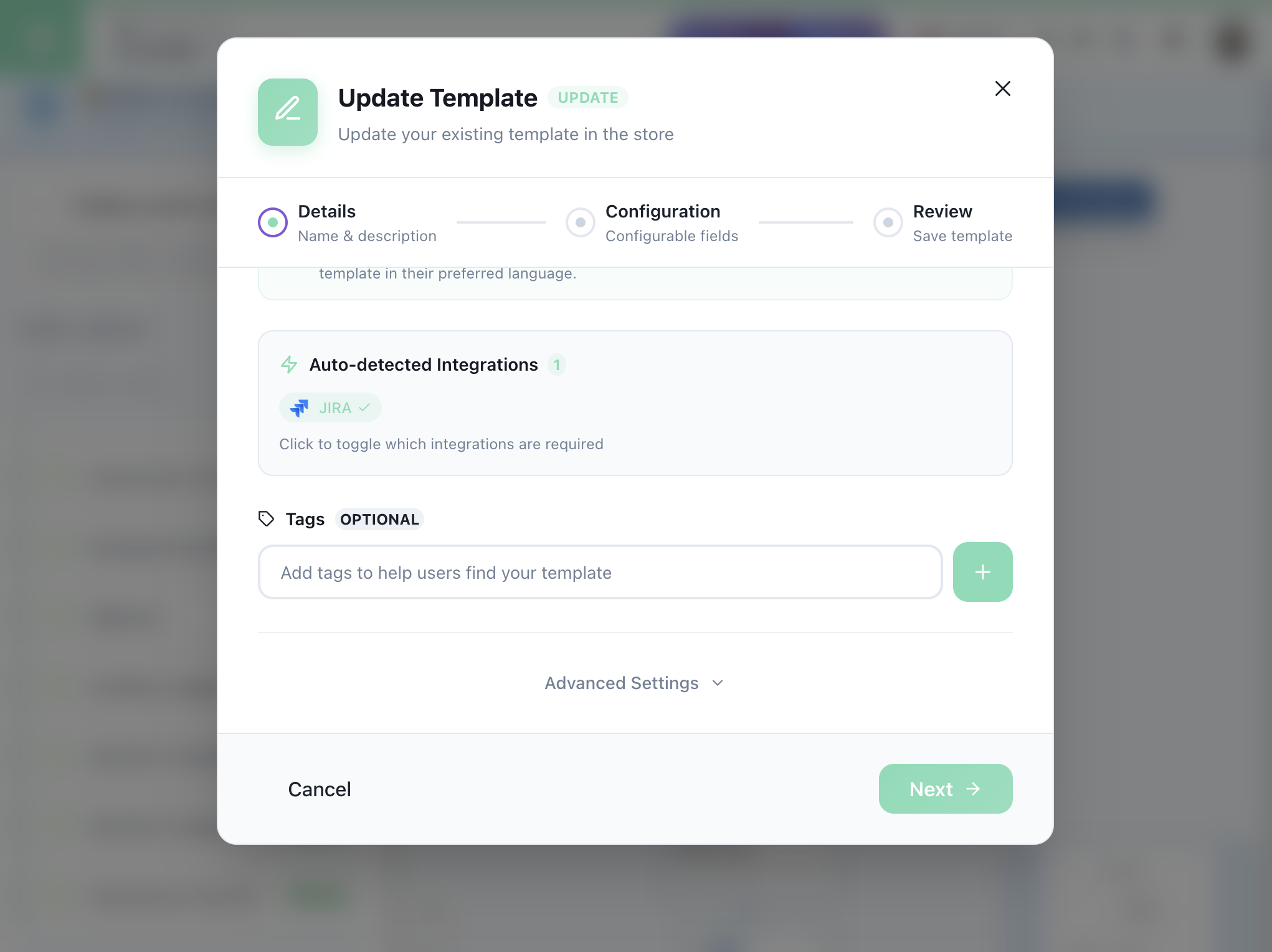
| Field | Description |
|---|---|
| Auto-detected Integrations | Required connectors (JIRA, Gmail, etc.) |
| Tags | Categories to help users find your template |
| Advanced Settings | Additional options |
Step 3: Review
Preview and submit for approval. Once approved, your template appears in the store.
Featured Templates
AI Tools
| Template | Description |
|---|---|
| Search for a product | Let AI search your product catalog |
| Book appointment | AI-powered scheduling |
| Get order status | Check orders conversationally |
Integrations
| Template | Description |
|---|---|
| Create a card in Jira | AI creates issues from chat |
| Créer article WordPress | Auto-create WordPress posts |
| Gmail Draft Mode | AI writes email drafts |
Forms
| Template | Description |
|---|---|
| Lead Capture | Collect and store leads |
| Support Request | Create tickets from forms |