📤 Send a Message to a Chat Instance
This action allows you to send a message to a specific chat instance within your system. It can be used to automate communication, trigger notifications, or interact dynamically with chat sessions.
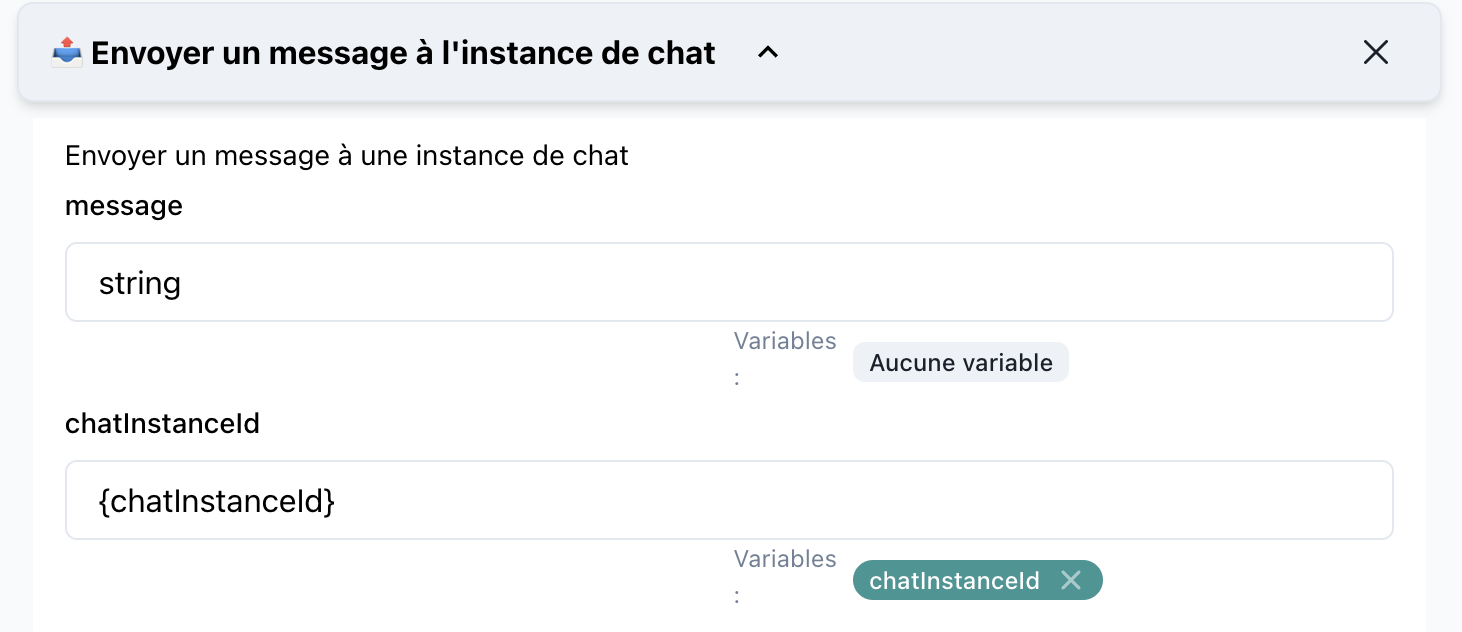
📝 Action Details
Name: Send a Message to a Chat Instance
Category: Chat Management
🔧 Parameters
1. Message
- Type:
string - Description: The content of the message you want to send to the chat instance.
- Required: Yes
- Example:
"Hello, how can I assist you today?"
2. chatInstanceId
- Type:
string - Description: The unique identifier of the chat instance to which the message will be sent.
- Required: Yes
- Example:
{chatInstanceId}
🚀 How to Use
-
Drag the Action into SmartFlow: Add the
Send a Message to a Chat Instanceaction to your SmartFlow workspace. -
Configure Parameters:
- Message: Provide the message text you want to send.
- chatInstanceId: Use the variable or static value representing the chat instance.
-
Connect to Flow Logic: Place this action at the desired step in your workflow to send a message dynamically.
💡 Use Cases
-
Automated Customer Support: Send predefined responses based on customer queries.
-
Notifications: Inform users about updates, alerts, or reminders during an ongoing chat session.
-
Dynamic Interactions: Enhance user experience by programmatically sending context-aware messages during a conversation.
🔍 Example Configuration
Here’s an example of how this action might look in a configured flow:
- Message:
"Your order has been confirmed. Let us know if you need further assistance." - chatInstanceId:
{chatInstanceId}
{
  "message": "Your order has been confirmed. Let us know if you need further assistance.",
  "chatInstanceId": "{chatInstanceId}"
}
🛠️ Tips
- Test Before Deploying: Always test the SmartFlow to ensure the message is delivered to the correct chat instance.
- Dynamic Content: Use variables within the
messageparameter to personalize responses (e.g., customer names, order details).
This documentation provides a clear guide for users to understand and implement the action in their workflows. Let me know if you'd like further refinements!