SmartForm AI Analysis
Process SmartForm responses with AI — analyze, summarize, classify, or extract insights.
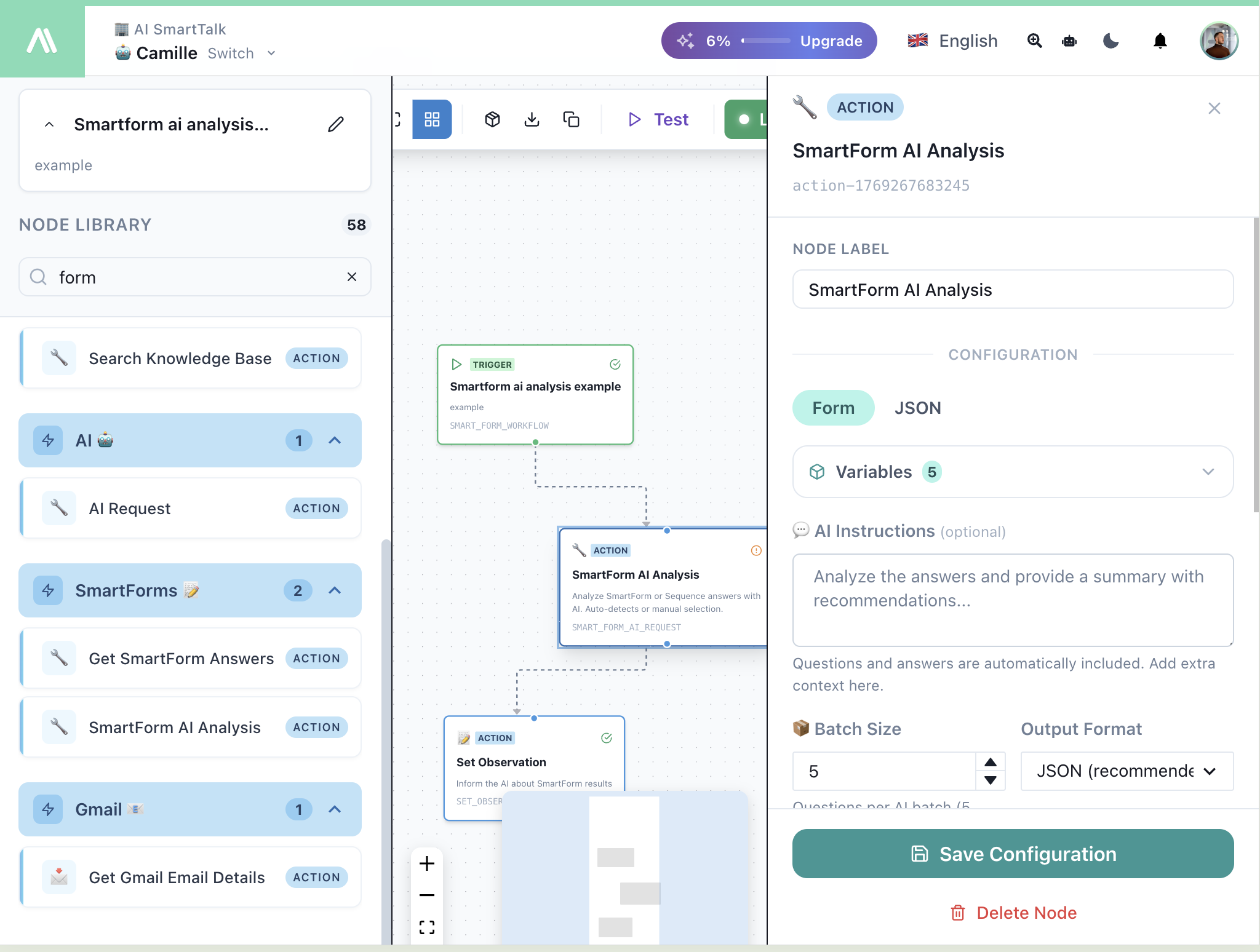
When to Use
- Analyze feedback sentiment
- Summarize long-form responses
- Classify submissions by category
- Extract key information
- Generate reports from form data
- Score leads automatically
Configuration
| Field | Description |
|---|---|
| Node Label | Custom name for this node |
| Variables | Form fields to include (auto-detected) |
| AI Instructions | What to do with the data |
| Batch Size | Questions processed per AI request |
| Output Format | JSON (recommended) or Text |
AI Instructions
Tell the AI what to do with the form data:
Analyze the answers and provide a summary with recommendations...
The AI automatically receives all questions and answers. Add extra context or specific instructions here.
Output Format
| Format | Use Case |
|---|---|
| JSON | Structured data for further processing |
| Text | Human-readable summaries |
Output Variables
After execution, access results via:
| Variable | Description |
|---|---|
{{nodeLabel.result}} | Full AI analysis |
{{nodeLabel.summary}} | Generated summary |
{{nodeLabel.sentiment}} | Sentiment analysis |
Example: Feedback Analysis
AI Instructions:
Analyze this feedback form submission:
1. Determine overall sentiment (positive, neutral, negative)
2. Extract the main topics mentioned
3. Identify any urgent issues
4. Suggest follow-up actions

Return as JSON with: sentiment, topics, urgentIssues, suggestedActions
Output:
{
  "sentiment": "negative",
  "topics": ["delivery", "product quality"],
  "urgentIssues": ["damaged product on arrival"],
  "suggestedActions": ["issue refund", "contact customer"]
}
Example: Lead Scoring
AI Instructions:
Score this lead based on the form responses:
- Company size (1-10 points)
- Budget indication (1-10 points)
- Urgency level (1-10 points)
- Fit with our services (1-10 points)

Return JSON with individual scores and total.
Best Practices
Be Specific in Instructions
// Good
"Classify this support request into: billing, technical, account, other"

// Too vague
"Analyze this form"
Use JSON for Automation
When the output feeds into other nodes, use JSON format:
{
  "category": "technical",
  "priority": "high",
  "assignTo": "engineering"
}
Combine with Set Observation
Send AI analysis back to the chatbot:
- SmartForm AI Analysis — Process responses
- Set Observation — Return results to AI
The AI can then respond intelligently based on the analysis.
Related
- SmartForm Workflow Trigger — Trigger on form submission
- AI Request — General AI processing
- Set Observation — Send results to AI
- If Condition — Route based on results