SmartForm Workflow Trigger
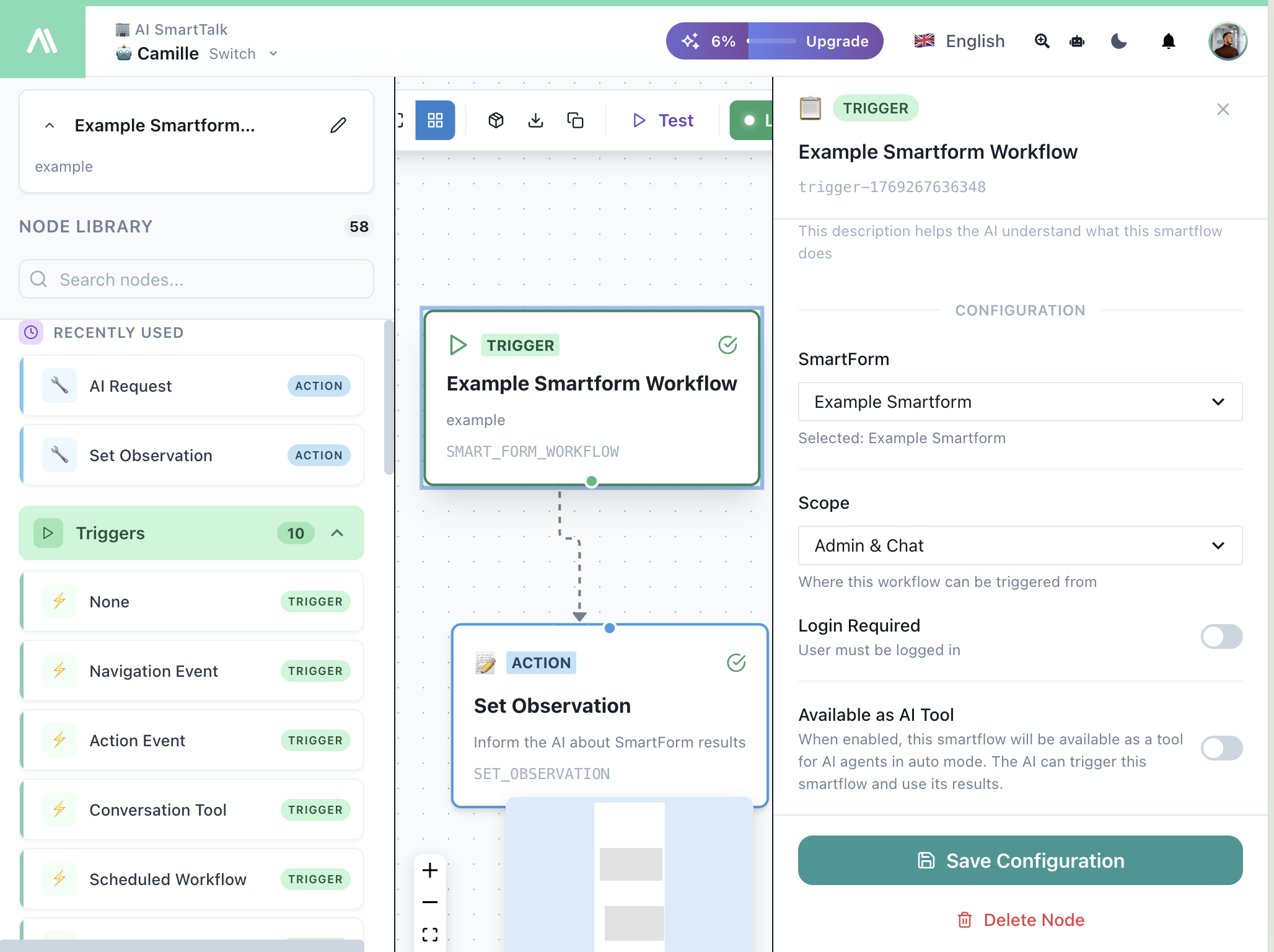
Run a SmartFlow when a SmartForm is completed, whether via chat or web form.
When to Use
- Process form submissions automatically
- Send confirmation emails
- Create tickets in JIRA/ClickUp
- Add leads to CRM
- Generate documents from form data
- Analyze responses with AI
Configuration
| Field | Description |
|---|---|
| SmartForm | Select which form triggers this flow |
| Scope | Where this workflow can be triggered from |
| Login Required | User must be logged in to trigger |
| Available as AI Tool | Allow AI to trigger this SmartFlow and use results |
Scope Options
| Scope | Description |
|---|---|
| Admin & Chat | Triggered from dashboard or chat |
| Chat Only | Only from chat conversations |
| Admin Only | Only from dashboard |
Available as AI Tool
When enabled, the AI assistant can:
- Trigger this SmartFlow during conversations
- Use the SmartFlow results to respond to users
- Auto-detect when to use this workflow based on context
Creating from SmartForm
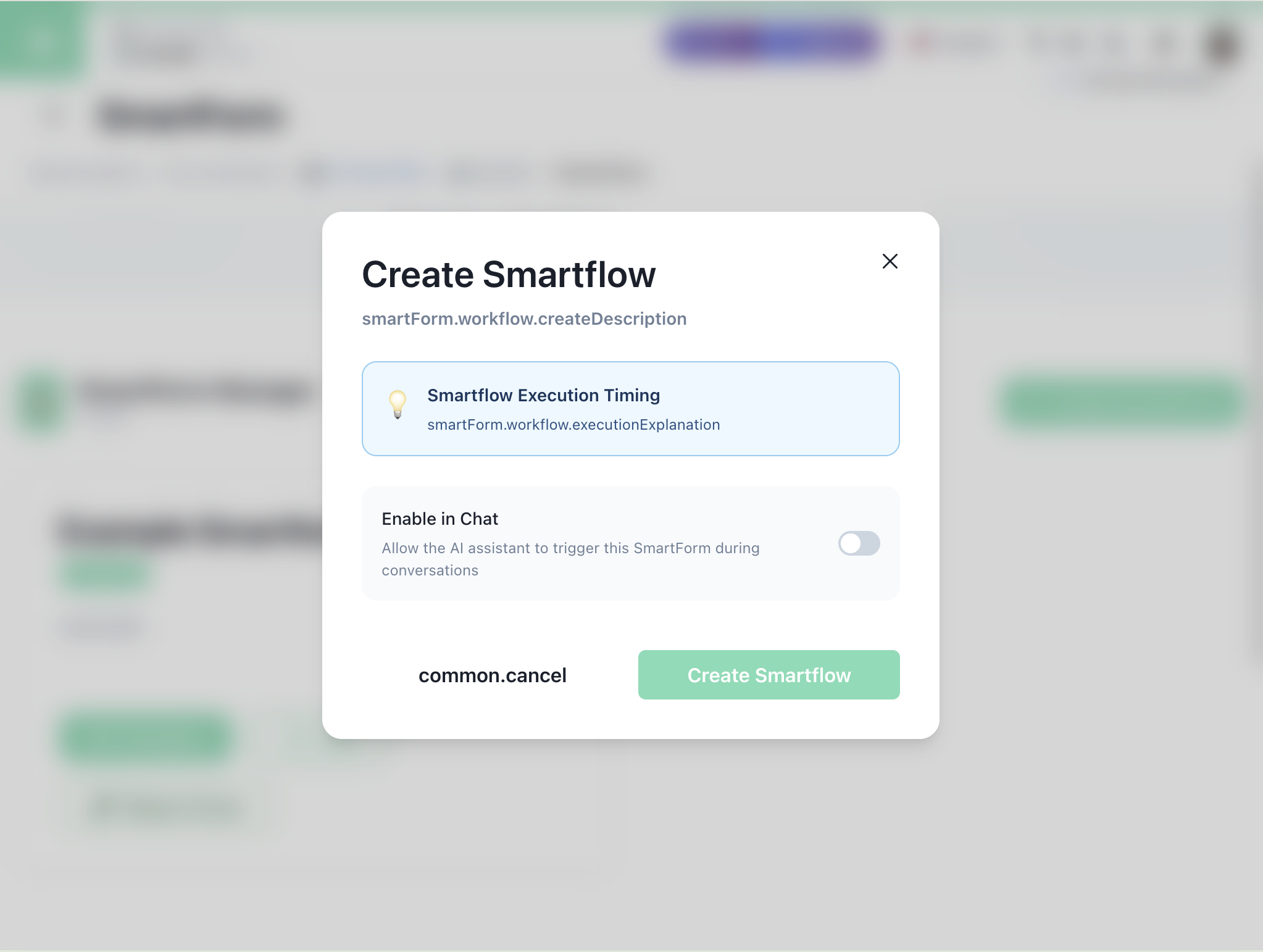
You can also create a SmartFlow directly from the SmartForm editor:
| Option | Description |
|---|---|
| Execution Timing | When the flow runs relative to form completion |
| Enable in Chat | Allow AI to trigger this form in conversations |
SmartFlow Detail Page
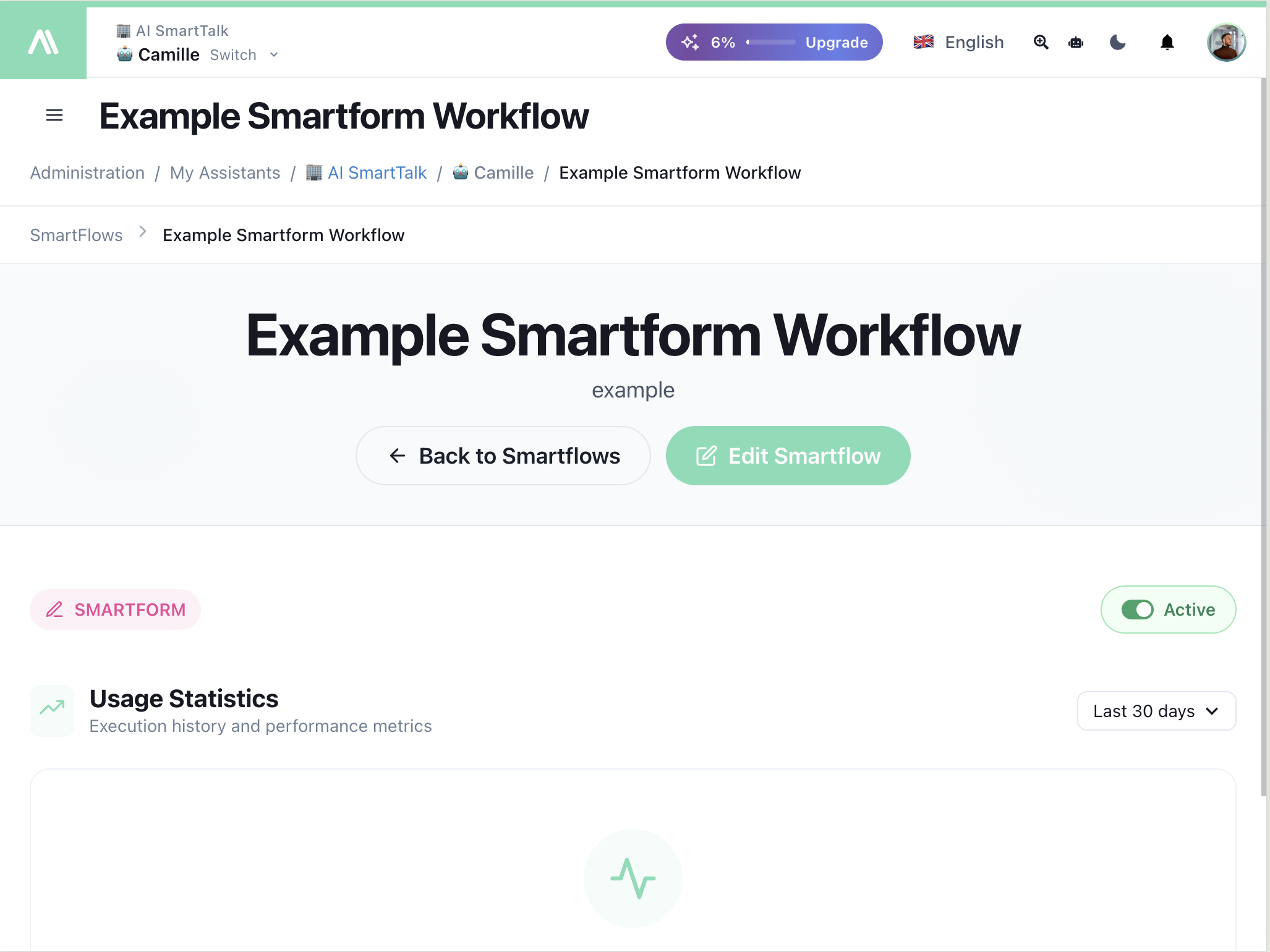
After creation, manage your SmartFlow from the detail page:
| Element | Description |
|---|---|
| Active Toggle | Enable/disable the workflow |
| Edit Smartflow | Open the node editor |
| Usage Statistics | Execution history and metrics |
Available Variables
All form fields are available as variables:
| Variable | Description |
|---|---|
{{form.fieldName}} | Value of any form field |
{{form.name}} | Name field |
{{form.email}} | Email field |
{{conversation.userId}} | User who submitted |
{{timestamp}} | Submission time |
Example: Lead Capture with AI Analysis
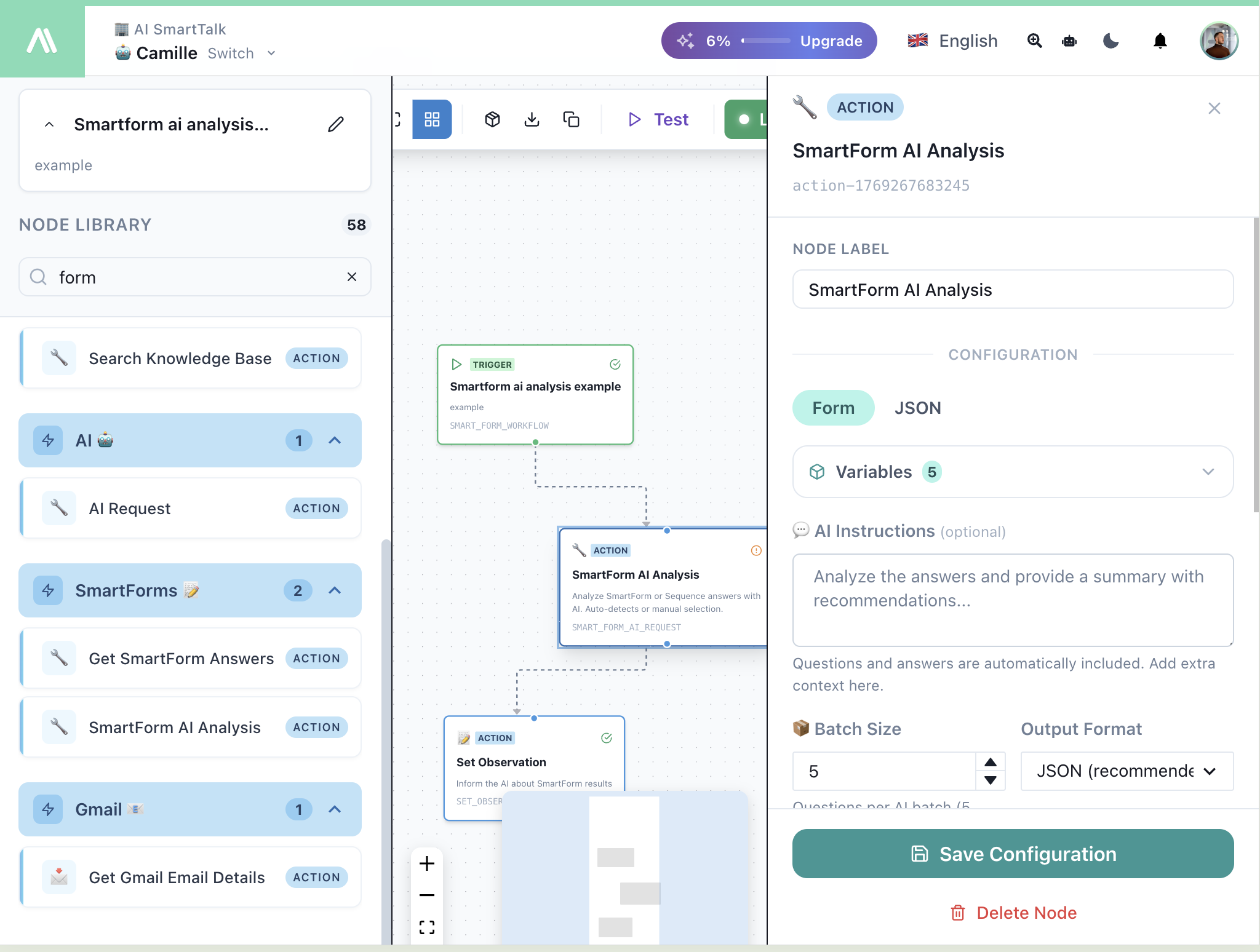
- SmartForm Workflow — Triggers when form is submitted
- SmartForm AI Analysis — Analyze and summarize responses
- Set Observation — Send results back to AI
Example: Support Ticket
- SmartForm Workflow — Triggers on support form
- JIRA Create Issue — Create ticket with form data
- Send Email — Confirmation to user with ticket number
Related
- SmartForm AI Analysis — Process form data with AI
- Get SmartForm Answers — Retrieve form data
- Send Email — Send confirmations
- JIRA Actions — Create tickets