Search Knowledge Base
Search your knowledge base and return relevant documents to use in your flow.
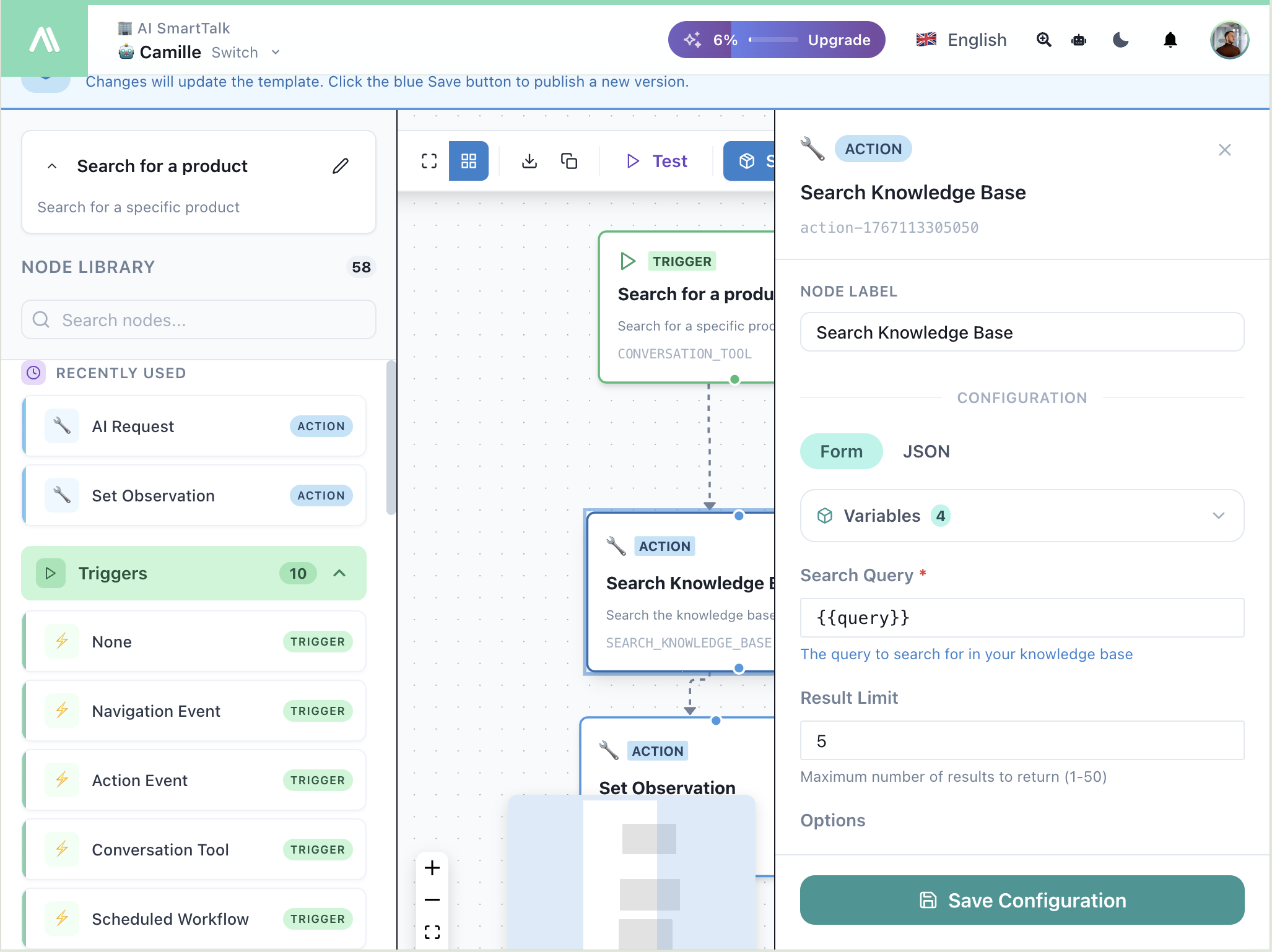
Configuration
| Field | Description |
|---|---|
| Node Label | Custom name for this node |
| Search Query | What to search for (use variables like {{query}}) |
| Result Limit | Maximum results to return (1-50) |
Form vs JSON
Toggle between:
- Form — Visual configuration
- JSON — Raw JSON for advanced use
Variables
Access variables from previous nodes using the Variables dropdown:
{{query}}       — User's search query from trigger
{{message}}     — User's message
{{result}}      — Previous action output
Output
The action returns search results available as {{searchResults}}:
{
  "searchResults": [
    {
      "content": "Document content...",
      "metadata": { "source": "file.pdf", "page": 1 },
      "score": 0.95
    }
  ]
}
Example: Product Search Tool
Flow:
- Trigger: Conversation Tool (collects
query) - Action: Search Knowledge Base (
{{query}}) - Action: Set Observation (return
{{searchResults}})
Configuration:
- Search Query:
{{query}} - Result Limit:
5
Example: FAQ Bot Enhancement
Flow:
- Trigger: Chat Service Override
- Action: Search Knowledge Base (
{{message}}) - Action: AI Request (answer using
{{searchResults}}) - Action: Send Message
Tips
- Lower limit (3-5) for focused results
- Higher limit (10-20) when you need comprehensive context
- Combine with AI Request to generate natural language answers
- Use Set Observation to return results to the AI