SmartForm & SmartFlow Integration
Connect your SmartForms to SmartFlow workflows to automate actions based on form submissions.
SmartFlow Triggers
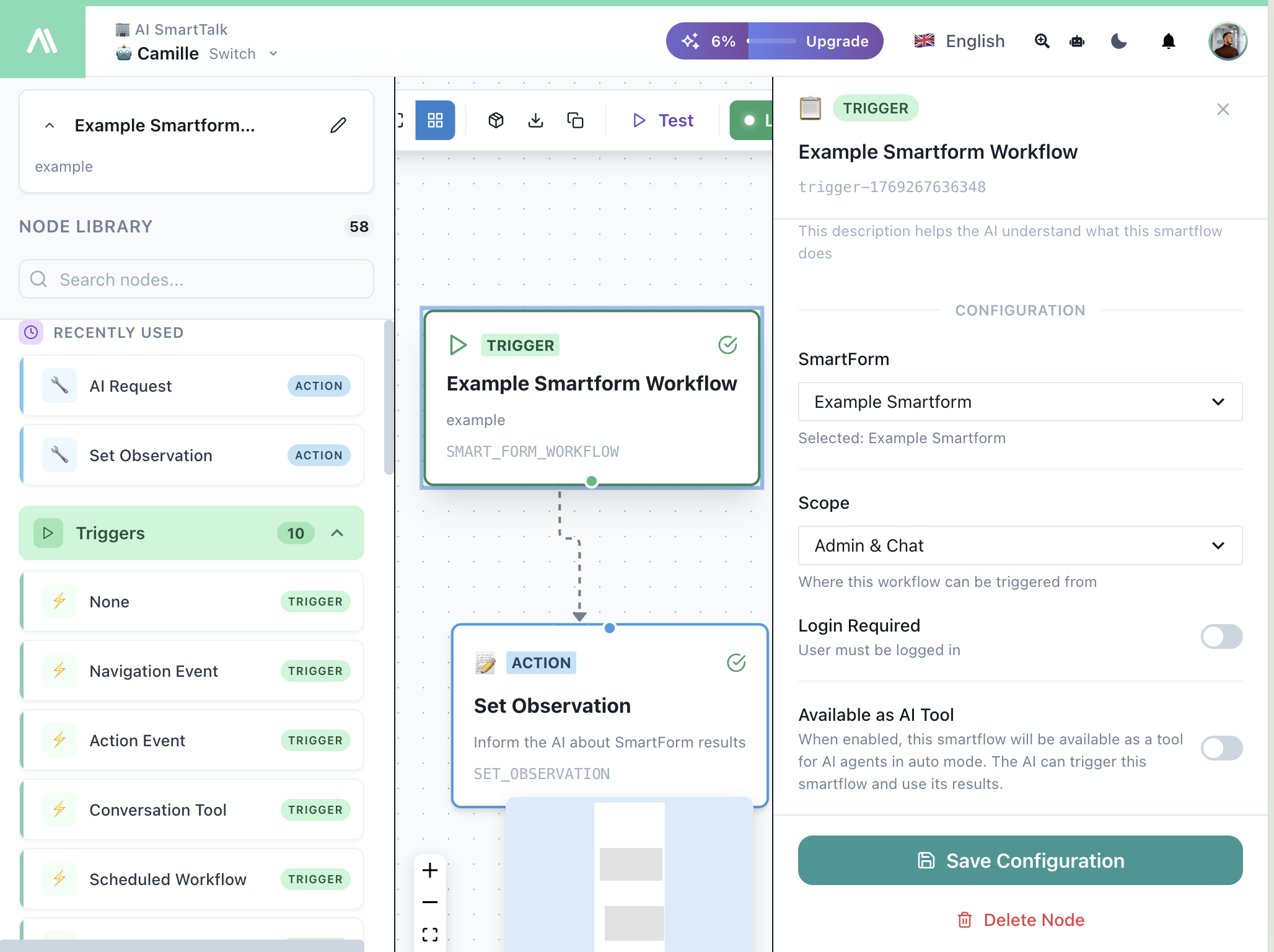
SmartForm Workflow Trigger
Use the SmartForm Workflow trigger to run a workflow when a form is completed.
| Field | Description |
|---|---|
| SmartForm | Select which form triggers this flow |
| Scope | Admin & Chat, Chat Only, or Admin Only |
| Login Required | User must be logged in |
| Available as AI Tool | AI can trigger this form in conversations |
Learn more about SmartForm Workflow →
SmartForm Sequence Trigger
Use the SmartForm Sequence trigger for multi-step form processes.
| Field | Description |
|---|---|
| Sequence | Which sequence triggers this flow |
| Execute After | Each form / Sequence completion / Both |
| Enable as AI Tool | AI guides users through all forms conversationally |
Learn more about SmartForm Sequence →
SmartForm Trigger (Legacy)
The base SmartForm trigger for simple form workflows.
Learn more about SmartForm Trigger →
SmartFlow Actions
SmartForm AI Analysis
Process SmartForm responses with AI — analyze, summarize, classify, or extract insights.
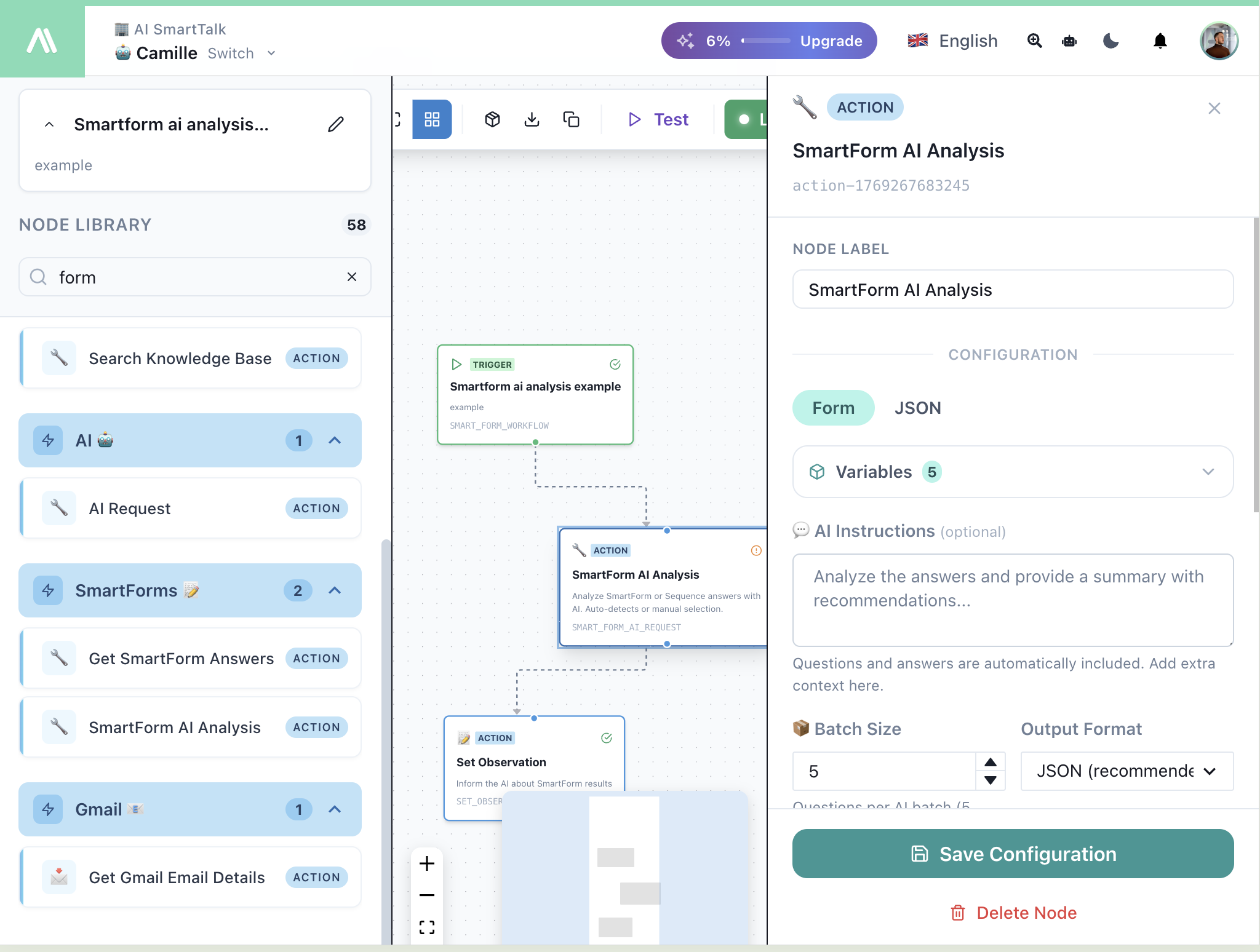
| Field | Description |
|---|---|
| AI Instructions | What to do with the form data |
| Batch Size | Questions processed per AI request |
| Output Format | JSON (recommended) or Text |
Learn more about SmartForm AI Analysis →
Get SmartForm Answers
Retrieve data from a specific SmartForm submission.
| Field | Description |
|---|---|
| Form | Which SmartForm to get data from |
Learn more about Get SmartForm →
Creating a SmartFlow from SmartForm
You can create a SmartFlow directly from the SmartForm editor:
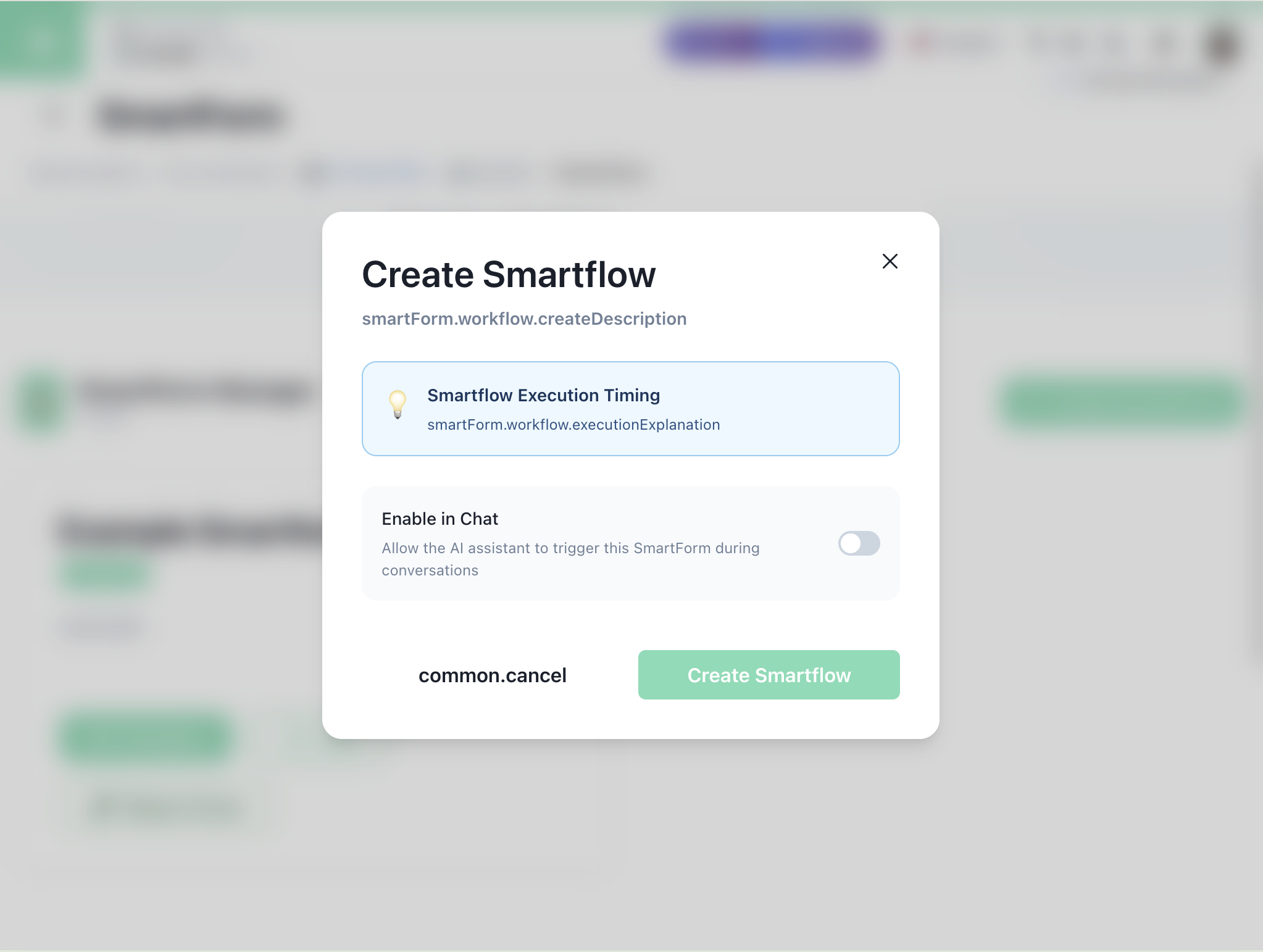
| Option | Description |
|---|---|
| Execution Timing | When the flow runs relative to form completion |
| Enable in Chat | Allow AI to trigger this form in conversations |
Enable as AI Tool
Both SmartForm and Sequence triggers support the Enable as AI Tool toggle.
What It Does
When enabled:
- Form/sequence becomes a default tool for your AI assistant
- Users complete it conversationally in the chatbot
- Works on all channels (web, WhatsApp, Messenger, etc.)
Example Conversation
User: I'd like to submit feedback

AI: I'd be happy to help! Let me ask you a few questions.
    What's your name?

User: John Smith

AI: Thanks John! On a scale of 1-10, how would you rate your experience?

User: 8

AI: Great score! Any specific comments?

User: The support team was very helpful

AI: Thank you for your feedback! I've recorded your responses.
Execution Options for Sequences
| Option | When It Runs | Best For |
|---|---|---|
| After each form | Every time a form is completed | Real-time sync, progress notifications |
| After sequence | Only when all forms are done | Final reports, completion workflows |
| Both | At both moments | Maximum flexibility |
Available Variables
SmartForm Workflow Variables
| Variable | Description |
|---|---|
{{form.fieldName}} | Any form field value |
{{form.submittedAt}} | Submission timestamp |
{{form.submittedBy}} | User who submitted |
{{conversation.userId}} | Current user ID |
SmartForm Sequence Variables
| Variable | Description |
|---|---|
{{sequence.forms}} | Array of all form responses |
{{currentForm.index}} | Position in sequence |
{{currentForm.isLast}} | Whether this is the final form |
{{sequence.completedAt}} | Completion timestamp |
Example: Lead Qualification with AI
- SmartForm Workflow — Triggers on form submission
- SmartForm AI Analysis — Score and classify the lead
- Set Observation — Return analysis to AI