Webhooks & AI Skills
Automate your store operations by reacting to real-time events with webhooks, and extend your AI assistant's capabilities with pre-built skills.
Webhooks
Webhooks allow your AI assistant to react automatically when something happens in your PrestaShop store. When an event is triggered, AI SmartTalk receives a notification and can execute a SmartFlow workflow in response.
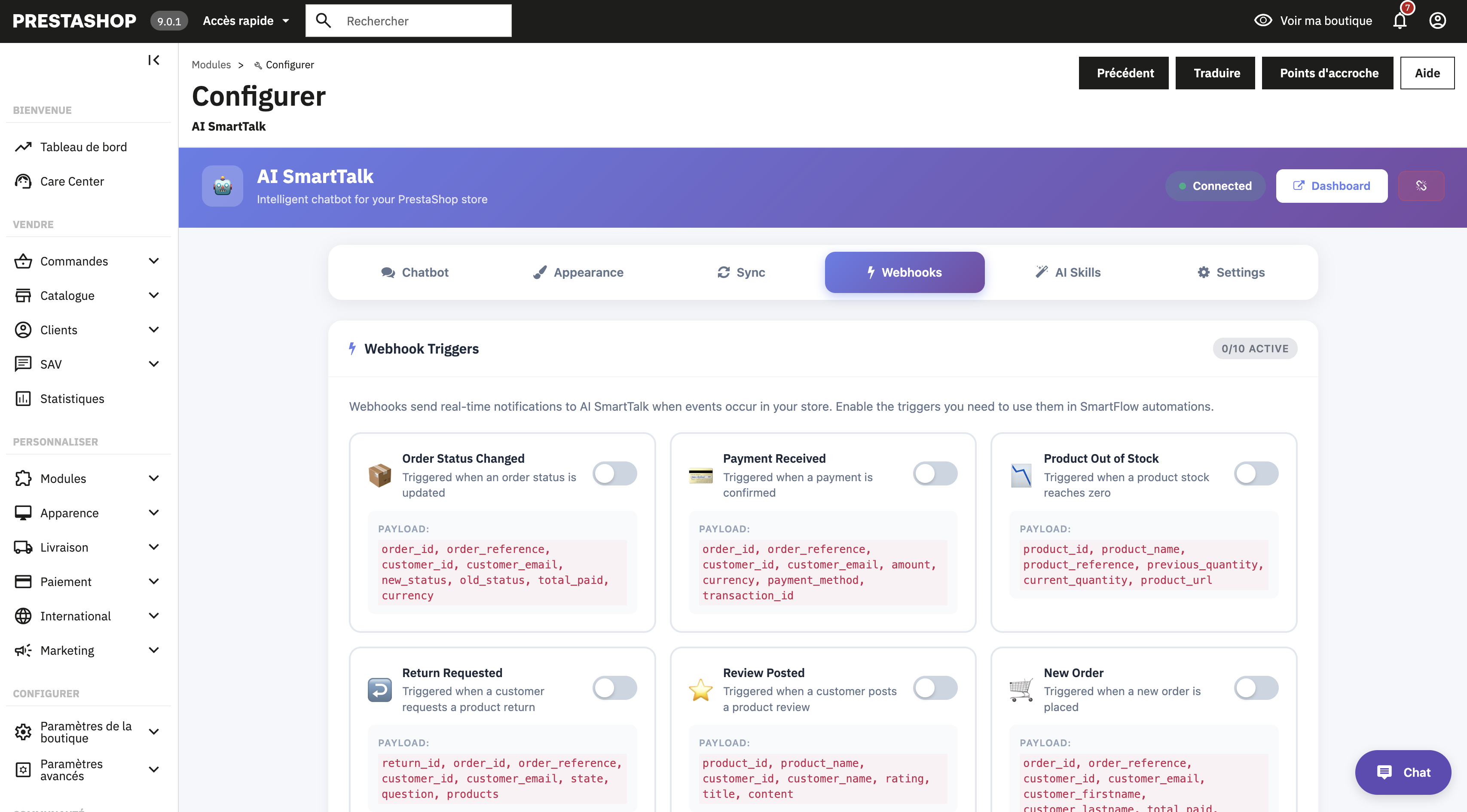
Available triggers
Configure which events trigger a webhook from the Webhooks tab in the module configuration:
| Trigger | Event |
|---|---|
| New Order | A new order is placed on your store |
| Order Status Changed | An order status is updated (e.g., shipped, delivered) |
| Payment Received | A payment is successfully processed |
| Product Out of Stock | A product reaches zero stock |
| Return Requested | A customer requests a product return |
| Review Posted | A customer leaves a product review |
| Customer Registered | A new customer account is created |
| Cart Updated | A customer modifies their shopping cart |
| Refund Created | A refund is issued |
| Product Created | A new product is added to the catalog |
Enabling webhooks
- Go to the AI SmartTalk module configuration in PrestaShop
- Open the Webhooks tab
- Toggle on the events you want to track
- Click Save
When webhooks are active, a badge on the Webhooks tab shows how many triggers are enabled.
Using webhooks with SmartFlow
Once a webhook is configured, you can create SmartFlow workflows that are triggered by these events. For example:
- New order → Send a personalized thank-you message
- Order status changed → Notify the customer via chat
- Product out of stock → Alert the store manager
- Customer registered → Send a welcome message with a discount code
- Return requested → Create a support ticket and notify the team
To learn more about building workflows, see the SmartFlow documentation.
AI Skills
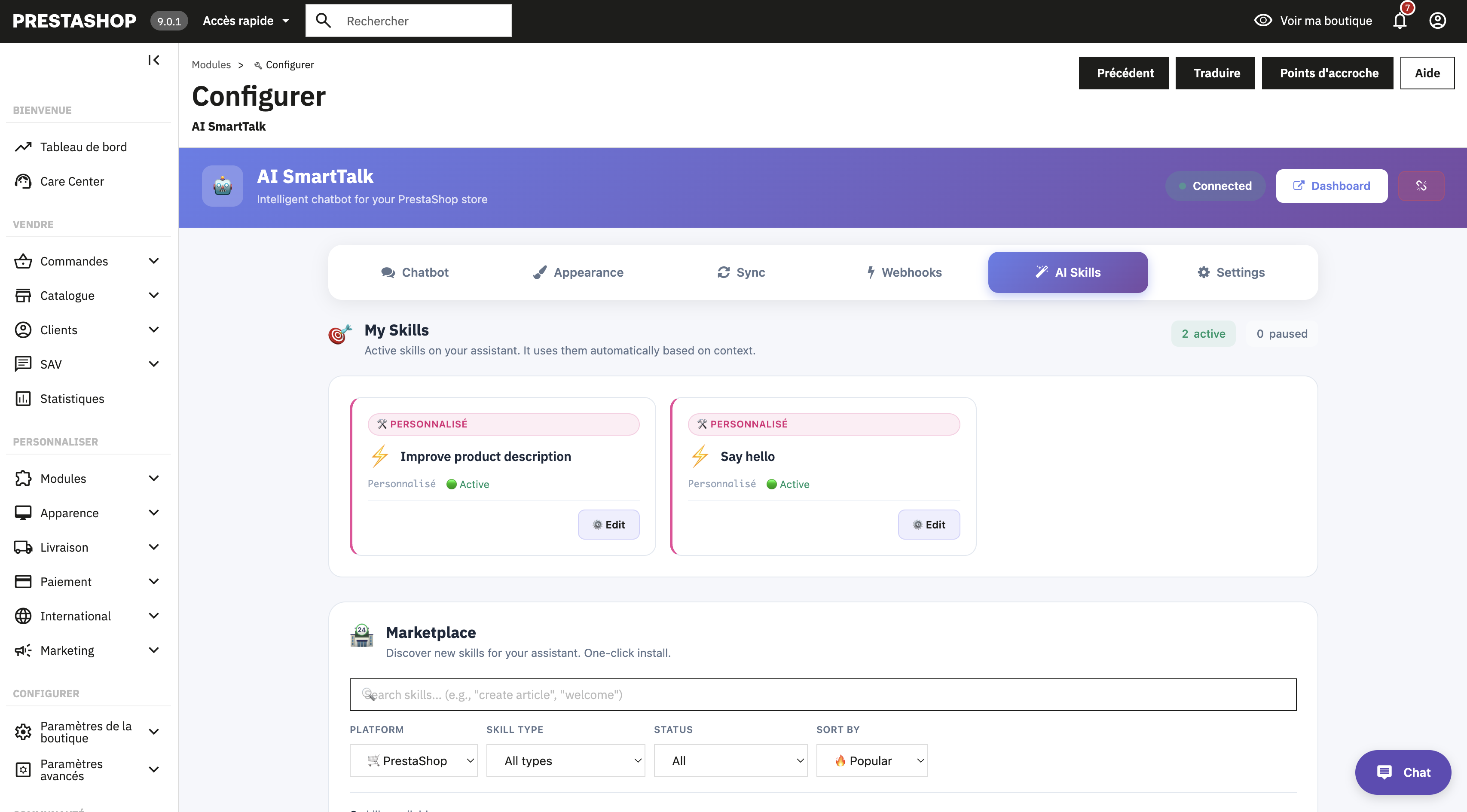
The Skills tab gives you access to a marketplace of pre-built SmartFlow templates designed specifically for PrestaShop stores.
What are skills?
Skills are ready-to-use AI workflows that you can install with one click. They cover common e-commerce scenarios and save you time by providing pre-configured automation.
Browsing skills
- Go to the AI SmartTalk module configuration in PrestaShop
- Open the Skills tab
- Browse available skills using:
- Search by keyword
- Filter by platform, type, or status
- Sort by relevance, name, or date
Managing skills
| Action | Description |
|---|---|
| Install | Add a skill to your AI assistant |
| Update | Apply the latest version of an installed skill |
| Uninstall | Remove a skill from your assistant |
Installed skills appear in the "Installed" section at the top of the Skills tab.
Next steps
- AI Actions Reference — See everything your AI can do with your store
- Troubleshooting — Common issues and solutions